Frequently Asked Questions
Every automation question we answer anywhere on this site, gathered and searchable in one place — 468 of them, each linked back to the guide it came from.
No answer matches that yet. Try a broader word — gripper, cost, safety — or ask us directly and we will answer it and add it here.
Questions about Relling
Straight answers about how we work. Everything below this is general automation reference.
Do you sell robots, or run them?
Neither, quite. You get one qualified cell — arm, tooling, sensing, safety, and software — scoped to your part and proven before it ships. Production, not a project.
What happens when the part changes?
It is a software change, not a re-fixture. Closed-loop vision and force control let the cell adapt per part, which is why high-mix work pays back here and rarely does with fixed automation.
How long until it is making parts?
Six weeks or less from install to running. The cell is built and qualified at our HQ first, so your floor is tied up for installation, not integration.
Where does the AI actually run?
On the cell, on your floor. No inference, no skill, and no part data leaves the plant — and it runs fully air-gapped if your work demands it.
Who keeps it running?
We do. Health monitoring, OEE tracking, preventive maintenance, and on-call support are ours. Running parts is yours.
Who is this actually for?
US manufacturers doing high-mix, contact-rich work, and the factory and system integrators who build their lines. Relling is American, based in San Francisco.
What do you actually automate?
Relling workcells perform welding, machine tending, precision assembly, bin picking, material handling, finishing and deburring, dispensing and sealing, kitting and sequencing, labeling and marking, and machine-vision inspection. It deploys across aerospace and defense, automotive, battery and EV, electronics, food and beverage, metals, plastics, agriculture, recycling, and textile. See capabilities and industries.
How do I get in touch?
You can reach Relling at ping@rellingsystems.com or through the contact page. Relling works with American manufacturers, industrial firms, and the factory and system integrators who build their lines.
Robot basics
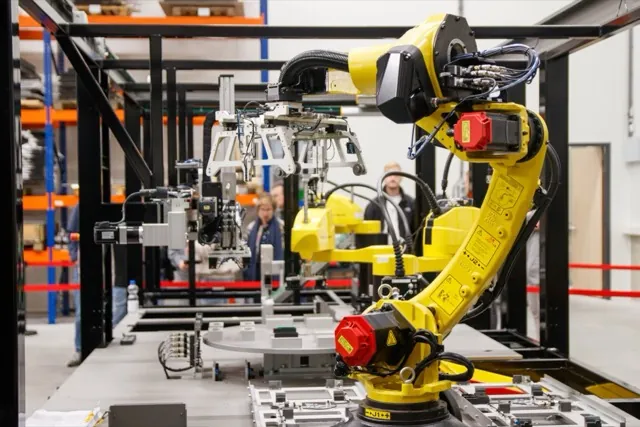
What is a robot integrator?
A robot integrator is a company that turns a robot arm into a working production system. Robot makers — FANUC, ABB, KUKA, Yaskawa, Universal Robots — sell the arm; the integrator adds tooling, sensing, safety guarding, fixturing, and programming, then qualifies the cell for your specific parts. Most manufacturers work with an integrator or buy a pre-engineered cell rather than integrating a bare robot themselves. See our integrator buyer's guides.
What is the difference between a collaborative robot (cobot) and an industrial robot?
A collaborative robot (cobot) is rated to work safely near people, using power- and force-limiting and simplified programming, often with reduced guarding after a risk assessment. It is easy to deploy and suited to small shops and high-mix work. An industrial robot is faster and handles higher payloads and reach behind fixed guarding, suiting higher-volume production. Throughput, part size, and floor space usually decide. See our guides to the best cobots and the best industrial arms.
What is the difference between an AMR and an AGV?
An autonomous mobile robot (AMR) navigates freely using onboard sensors and SLAM mapping, rerouting around obstacles. An automated guided vehicle (AGV) follows a fixed path such as a magnetic strip or wire. AMRs are more flexible and easier to reconfigure; AGVs are simpler and can be cost-effective for fixed, repetitive routes. See our guide to the best autonomous mobile robots.
What is physical AI in manufacturing?
Physical AI (also called embodied AI) is artificial intelligence that perceives and acts in the physical world through robots, rather than only processing text or images. In manufacturing it lets robots adapt to variation — finding a part, adjusting a grip, or following a seam in real time — so they can handle contact-rich, high-mix work that fixed automation cannot. Relling deploys physical-AI workcells for exactly this manipulation work.
What is a turnkey robot workcell?
A turnkey robot workcell is a complete, ready-to-run system — robot, tooling, sensing, safety, and software — delivered integrated and qualified rather than as parts to assemble. The manufacturer receives a working cell scoped to their parts instead of a robot to integrate. Relling builds turnkey workcells that are qualified off-site and running on the floor in weeks.
Choosing a robot
What is the best robot for my task?
There is no single best robot — the right one depends on the task, part size, throughput, and whether you want a collaborative or industrial cell. We publish vendor-neutral, model-by-model comparisons for each job: welding, machine tending, palletizing, bin picking, assembly, finishing, dispensing, kitting, and labeling.
How do I choose robot payload and reach?
Size payload to the heaviest thing the robot holds, including the gripper or tool, with margin. Choose a reach that covers the largest part and every position the robot must access. For light-payload work like welding or dispensing, reach usually matters more than payload; for palletizing or heavy handling, payload is the constraint.
Cobot or industrial robot — which do I need?
Choose a cobot for low-to-medium volume, high-mix work, tight floor space, or a first automation project where easy programming matters. Choose an industrial robot for higher volume, larger or heavier parts, and faster cycle times, accepting fixed guarding. Many shops start with a cobot and add industrial cells as volume grows.
What are the best industrial robot brands?
The four largest industrial robot makers are FANUC, ABB, KUKA, and Yaskawa Motoman, with Kawasaki, Mitsubishi, Nachi, Stäubli, and Epson also strong; Universal Robots leads collaborative robots. There is no single best brand — it depends on payload, reach, application, service network, and any installed base you want to standardize on. See our guide to the best 6-axis industrial robot arms.
Cost & ROI
How much does an industrial robot cost?
A robot arm alone typically costs roughly $25,000 to $100,000 depending on payload, reach, and brand. But the arm is only part of a working system: a complete, integrated cell — with tooling, safety, fixturing, vision, and programming — commonly runs $100,000 to $250,000 or more. Collaborative-robot cells often start lower, around $50,000 to $125,000.
What is the ROI or payback period of factory automation?
Payback depends on labor displaced, uptime, throughput, and quality gains, but many manufacturers target a one- to three-year payback on a robotic cell. Automation pays back fastest on tasks that are dull, dirty, hard to staff, or quality-critical, and where the cell runs multiple shifts. High-mix work pays back sooner when the system reconfigures in software instead of requiring new fixturing per part.
How can automation reduce labor costs?
Robots absorb repetitive, physically demanding tasks that are increasingly hard to staff, letting scarce skilled workers focus on higher-value work. Beyond direct labor, automation reduces costs from turnover, training, rework, scrap, and injuries, and it enables consistent multi-shift output without proportional headcount. The goal is usually to redeploy people, not simply remove them.
Integrators & buying
Do I need a robot integrator, or can I buy a robot directly?
You can buy a robot arm directly from an OEM, but it arrives without tooling, safety, fixturing, or programming — it is not a working cell. Unless you have an in-house robotics team, most manufacturers buy a pre-engineered cell or work with an integrator or turnkey provider that delivers the robot as a qualified, running system.
How do I choose a robot integrator?
Match the integrator to your work: part mix and volume, whether you want a pre-engineered or custom system, preferred robot brand, who will program and maintain it, and the strength of local service. Ask for reference installations similar to your parts, clarity on qualification before shipping, and a defined plan for downtime. See our integrator buyer's guides by task.
What questions should I ask a robot integrator?
Ask whether they have deployed a similar cell and can show it running; how the cell is programmed and who does it after handover; changeover time to a new part; which robot brand and whether you can standardize later; whether it is qualified before shipping; what quality checks are built in; the realistic install-to-production timeline; service response times; the all-in cost including fixturing, install, training, and spares; and what happens contractually if it misses cycle time or quality.
Deployment & feasibility
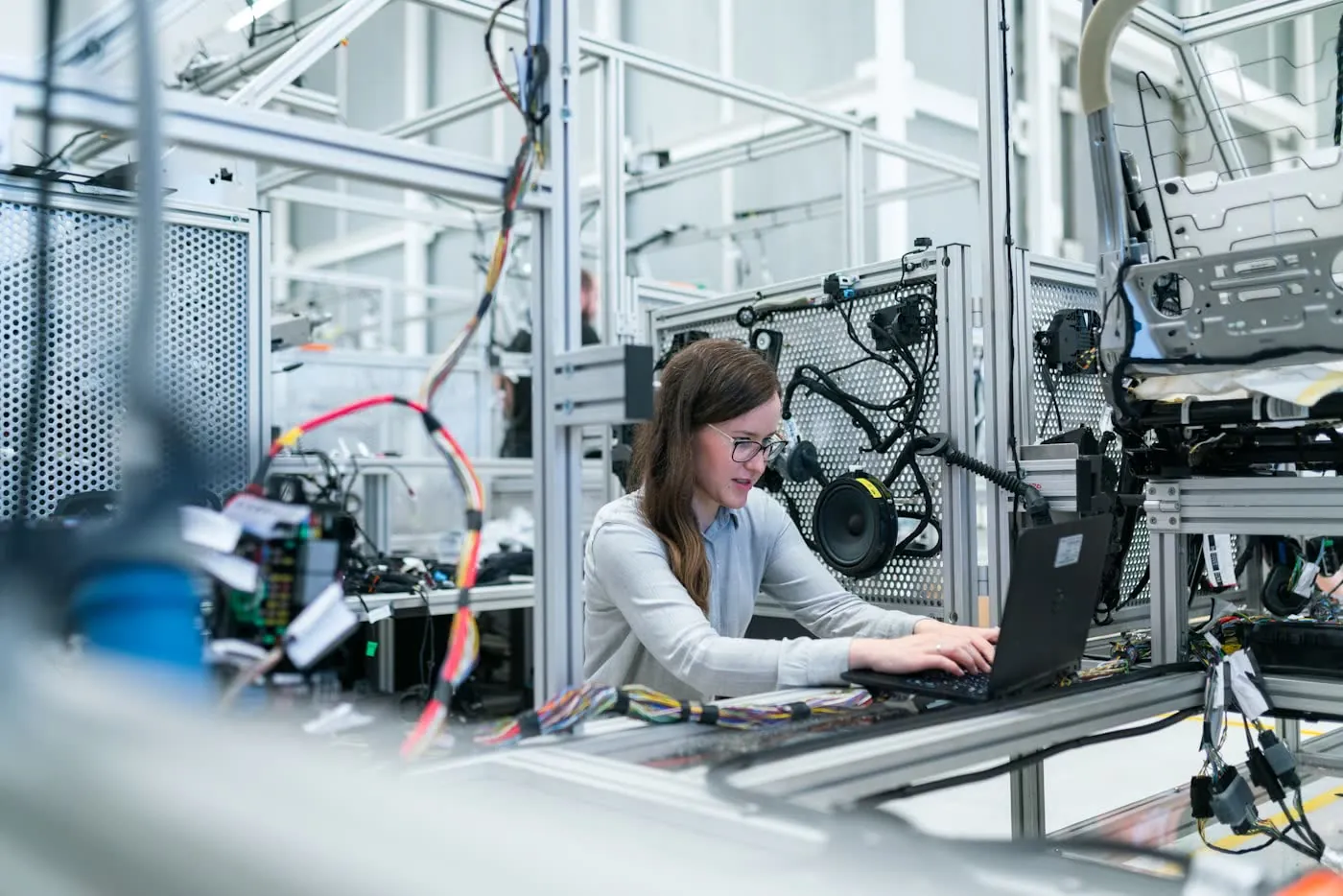
How long does it take to deploy a robot cell?
A pre-engineered or collaborative cell for a simple part can run in days to a few weeks. A custom engineered cell more often takes several weeks to several months, driven by fixturing, programming, and safety qualification. Systems that are pre-built and qualified off-site before shipping reduce how long your own line is tied up — Relling qualifies cells off-site and stands them up in weeks.
Can robots handle high-mix, low-volume production?
Yes. High-mix work was historically hard because fixturing and re-programming did not amortize over short runs. Vision guidance, force control, and self-programming or AI systems now let a cell adapt to each part and change over in software instead of steel, making high-mix, low-volume automation viable where it once was not.
What can be automated in a factory?
Common automated tasks include welding, machine tending, palletizing and material handling, assembly, bin picking, finishing and deburring, dispensing and sealing, kitting, labeling and marking, and inspection. The best candidates are repetitive, physically demanding, hard-to-staff, or quality-critical tasks. Contact-rich, high-mix manipulation was long the hardest to automate and is exactly what AI-driven physical robots now address.
Safety & standards
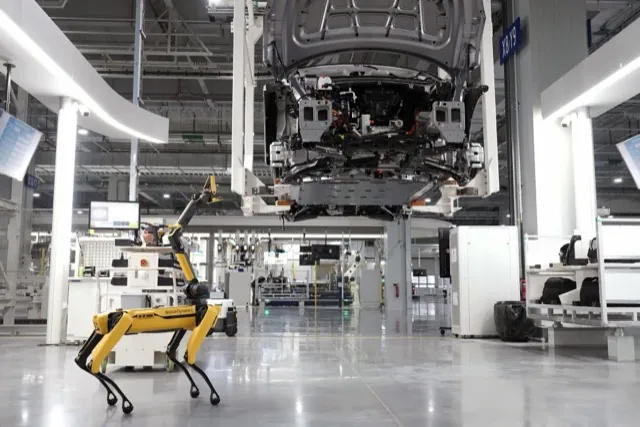
Are collaborative robots safe to run without guarding?
Collaborative robots can run near people with reduced or no fixed guarding, but only after a formal risk assessment for the specific application, following ISO 10218 and ISO/TS 15066. Speed, force, sharp tooling, and payload all affect the outcome — a cobot holding a knife or a hot welding torch may still need guarding. Safety depends on the whole application, not just the robot.
What safety standards apply to industrial robots?
The core standards are ISO 10218 (parts 1 and 2) for industrial robots and robot systems, and ISO/TS 15066 for collaborative operation. In the US these align with ANSI/RIA R15.06. A cell is made safe through a risk assessment covering guarding, emergency stops, speed and force limits, and access — which is part of what qualification confirms before a cell goes live.
What is robot cell qualification?
Qualification is the process of proving a robot cell is safe and capable before it goes into production — verifying it meets its cycle time, quality, and safety requirements on real parts. Doing this off-site, before the cell ships, means it arrives ready to run instead of tying up your line for weeks of debugging. It is a core part of how Relling delivers cells.
Industry & reshoring
What industries use industrial robots the most?
Automotive has historically been the largest user, followed by electronics, metals and machinery, plastics, and food and beverage. Adoption is now spreading into high-mix sectors like aerospace and defense, battery and EV, agriculture, and recycling as adaptable, AI-driven robots reach work that fixed automation could not handle.
What is reshoring, and how does automation enable it?
Reshoring is bringing manufacturing back to the domestic market after it was offshored. Automation enables it by offsetting higher domestic labor costs and the shortage of skilled workers: robots make US production cost-competitive and consistent, and quick-to-deploy, adaptable cells let manufacturers scale onshore capacity without waiting years to hire and train. This is central to Relling's mission for American manufacturing.
How is automation used in specific industries?
Adoption and the tasks automated differ by sector. See the per-industry answers for aerospace & defense, automotive, battery & EV, electronics, food & beverage, metals & foundry, plastics, agriculture, recycling, and textile.
Robot guides
Can 3D cameras handle shiny or reflective parts?
Reflective, shiny, and dark parts are the hardest case for any 3D sensor because they scatter or absorb the projected light. High-end structured-light cameras handle them best, using techniques like high dynamic range capture, multiple exposures, and adaptive projection to recover a usable point cloud. Even then, results vary by finish, so test difficult parts with the actual camera before committing.
Best 3D vision cameras for bin picking, 2026Do I need software with the camera?
A 3D camera only produces a point cloud — turning that into a pick requires grasp-planning software that detects parts, estimates pose, plans a collision-free grasp, and talks to the robot. Some vendors, such as Mech-Mind, bundle a camera with a bin-picking studio. Otherwise you pair the camera with separate vision software or work with an integrator who supplies the grasp-planning stack. Budget for the software, not just the sensor.
Best 3D vision cameras for bin picking, 2026How much do 3D vision cameras cost?
Industrial 3D vision cameras for bin picking typically run roughly $3,000 to $20,000 or more, depending on technology, accuracy, and field of view. Low-cost stereo modules for development sit at the bottom of that range, while high-accuracy structured-light cameras sit at the top. Remember the camera is only part of the cost — grasp-planning software, integration, and the robot cell add substantially to a working bin-picking system.
Best 3D vision cameras for bin picking, 2026Structured light vs ToF vs stereo — which is best?
Structured light projects a known pattern and generally gives the highest accuracy and densest point clouds, making it the default for precise bin picking, though acquisition is slower. Time-of-Flight (ToF) measures light travel time and is fast with a large field of view and long range, but lower resolution — good for speed and coarse guidance. Stereo and active stereo triangulate between cameras, offering low cost and robustness in ambient light at moderate accuracy. Choose by the accuracy, speed, and range your parts demand.
Best 3D vision cameras for bin picking, 2026What accuracy do I need for bin picking?
It depends on part size and grasp tolerance. Coarse picking of large, forgiving parts can work at a few millimeters, while precise placement or small components may need sub-millimeter point accuracy. As a rule, the camera's point accuracy should be a fraction of your grasp tolerance so pose estimation lands the gripper reliably. Reflective or dark surfaces effectively reduce usable accuracy, so budget margin for difficult parts.
Best 3D vision cameras for bin picking, 2026What is the best 3D camera for bin picking?
There is no single best 3D camera — the right sensor depends on your parts, accuracy needs, and cycle time. For high-accuracy bin picking, structured-light cameras like Zivid and Photoneo lead on point-cloud quality. If you want a camera bundled with turnkey grasp-planning software, Mech-Mind pairs a camera with an AI bin-picking stack. Reflective or dark parts, field of view, and whether the camera must work in motion all shift the answer, so match the sensor to the parts you actually pick.
Best 3D vision cameras for bin picking, 2026How do I choose payload and reach for an industrial arm?
Size payload to the heaviest thing the wrist must carry — the part plus the gripper, tool, and any cabling — with margin, not just the part weight. Choose reach so the arm covers the full work envelope: the largest part and every position it must access. Getting these two right first narrows the field quickly; repeatability, protection rating, and ecosystem then decide between candidates.
Best 6-axis industrial robot arms, 2026How much does an industrial robot arm cost?
A bare 6-axis industrial arm typically costs roughly $25,000 to $100,000 or more depending on payload, reach, and options, but the arm is only part of a working system. A complete cell with tooling, safety guarding, controls, and integration commonly costs several times the arm alone. Price against your parts, throughput, and the full cell, not the arm sticker.
Best 6-axis industrial robot arms, 2026Should I use a cobot or an industrial arm?
Collaborative arms are easier to program, have a small footprint, and can run near people with reduced guarding subject to a risk assessment — good for lower payloads, high mix, and first automation. Traditional 6-axis industrial arms are faster and handle far larger payloads and reach behind fixed guarding, suiting higher-volume and heavier work. Payload, speed, and floor space usually decide.
Best 6-axis industrial robot arms, 2026What are industrial robot arms used for?
Six-axis industrial arms are used across manufacturing for welding, material handling, palletizing, assembly, machine tending, and finishing such as grinding, deburring, and painting. Their combination of reach, payload, and full orientation freedom makes them the general-purpose workhorse behind most factory automation.
Best 6-axis industrial robot arms, 2026What is a 6-axis robot and what are the axes for?
A 6-axis robot has six rotary joints that together let the tool reach any position and orientation within the work envelope. Broadly, the first three axes (base rotation, shoulder, elbow) position the wrist in space, and the last three (the wrist's roll, pitch, and roll) orient the tool. Six axes give full spatial freedom, which is why they are the workhorse configuration for welding, handling, assembly, and machine tending.
Best 6-axis industrial robot arms, 2026What is the best industrial robot arm brand in 2026?
FANUC, ABB, KUKA, and Yaskawa are widely regarded as the "big four" of industrial robot arms, with the largest installed bases and service networks. Kawasaki, Mitsubishi, Nachi, and Stäubli are also strong, particularly in specific niches. There is no single best brand — the right one depends on the payload and reach you need, your application, and the installed base you already run, since standardizing on one controller and ecosystem simplifies programming, spares, and training.
Best 6-axis industrial robot arms, 2026How are AMR fleets managed?
AMR fleets are coordinated by fleet-manager software that assigns tasks, plans traffic, and manages charging, integrated with your WMS or MES so the robots act on real orders and production signals. The quality of that software and its integration often matters more than any single robot's specs.
Best autonomous mobile robots, 2026How much do AMRs cost?
AMRs can be bought per unit as a capital purchase, or deployed under a robotics-as-a-service (RaaS) subscription that bundles the robots, fleet software, and support into a recurring operational fee. RaaS lowers up-front capex and is common for fulfillment picking; per-unit purchase is common for fixed industrial transport.
Best autonomous mobile robots, 2026What are AMRs used for?
AMRs are used for material transport between cells and areas, goods-to-person storage and retrieval, e-commerce and warehouse fulfillment picking, and line-side delivery in manufacturing. They move totes, carts, and pallets so people and fixed equipment do not have to.
Best autonomous mobile robots, 2026What is an AMR and how is it different from an AGV?
An autonomous mobile robot (AMR) navigates autonomously using SLAM, natural-feature mapping, and onboard sensors, so it can plan its own path and route around obstacles and people. An automated guided vehicle (AGV) follows a fixed path defined by magnetic tape, wires, or reflectors and stops when something blocks it. AMRs are more flexible and easier to reconfigure; AGVs are simpler and can be lower-cost for fixed, repetitive routes.
Best autonomous mobile robots, 2026What is the best AMR in 2026?
There is no single best AMR — the right platform depends on payload, role, and environment. For industrial material transport, MiR and OTTO Motors lead. For e-commerce and warehouse fulfillment, Locus Robotics, Geek+, and 6 River Systems lead. The best choice depends on the payload you move and whether your job is transport, goods-to-person, or piece-picking.
Best autonomous mobile robots, 2026What payload do AMRs carry?
AMR payloads range from a few kilograms for light tote and shelf robots up to roughly 1900 kg for heavy pallet and material-transport platforms. Match the platform to the heaviest load and the form factor — tote, cart, pallet, or piece-pick — your operation requires.
Best autonomous mobile robots, 2026Are cobots good for small shops?
Yes. Collaborative robots are well suited to small and job shops: they are relatively low cost, easy to program without a PLC or dedicated engineer, have a small footprint that fits a crowded floor, and can work near people after a risk assessment. That combination makes them a common first automation project for shops that cannot justify a large fenced industrial cell.
Best cobots for small machine shops, 2026Can a small shop program a cobot without an engineer?
Yes — that is one of the main advantages of a cobot. Most collaborative arms are programmed by hand-guiding the robot through positions or using a simple tablet interface with pre-built application blocks, so a machinist or operator can set up common jobs without writing PLC or robotics code. More complex, high-mix work still benefits from integrator support, but day-to-day teaching is designed for shop-floor staff.
Best cobots for small machine shops, 2026Cobot vs industrial robot for a small shop?
Cobots are easier to program, have a small footprint, and can run near people with reduced guarding subject to a risk assessment — ideal for small shops, high-mix work, and first automation. Industrial robots are faster, reach farther, and handle heavier parts and higher duty cycles, but need fixed guarding and more engineering. For most small machine shops the collaborative arm is the better fit; move to an industrial cell when volume, part weight, or cycle time outgrows the cobot.
Best cobots for small machine shops, 2026How much does a cobot cost for a small shop?
A collaborative robot arm alone typically costs roughly $20,000–$50,000 depending on payload and reach. A complete application cell — arm plus gripper or torch, application software, fixturing, and a safety assessment — costs more, often two to four times the arm price. Robots-as-a-service (RaaS) offerings lower the upfront cost by renting the working system for a monthly fee instead of buying it outright.
Best cobots for small machine shops, 2026What can a cobot do in a machine shop?
In a machine shop a cobot commonly handles CNC machine tending (loading and unloading parts), welding, deburring, inspection, and palletizing or packing. With the right gripper or tool and application software, one arm can be moved between several of these jobs, which is part of why cobots suit high-mix, lower-volume shops.
Best cobots for small machine shops, 2026What is the best cobot for a small machine shop?
There is no single best cobot — the right arm depends on your application, part weight, and budget. Universal Robots (UR5e, UR10e, UR20) and the FANUC CRX are the most popular starting points for small machine shops because they are easy to program, have the widest ecosystem of grippers and application kits, and are backed by large integrator and service networks. Choose the arm around the job — machine tending, welding, deburring — rather than the other way around.
Best cobots for small machine shops, 2026Are cobots safe to run without guarding?
Only after a risk assessment. A cobot's power- and force-limiting features let it run with reduced or no fixed guarding, but the specific application must be assessed per ISO/TS 15066 — sharp tooling, high speeds, or heavy parts can still require guarding, reduced speed, or additional safety devices. The arm being collaborative does not by itself make the cell collaborative.
Best collaborative robots, 2026How much does a cobot cost?
A cobot arm alone typically costs roughly $20,000–$60,000 depending on payload, reach, and brand. That is only the arm — a complete working cell adds an end-effector, application software, safety assessment, fixturing, and integration, so a deployed cobot cell usually costs meaningfully more than the arm. Price against the full application, not the arm sticker.
Best collaborative robots, 2026What is a cobot and how is it different from an industrial robot?
A collaborative robot, or cobot, is an arm designed with power- and force-limiting and safety-rated monitoring so it can work safely near people — often with reduced or no fixed guarding after a risk assessment. Industrial robots are faster and stronger but run behind fences at full speed. Cobots trade peak speed for ease of programming, a small footprint, and safe human proximity, which suits small and high-mix shops.
Best collaborative robots, 2026What is the best collaborative robot in 2026?
There is no single best cobot. Universal Robots leads on ecosystem breadth — the widest range of grippers, application kits, and software built around its arms — but FANUC's CRX, Doosan's M and H series, Techman's TM line, and ABB's GoFa are all strong. The right choice depends on your required payload and reach, the application, and the tooling and software you need around the arm.
Best collaborative robots, 2026What payload and reach do cobots offer?
Today's cobots span roughly 3–30 kg of payload and about 0.6–1.9 m of reach. Light arms of 3–5 kg suit assembly and inspection, mid-range 6–16 kg arms handle machine tending and light welding, and heavy 20–30 kg arms take on palletizing and heavier part handling. Match payload to your part plus the end-effector, and reach to your work envelope.
Best collaborative robots, 2026What tasks are cobots used for?
Common cobot applications include machine tending, assembly, welding, pick-and-place, palletizing, and inspection. Their ease of programming and safe human proximity make them especially well suited to small shops and high-mix, lower-volume work where a fenced industrial cell would be too costly or inflexible.
Best collaborative robots, 2026Do I need a force sensor for robotic deburring?
For consistent robotic deburring, grinding, or polishing you almost always want force control — but usually in the form of an active compliance tool rather than a bare 6-axis sensor. An active contact flange or compliant spindle holds a constant force against the part and absorbs position error, so the robot follows the real surface instead of a rigid programmed path. A plain F/T sensor can work with tight control loops, but the dedicated compliance tools are simpler and more robust for material removal.
Best force-torque sensors for robots, 2026F/T sensor vs active compliance flange — what's the difference?
A 6-axis F/T sensor measures forces and torques and hands that data to the robot controller, which decides how to react — it senses but does not itself apply force. An active compliance flange (such as a FerRobotics ACF or PushCorp AFD) actively regulates contact force with its own actuator, holding a constant force against a surface regardless of small position errors. Sensors suit precise assembly where the controller closes the loop; active compliance tools suit surface finishing where you want a steady, self-correcting contact force.
Best force-torque sensors for robots, 2026How much does a robot force-torque sensor cost?
A 6-axis robot force-torque sensor typically costs roughly $2,000–$8,000 or more, depending on the measurement range, resolution, brand, and included robot integration kit. Cobot-ready plug-and-play sensors sit in the middle of that band, while high-accuracy or high-range industrial sensors run higher. Active compliance devices for finishing are usually priced above bare sensors. Price against the accuracy and force range your process actually needs, and verify current pricing with each maker.
Best force-torque sensors for robots, 2026What is a force-torque sensor used for?
A 6-axis force-torque sensor lets a robot feel the forces and torques at its wrist, which turns blind position control into contact-aware manipulation. Typical uses include assembly insertions and press-fits (finding a hole, seating a connector or bearing), polishing and deburring at a controlled contact force, hand-guiding or teaching, and detecting collisions or jams. It is the sense that lets a robot do contact-rich work that pure position control cannot.
Best force-torque sensors for robots, 2026What is the best force-torque sensor for robots?
There is no single best force-torque sensor — the right one depends on your robot, your process, and how much force you need to measure. ATI Industrial Automation is the long-standing industry standard for 6-axis F/T sensors and is widely used in research and demanding industrial work. For plug-and-play force on collaborative robots, OnRobot HEX and Robotiq FT 300 are popular because they ship with brand-specific kits and software that mount and integrate quickly. For compact or research use, Bota Systems is common, and for surface finishing an active compliance device from FerRobotics or PushCorp is usually the better tool than a bare sensor.
Best force-torque sensors for robots, 2026Which robots have built-in force sensing?
Some collaborative robots include joint-torque sensing that estimates end-effector force without a separate wrist sensor — the KUKA LBR iiwa is the best-known example, with torque sensors in every joint, and several other cobots offer some level of built-in force estimation. Built-in sensing is convenient for hand-guiding and light assembly, but a dedicated 6-axis wrist sensor is generally more accurate for precise insertions, and an active compliance tool is still preferred for finishing.
Best force-torque sensors for robots, 2026How do I choose a labeling and marking system?
Start with whether you need a label or a direct mark, then match the technology (CIJ, TIJ, laser, or print-and-apply) to your substrate, speed, and data. Account for part and format variation, decide whether a fixed applicator or a robot places it, and require vision verification or read-back so every identifier is confirmed. Finally, confirm serialization and traceability data handling, line integration, all-in cost, and service before you commit.
Best labeling & marking systems, 2026How is label or mark placement verified?
Verification uses machine vision or a barcode reader to read the code back immediately after it is printed, applied, or marked. The system confirms the label or mark is present, in the right position, legible, and grades to standard (e.g. ISO/IEC 15415/15416), rejecting parts that fail. This read-back closes the loop so a missing, skewed, or unreadable identifier is caught on the line rather than downstream.
Best labeling & marking systems, 2026How much does a labeling or marking system cost?
A print-and-apply labeling or coding station typically runs roughly $15,000–$75,000 depending on technology, speed, and integration. Robot-placed, vision-verified systems that locate the part and confirm each identifier cost more, because they add the arm, vision, and safety around the coder or applicator. Price against your part mix, throughput, and traceability requirements.
Best labeling & marking systems, 2026What is the best labeling and marking system in 2026?
There is no single best labeling and marking system — the right choice depends on whether you apply a label or mark the part directly, your throughput, part and format variation, and how placement is verified. For high-speed line coding, Videojet, Domino, and Markem-Imaje lead, with Markem-Imaje strong on enterprise traceability. For case, pallet, and product print-and-apply labeling, Weber Packaging Solutions and FOX IV Technologies are standards. Where labels or marks must go onto complex or varied parts, a robot arm places them with vision verification. A coder or applicator alone is not a labeling station; most buyers deploy through an integrator or a turnkey system.
Best labeling & marking systems, 2026What is the difference between print-and-apply labeling and direct part marking?
Print-and-apply labeling prints a label on demand and applies it to a case, pallet, or product with a tamp or blow applicator — the identifier lives on an adhesive label. Direct part marking puts the identifier onto the part itself using inkjet coding (CIJ/TIJ), laser, or dot-peen, so there is nothing to peel or fall off. Labels carry more data density and color and are easy to change; direct marks are permanent and survive harsh handling. Many lines use both.
Best labeling & marking systems, 2026When do I need a robot instead of a fixed applicator?
A fixed applicator is ideal when parts present in a consistent position and orientation — a case on a conveyor, a product at a known station. You need a robot when the label or mark must land on varied part geometries, multiple faces, or parts that arrive in inconsistent positions, or when placement must adapt per part. A robot arm with vision locates the part and places the label or mark accurately across a high mix that a fixed applicator cannot cover.
Best labeling & marking systems, 20262D vs 3D machine vision — when do I need each?
Use 2D vision for presence/absence, measurement in a plane, surface features, code reading (OCR/barcode), and most cosmetic checks — it is faster, cheaper, and simpler. Use 3D vision when the inspection depends on height, shape, volume, planarity, or when parts are reflective or vary in position, where 2D contrast alone is unreliable. Many lines combine both: 2D for reading and presence, 3D for dimensional and shape verification.
Best machine vision systems, 2026How does machine vision integrate with a robot?
Machine vision can guide a robot (locating parts for pick, place, or path correction) or verify a robot's work (inspecting after an operation). Integration means calibrating the camera to the robot's coordinate frame, exchanging results over a fieldbus or protocol, and closing the loop so the robot acts on what the camera sees. Tight, closed-loop integration — vision built into the workcell rather than bolted on — is what makes per-part adaptation and inline verification reliable.
Best machine vision systems, 2026How much does a machine vision system cost?
A single smart-camera inspection station typically runs about $10,000–$50,000 including lighting, optics, and integration. Engineered 3D or AI inspection systems — with multiple cameras, structured-light sensors, deep-learning software, fixturing, and line integration — commonly run $50,000–$250,000 or more. The camera or sensor itself is only a fraction of a working inspection system.
Best machine vision systems, 2026Rules-based vs AI (deep-learning) machine vision — which should I use?
Rules-based vision uses deterministic tools — edges, blobs, template match, measurement — and is fast, explainable, and ideal when the defect can be precisely specified. Deep-learning vision learns from labeled images and excels at cosmetic, textured, or variable defects that are hard to write rules for. Many real systems are hybrid: rules for measurement and reading, AI for the judgment calls, with human review to control false rejects.
Best machine vision systems, 2026Smart camera vs PC-based vision system — what is the difference?
A smart camera integrates sensor, processing, and I/O in one housing — simple to deploy, lower cost, ideal for a single or few checks. A PC-based system connects one or more cameras to a separate processor, giving more resolution, more cameras, heavier AI, and more flexible logic for complex or high-throughput inspection. Smart cameras win on footprint and simplicity; PC-based wins on scale and compute.
Best machine vision systems, 2026What is the best machine vision system in 2026?
There is no single best machine vision system — the right choice depends on whether you inspect in 2D or 3D, whether your defects are rules-definable or need AI, your resolution and speed needs, and how it must integrate with your line. For general 2D presence, measurement, and code reading, Cognex In-Sight and Keyence CV-X / XG-X lead. For 3D shape, volume, and reflective parts, Zivid and Photoneo are strong. For cosmetic or hard-to-specify defects, deep-learning tools like Landing AI LandingLens and Instrumental do what rules cannot. A camera is not an inspection system; most buyers deploy through an integrator or a turnkey system.
Best machine vision systems, 2026Electric vs pneumatic grippers — which is better?
Electric grippers offer programmable position, force, and speed, need no compressed air, and are easy to integrate with cobots — ideal for precise, high-mix, or clean environments. Pneumatic grippers are simple, fast, and deliver high force per dollar, but require an air supply and give coarser control. Choose electric for flexibility and precision, pneumatic for high-force, high-cycle, cost-sensitive handling where air is already available.
Best robot grippers, 2026How do I choose a robot gripper?
Start from the part, not the catalog: its geometry, weight, surface, and how much it varies. Rigid, consistent parts suit parallel grippers; varied shapes suit adaptive or three-finger; flat or smooth surfaces suit vacuum; delicate or irregular items suit soft grippers. Then factor in cycle speed, environment (food, washdown, cleanroom), and whether you want a plug-and-play cobot kit or a custom industrial gripper.
Best robot grippers, 2026How much do robot grippers cost?
Robot grippers typically cost roughly $1,000 to $10,000 or more depending on type. Simple pneumatic parallel grippers sit at the low end; programmable electric parallel, adaptive, and vacuum cobot grippers commonly run a few thousand dollars; and specialized soft, food-grade, or multi-part tooling can exceed $10,000. Remember the gripper is only part of the cell — integration, sensing, and programming add to the total.
Best robot grippers, 2026What gripper is best for irregular or delicate parts?
Soft and adaptive grippers are best for irregular or delicate parts. Soft grippers such as Piab piSOFTGRIP and Soft Robotics mGrip use compliant, food-grade fingers that conform to and gently cradle produce, baked goods, and oddly shaped items. Adaptive and three-finger grippers like the OnRobot 3FG15 also handle shape variation well by wrapping around parts, without the tuning that rigid parallel jaws would need.
Best robot grippers, 2026What is the best robot gripper in 2026?
There is no single best robot gripper — the right end-of-arm tooling depends on your part geometry, weight, and cycle. Robotiq and OnRobot lead the collaborative EOAT space with broad plug-and-play parallel, adaptive, and vacuum ranges, while Schunk is the industrial gripper standard. For irregular or delicate parts, soft grippers from Piab and Soft Robotics are common. Match the gripper to the part, not to a brand.
Best robot grippers, 2026What types of robot grippers are there?
The main families are two-finger parallel grippers for rigid, well-defined parts; three-finger and adaptive grippers that conform to varied shapes; vacuum grippers for flat, smooth, or boxed items; soft and food-grade grippers for delicate or irregular parts; and magnetic or gecko-adhesion grippers for thin, flat, or ferrous parts. Most cells use one family, but multi-gripper and tool-change setups are common in high-mix work.
Best robot grippers, 2026Can I program different robot brands with one software?
Yes. Brand-agnostic platforms such as RoboDK, Visual Components, and OCTOPUZ support many robot makers from a single interface, generating brand-specific code as output. This is useful for shops running a mixed fleet or integrators who work across OEMs. Single-OEM tools, by contrast, target one manufacturer's robots with the highest fidelity.
Best robot programming & simulation software, 2026Do I need simulation software?
For simple, repetitive tasks you may not — teaching on the pendant can be enough. But for complex or path-heavy applications, simulation and collision checking are valuable: they let you validate reach, cycle time, and safety before touching the robot, and catch collisions in software rather than on the floor. The more complex the part or the higher the mix, the more simulation pays off.
Best robot programming & simulation software, 2026How much does robot programming software cost?
Pricing ranges widely. Accessible tools like RoboDK start from roughly a few thousand dollars per license, while OEM and CAD/CAM packages run higher, and enterprise digital-twin platforms such as Siemens Tecnomatix Process Simulate are licensed at enterprise scale. Verify current pricing and licensing terms directly with each vendor, since models and tiers change.
Best robot programming & simulation software, 2026What is a digital twin in robotics?
A digital twin is a virtual model of a robot cell or production line that mirrors the real system — its robots, tooling, fixtures, and motion. It lets you simulate, validate, and optimize the cell in software, program offline against it, and predict behavior before or alongside physical production. Platforms like Siemens Tecnomatix Process Simulate and Visual Components are used to build factory-scale digital twins.
Best robot programming & simulation software, 2026What is offline robot programming (OLP)?
Offline programming (OLP) is creating and simulating robot programs on a computer, away from the physical robot, then transferring the finished program to the machine. Because the robot keeps producing while you program the next job, OLP cuts downtime and makes complex paths practical without tying up the arm for teaching.
Best robot programming & simulation software, 2026What is the best robot programming software?
There is no single best robot programming software — it depends on how many robot brands you run, how path-intensive your application is, and your budget. For multi-brand shops that want value and broad brand support, RoboDK is a popular starting point. If you run a single-brand fleet, the OEM's own tool (ABB RobotStudio, FANUC ROBOGUIDE, KUKA.Sim) gives the best fidelity for that brand. For path-heavy work like welding and trimming, CAD/CAM OLP such as OCTOPUZ, Robotmaster, or Verbotics generates programs from geometry.
Best robot programming & simulation software, 2026Do I buy the arm directly or use an integrator?
You can buy an arm directly from an OEM, but it arrives without force sensing, vision, tooling, part feeding, or in-line test. Unless you have an in-house robotics team, most manufacturers buy a pre-engineered cell or work with an integrator or turnkey provider that delivers the arm as a qualified, running assembly system.
Best robots for assembly, 2026Do I need force or torque control for assembly?
For contact-rich tasks — insertions, press-fits, snap-fits, threaded fastening, and delicate mating — yes. Force or torque sensing lets the robot feel the part and adapt instead of driving blindly to a position, which prevents jams and damage and improves first-pass yield. Arms like the KUKA LBR iiwa have torque sensing in every joint; other arms add a wrist-mounted force/torque sensor. For simple, well-fixtured placement, position control alone can be enough.
Best robots for assembly, 2026How much does an assembly robot or cell cost?
A bare assembly robot arm typically costs roughly $20,000–$60,000 depending on type and reach, but the arm is a fraction of a working cell. A complete assembly cell with force sensing, vision, tooling, part feeding, and in-line test commonly runs about $100,000–$400,000 or more, depending on the number of stations and complexity. Price against your parts, tolerances, and volume.
Best robots for assembly, 2026SCARA vs 6-axis — which is better for assembly?
SCARA arms are faster and highly rigid in the vertical direction, which makes them ideal for high-speed planar pick-place and straight-down insertions and press-fits. 6-axis arms trade some planar speed for the ability to approach a part from many angles, making them the choice for multi-orientation assembly, complex fastening, and parts that must be manipulated in space. If the whole job is flat and vertical, choose SCARA; if it needs dexterity, choose 6-axis.
Best robots for assembly, 2026What is the best robot for assembly in 2026?
There is no single best assembly robot — it depends on the work. For fast planar pick-place and vertical insertion, SCARA arms like the Epson G-series and Yamaha YK-XG dominate. For dexterous, multi-orientation assembly, 6-axis arms such as the Stäubli TX2-90, FANUC LR Mate 200iD, and DENSO VS-series are standards. For safe, high-mix, lower-volume work alongside people, collaborative arms like the Universal Robots UR5e and Techman TM5 are popular. Match the arm to your tolerance, cycle time, and force needs rather than to a ranking.
Best robots for assembly, 2026What payload and repeatability do I need for assembly?
Assembly parts are usually light, so payloads of 3–20 kg cover most work and payload is rarely the constraint. Repeatability matters far more: SCARA and precision 6-axis arms reach ±0.01–0.03 mm, which is what consistent insertion and mating require. Choose repeatability tight enough for your tightest tolerance, and remember that vision and force control can absorb part-to-part variation the arm alone cannot.
Best robots for assembly, 2026How fast is robotic bin picking?
Picks per hour vary widely with the part, the vision system, and the grasp strategy. Simple, well-separated parts with fast vision can reach high rates, while random clutter, tangled parts, or heavy parts slow the cycle because perception and grasp planning take longer and mis-picks must be recovered. Always benchmark picks/hr on your actual parts rather than trusting a generic figure.
Best robots for bin picking, 2026How much does a bin-picking cell cost?
A complete bin-picking cell commonly runs about $80,000 to $250,000 or more, driven mostly by the 3D vision and perception system, the required throughput, and integration complexity. A standard arm on structured bins with 2.5D vision sits at the lower end; high-resolution 3D, AI grasp planning, high picks/hr, and tight line integration push toward the top. Price against your parts and volume.
Best robots for bin picking, 2026Should I buy the components or use an integrator?
You can buy an arm, a 3D camera, and perception software separately, but bin picking only works when the arm, vision, grasp planning, gripper, and error recovery are integrated and tuned to your parts. Unless you have an in-house robotics and vision team, most manufacturers deploy through an integrator or a turnkey provider that delivers the whole pick as a qualified, running system.
Best robots for bin picking, 2026What 3D vision do I need for bin picking?
It depends on your parts. Structured-light 3D (e.g. Photoneo, Zivid) gives high accuracy and handles reflective or precise parts well, which matters for shiny or tightly-toleranced components. Time-of-flight or stereo systems trade some accuracy for speed and range, suiting faster cycles and larger bins. Reflective and mixed-finish parts usually push you toward structured-light sensing plus robust AI perception.
Best robots for bin picking, 2026What is the best robot for bin picking in 2026?
There is no single best bin-picking robot, because bin picking is not one product — it is a robot arm plus a 3D vision system plus AI grasp planning working together. Common arms include the FANUC M-20iD, Universal Robots UR10e, ABB IRB 1300, and Yaskawa Motoman GP8. The 3D vision and perception layer is usually a Photoneo, Zivid, Cognex, or Mech-Mind system, and for high-throughput cells an intelligent controller such as Mujin coordinates the whole pick. The right combination depends on your bins, parts, and throughput.
Best robots for bin picking, 2026What is the difference between structured and random bin picking?
In structured or semi-structured bin picking, parts are in known or partially known positions — trays, layers, or lightly jumbled — so simpler 2D/2.5D vision and a standard arm can locate and grasp them. In fully random bin picking, parts are piled in unpredictable clutter and orientations, which requires high-resolution 3D vision and AI grasp planning to find a reachable, collision-free grasp on each pick.
Best robots for bin picking, 2026Can robotic dispensing follow varied geometry?
Yes. With vision path-following, the robot locates the part or feature and adapts the dispense path to each part instead of running a fixed program, which matters when parts shift in the fixture or vary between units. Combined with coordinated flow control, this lets one cell place accurate beads on mixed geometry without re-teaching every part.
Best robots for dispensing, 2026How much does a robotic dispensing cell cost?
A complete robotic dispensing or sealing cell typically runs about $80,000–$250,000 or more, depending on the arm, the dispensing system, and the material. A cobot plus a single-component valve is at the lower end; an industrial arm with a two-part meter-mix system, heated supply, vision path-following, and cure or bead-integrity verification is at the higher end. The arm is only a fraction of the total.
Best robots for dispensing, 2026How precise can robotic dispensing be?
Precision has two parts: the arm's path accuracy and the system's flow control. Industrial arms repeat to roughly ±0.02–0.05 mm and cobots to about ±0.05 mm, so bead placement is tight. Bead width and volume are governed by the valve or meter-mix system, which can hold consistent bead width to a fraction of a millimeter when tuned. Coordinating robot speed with flow is what keeps the bead uniform through corners and geometry changes.
Best robots for dispensing, 2026Should I buy the components or use an integrator?
You can buy an arm from a robot OEM and a dispensing system from a fluid-handling specialist, but they arrive as separate products that still need to be integrated, path-programmed, and qualified with your material. Unless you have an in-house robotics and fluids team, most manufacturers work with an integrator or turnkey provider that delivers the arm and the dispensing system as one qualified, running dispensing cell.
Best robots for dispensing, 2026What dispensing system do I need?
It depends on the material. Single-component adhesives, sealants, and gaskets are dispensed with a volumetric or pressure-time valve fed from a supply system. Two-part materials — many structural adhesives, potting compounds, and RTV gaskets — need a meter-mix-dispense system that proportions and mixes the two components at the correct ratio before the nozzle. Match the metering method, viscosity range, and shot size to your material and bead, not to the arm.
Best robots for dispensing, 2026What is the best robot for dispensing in 2026?
There is no single best product — robotic dispensing is always a pairing of a robot arm and a dispensing system. The arm places the bead along the path; the dispensing system controls the flow. Pick the arm from a maker like FANUC, ABB, or Universal Robots based on path accuracy, reach, and whether you want a cobot or industrial cell, and pick the dispensing system from a specialist like Nordson, Graco, Scheugenpflug/Atlas Copco, or Sealant Equipment & Engineering based on your material. No single product does both.
Best robots for dispensing, 2026Can a finishing robot handle high part variation?
Yes, with the right sensing. A vision scan of each part lets the system generate or adjust the toolpath instead of hand-teaching every variant, and an active compliance flange absorbs the residual geometric variation so contact force stays constant. The combination of a vision-scanned path plus force compliance is what makes high-mix deburring and finishing practical.
Best robots for finishing & deburring, 2026Do I buy the robot arm directly or work with an integrator?
You can buy an arm directly from an OEM, but it arrives without the compliance tooling, abrasive or media system, vision, dust containment, safety, or programming that a finishing cell needs. Unless you have an in-house robotics team, most manufacturers buy a pre-engineered cell or work with an integrator or turnkey provider that delivers the arm, tooling, and sensing as a qualified, running finishing system.
Best robots for finishing & deburring, 2026How much does a robotic finishing or deburring cell cost?
A complete robotic finishing or deburring cell typically runs about $100,000 to $300,000 or more, depending on part size, the arm, and the process. The arm is only part of it — the active compliance tool, abrasive or media system, vision for part variation, dust and media containment, fixturing, safety, and programming make up much of the cost. Price against your parts, finish spec, and volume rather than the arm's list price.
Best robots for finishing & deburring, 2026Should I use an industrial robot or a cobot for finishing?
Industrial arms are rigid, fast, and handle the process forces and duty cycle of grinding and heavy material removal — the right choice for castings, weld dressing, and higher volume behind fixed guarding. Collaborative arms are easier to program, have a small footprint, and suit light finishing, polishing, and higher-mix, lower-volume work near people subject to a risk assessment. Either way, pair the arm with an active compliance flange sized to the process.
Best robots for finishing & deburring, 2026What is the best robot for deburring and finishing in 2026?
There is no single best finishing robot — it depends on part size, material-removal forces, and finish spec. For material removal and heavier grinding, industrial arms such as the FANUC M-710iC/50, ABB IRB 6700, KUKA KR QUANTEC, and Yaskawa Motoman GP50 are common choices. For light finishing and higher-mix work, collaborative arms like the Universal Robots UR10e and UR20 are popular. Crucially, the force-compliance tool that holds the abrasive against the part — an active contact flange from FerRobotics or PushCorp — matters as much as the arm itself, because it governs finish consistency.
Best robots for finishing & deburring, 2026What payload and rigidity do I need for a deburring or grinding robot?
Unlike welding, finishing loads the arm with real process forces, so payload and rigidity matter. Light polishing and deburring can run on a 10–20 kg arm, but grinding, weld dressing, and heavy material removal need rigid industrial arms rated 50 kg and up so the reaction forces do not deflect the tool. Size payload to include the spindle, compliance flange, and process force, not just the tool weight.
Best robots for finishing & deburring, 2026Why is force or compliance control so important for finishing and deburring?
A robot arm is a position device — it is very good at going to a point, but poor at holding a constant contact force as part geometry varies. Finishing quality depends on constant force between the abrasive and the surface, not on constant position. An active compliance tool, such as a FerRobotics Active Contact Flange or a PushCorp force device, closes a force loop at the tool so the abrasive follows the surface and applies steady pressure despite part-to-part variation and tool wear. Without it, edges are inconsistent, burrs are missed, and abrasives load or gouge.
Best robots for finishing & deburring, 2026Can you automate high-mix, low-volume manufacturing?
Yes. What was once impractical is now viable because vision, force sensing, and self-programming let a robot adapt to part-to-part variation and generate its own paths instead of relying on dedicated fixturing and hand-teaching for every part. Adaptive AI-native cells, flexible cobots, vision-guided systems, and self-programming welders all target high-mix work, so the runs that used to be too short to justify automation increasingly pay back.
Best robots for high-mix, low-volume, 2026Cobot or AI-native cell for high mix?
A flexible cobot is a strong choice when parts are broadly similar within a family and you want fast, low-risk redeployment with an easy teach interface. An AI-native adaptive cell fits when work is contact-rich or part variation is unstructured — closed-loop vision and force let it adapt per part in software rather than by re-fixturing. Cobots optimize for easy reprogramming; adaptive cells optimize for handling variation without a new setup. The messier and less structured the mix, the more the closed-loop cell earns its keep.
Best robots for high-mix, low-volume, 2026How do I reduce changeover time on a robot cell?
Move the changeover from steel into software. Use vision and force so the robot adapts to part position and variation instead of relying on precise fixtures; use flexible or quick-change fixturing so a new part does not need a new jig; and use auto-generated or offline programming so a part change is a software reconfiguration rather than a re-teach. The goal is to make switching parts a matter of loading a program, not rebuilding the cell.
Best robots for high-mix, low-volume, 2026How small a lot size can be automated now?
Much smaller than before. Adaptive systems that reconfigure in software collapse the setup cost per part, so lot sizes that once demanded manual work — down toward single-digit or one-off parts within a known family — can now pay back. The exact break-even depends on your parts, changeover frequency, and reconfiguration cost, so model it against your own mix rather than a rule of thumb.
Best robots for high-mix, low-volume, 2026What makes a robot good for high-mix work?
Three things: fast changeover in software rather than steel, adaptability to part variation through vision and force, and easy programming that auto-generates paths instead of hand-teaching each part. A robot that reconfigures with a software change and quick-change fixturing beats one that needs a re-fixture every time the part changes, because changeover — not cycle time — dominates the economics of short runs.
Best robots for high-mix, low-volume, 2026Why was high-mix, low-volume historically hard to automate?
Because the fixed costs of automation — dedicated fixturing and hand-teaching each part — did not amortize over short runs. Traditional robots needed rigid fixtures to hold parts precisely and a program taught point-by-point for every part, so the setup cost per part was only worthwhile at high volume. In high-mix, low-volume production the run ended before that investment paid back.
Best robots for high-mix, low-volume, 2026Do I need a picking arm or an AMR for kitting?
A picking arm physically grasps individual items to build a kit — you need one when the robot must select and place each piece. A goods-to-person AMR does not pick items; it moves totes, shelves, or carts so parts reach a person or a picking cell. Many kitting operations use both: AMRs deliver the right bins to a station, and an arm (or a person) assembles the kit. Decide by whether the bottleneck is grasping items or moving inventory to the point of use.
Best robots for kitting & picking, 2026How accurate and fast is robotic kitting?
Modern piece-picking arms with 3D vision typically achieve pick success rates in the high-90s percent on trained SKUs and run on the order of 500–1,000+ picks per hour depending on item variability and gripper. Goods-to-person AMR systems raise operator pick rates several-fold by eliminating walking. Real numbers depend heavily on SKU mix, item geometry, and error-recovery handling, so pilot on your own parts before committing to a rate.
Best robots for kitting & picking, 2026How many SKUs can a kitting robot handle?
Piece-picking systems built on machine-learning vision can generalize across tens of thousands of SKUs without per-item teaching, though highly deformable, transparent, or tangled items remain hard. Goods-to-person AMR systems scale to very large catalogs because the robot moves inventory rather than grasping it. The practical limit is set less by the robot and more by item variability, gripper range, and how gracefully the system handles exceptions.
Best robots for kitting & picking, 2026How much does a robotic kitting system cost?
A single robotic kitting cell — arm, 3D vision, gripper, and integration — commonly runs about $100,000–$300,000 or more depending on throughput and complexity. Goods-to-person AMR systems are usually priced per robot plus software, or offered as robotics-as-a-service with a monthly fee and little upfront capital. Price against SKU count, throughput, and whether you want to own the system or subscribe.
Best robots for kitting & picking, 2026Should I buy the robots or work with a systems integrator?
A picking arm is not a kitting system on its own — it needs vision, grippers, and WMS orchestration — and an AMR fleet needs a fleet manager and integration with your WMS/MES. Unless you have an in-house automation team, most manufacturers buy a pre-engineered cell or fleet through an integrator or turnkey provider that delivers the robots as a qualified, running kitting system rather than a bare arm or bare AMRs.
Best robots for kitting & picking, 2026What is the best robot for kitting in 2026?
There is no single best kitting robot — it depends on the job. To assemble kits at a station across many SKUs, a piece-picking arm with 3D vision and a smart gripper (e.g. RightHand RightPick, or a UR10e / FANUC LR Mate paired with Photoneo or Zivid vision) is the right tool. To bring parts to a person or robot, a goods-to-person AMR fleet (Geek+, inVia, Fetch/Zebra) is the better fit. Most operations combine both, so match the robot to the task rather than looking for one winner.
Best robots for kitting & picking, 2026Can a robot tend machines unattended or lights-out?
Yes. With reliable part presentation — bins, trays, conveyors, or vision — plus part-presence sensing, machine I/O signaling for cycle start and door control, and error recovery for missed picks or crashes, a tending cell can run unattended for hours or through the night. The presentation and error-handling design, not the arm, is what makes lights-out runtime real.
Best robots for machine tending, 2026Do I buy the robot arm directly or through an integrator?
You can buy an arm directly from an OEM, but it arrives without a gripper, part staging, machine I/O integration, safety, or programming. Unless you have an in-house robotics team, most manufacturers buy a pre-engineered cell or work with an integrator or turnkey provider that delivers the arm as a qualified, running tending system.
Best robots for machine tending, 2026How much does a machine-tending robot cost?
A machine-tending robot arm alone typically costs roughly $25,000–$60,000 depending on model and reach, but the arm is a fraction of a working cell. A complete cobot tending cell often runs about $50,000–$120,000, and an engineered industrial cell with part staging, grippers, machine integration, and safety commonly runs $80,000–$200,000 or more. Price against your parts and volume.
Best robots for machine tending, 2026Should I use a collaborative (cobot) or industrial machine-tending robot?
Cobot tenders are easier to program, have a small footprint, and can run near operators with reduced guarding subject to a risk assessment — ideal for small shops, high-mix work, and tending a single machine. Industrial arms are faster and handle heavier parts and higher duty cycles behind fixed guarding, suiting higher-volume or multi-machine lights-out cells. Part weight, cycle time, and floor space usually decide.
Best robots for machine tending, 2026What is the best robot for machine tending in 2026?
There is no single best machine-tending robot — the right arm depends on part size and weight, throughput, and whether you want a collaborative or industrial cell. For high-mix work and small shops, collaborative arms like the Universal Robots UR10e/UR20 and FANUC CRX are popular. For higher speed or heavier parts, industrial arms such as the FANUC LR Mate and M-20iD, Yaskawa Motoman GP series, and KUKA KR AGILUS are standards. Note that a bare arm is not a working cell; most buyers deploy through an integrator or a turnkey system.
Best robots for machine tending, 2026What payload and reach do I need for a machine-tending robot?
Size payload to the heaviest part plus the gripper and any fixturing the wrist carries — a common mistake is rating for the part alone and running out of margin. Reach must cover the machine's chuck, vise, or platen and the staging or infeed where blanks and finished parts sit, commonly 0.7–1.8 m. If one arm tends multiple machines, reach and layout must reach every load point.
Best robots for machine tending, 2026Do I need 3D vision for mixed-case palletizing?
Yes. Because cases vary and arrive in unpredictable orientations, the system needs 3D vision to detect each case's size, position, and pose before picking and placing it. Without 3D perception the robot cannot reliably identify varied cases or plan a stable mixed load, which is why vision is a core part of every serious mixed-case system.
Best robots for mixed-case palletizing, 2026How fast is mixed-case robotic palletizing?
Mixed-case palletizing runs at a lower peak rate than single-SKU palletizing, because every case must be perceived and placed to a computed plan rather than repeated to a fixed pattern. Throughput depends heavily on case mix, vision cycle time, and load-plan complexity, so rate it against your actual SKU profile rather than a headline cases-per-hour figure.
Best robots for mixed-case palletizing, 2026How much does a mixed-case palletizing system cost?
A complete mixed-case palletizing system commonly runs about $150,000 to $400,000 or more, depending on throughput, the number of infeeds, vision and controller software, end-of-arm tooling, and safety and conveyor integration. The arm is a small part of that; the vision, load-planning software, and integration drive most of the cost.
Best robots for mixed-case palletizing, 2026What is mixed-case or rainbow palletizing?
Mixed-case palletizing — often called rainbow palletizing — is building a single pallet from multiple different SKUs, each with its own size, weight, and packaging, rather than stacking identical cases. It is common in distribution centers assembling store- or order-specific pallets, and it is far harder to automate than single-SKU palletizing because the robot must plan a stable, mixed load on the fly.
Best robots for mixed-case palletizing, 2026What is the best robot for mixed-case palletizing?
There is no single best robot — mixed-case palletizing is won by vision and smart software more than by the arm itself. Intelligent controllers like Mujin lead in mixed-case de/palletizing, and proven high-payload arms such as the FANUC M-410iC or Yaskawa Motoman PL/GP paired with 3D vision are common. The right choice depends on your SKU mix, throughput, and whether you are buying a turnkey system or a vision layer for an integrator to build on.
Best robots for mixed-case palletizing, 2026Why is mixed-case harder than single-SKU palletizing?
With one SKU the case dimensions, weight, and stacking pattern are fixed, so a robot can repeat a taught pattern. Mixed cases vary in size and weight, so the system must detect each case with 3D vision and plan a stable, interlocked load in real time — heavier and larger cases low, lighter ones high — while avoiding crushing and instability. That combination of perception and load planning is the hard part.
Best robots for mixed-case palletizing, 2026Can robots do mixed-case or random palletizing?
Yes. Mixed-case and random palletizing is practical when a high-payload arm is paired with 3D vision and an intelligent palletizing controller (for example Mujin) that plans stable stacking patterns on the fly. This lets a single cell build pallets from varied SKUs without a fixed, pre-taught pattern, at the cost of more sensing and software than single-SKU palletizing.
Best robots for palletizing, 2026Dedicated palletizer, cobot, or AMR — which should I use?
Dedicated high-payload palletizers and general industrial arms deliver the speed and payload for steady, higher-volume full-case and full-layer work behind fixed guarding. Collaborative palletizers trade speed for a small footprint, easy programming, and reduced guarding — ideal for low volume or tight spaces. Autonomous mobile robots (AMRs) don't stack pallets; they transport finished pallets, totes, and materials between stations. Many facilities combine all three.
Best robots for palletizing, 2026Do I buy the palletizing arm directly or through an integrator?
You can buy an arm directly from an OEM, but it arrives without an end-effector, infeed conveyor, pallet dispenser, safety, or programming. Unless you have an in-house robotics team, most manufacturers buy a pre-engineered cell or work with an integrator or turnkey provider that delivers the arm as a qualified, running palletizing system.
Best robots for palletizing, 2026How much does a robotic palletizing cell cost?
A palletizing arm alone typically costs roughly $40,000–$120,000 depending on payload and reach, but the arm is a fraction of a working cell. A complete palletizing cell with end-effector, infeed, pallet dispenser, safety, and integration commonly runs about $100,000–$300,000 or more. AMRs are usually priced per unit or via robotics-as-a-service subscriptions rather than as a fixed cell.
Best robots for palletizing, 2026What is the best palletizing robot in 2026?
There is no single best palletizing robot — the right machine depends on case weight, throughput, pallet pattern, and floor space. High-payload dedicated palletizers and general arms such as the FANUC M-410iC, ABB IRB 660, and Yaskawa Motoman PL series are the standards for full-case and full-layer palletizing at speed. For lower volumes or space-constrained lines, collaborative palletizers like the Universal Robots UR20/UR30 make sense. A bare arm is not a palletizing cell; most buyers deploy through an integrator or a turnkey system.
Best robots for palletizing, 2026What payload and reach do I need for palletizing?
Size payload to case weight multiplied by the number of cases picked per grip, plus the weight of the end-effector — full-layer tools push payload up quickly. Reach must cover the full pallet footprint, pattern, and maximum stack height, so taller pallets and multi-pallet cells demand longer reach or a riser. Dedicated palletizers are built around exactly this geometry.
Best robots for palletizing, 2026Can a welding robot handle high-mix, low-volume parts?
Yes. Seam tracking and adaptive vision let robots follow parts that shift, and self-programming or AI-driven systems generate weld paths from a scan or CAD model instead of hand-teaching every part. Combined with quick-change fixturing, these make high-mix, low-volume welding practical where it once was not.
Best robots for welding, 2026Do I buy the robot arm directly or through an integrator?
You can buy an arm directly from an OEM, but it arrives without a power source, fixturing, sensing, safety, or programming. Unless you have an in-house robotics team, most manufacturers buy a pre-engineered cell or work with an integrator or turnkey provider that delivers the arm as a qualified, running welding system.
Best robots for welding, 2026How much does a welding robot cost?
A welding robot arm alone typically costs roughly $25,000–$80,000 depending on model and reach, but the arm is a fraction of a working cell. A complete cobot welding cell often runs about $50,000–$125,000, and an engineered industrial cell with fixturing, positioners, power source, and safety commonly runs $100,000–$250,000 or more. Price against your parts and volume.
Best robots for welding, 2026Should I use a collaborative (cobot) or industrial welding robot?
Cobot welders are easier to program, have a small footprint, and can run near people with reduced guarding subject to a risk assessment — ideal for small shops and high-mix, lower-volume work. Industrial welding robots are faster and handle larger parts and higher duty cycles behind fixed guarding, suiting higher-volume production. Throughput, part size, and available floor space usually decide.
Best robots for welding, 2026What is the best robot for welding in 2026?
There is no single best welding robot — the right arm depends on your process, part size, throughput, and whether you want a collaborative or industrial cell. For small shops and low-to-medium volume, collaborative arms like the Universal Robots UR10e/UR20 and FANUC CRX are popular. For higher-volume arc welding, purpose-built industrial arms such as the FANUC ARC Mate, Yaskawa Motoman AR series, ABB IRB 1660ID, and Panasonic TAWERS are standards. Note that a bare arm is not a working cell; most buyers deploy through an integrator or a turnkey system.
Best robots for welding, 2026What payload and reach do I need for a welding robot?
A welding torch and cabling are light, so torch payload is rarely the constraint — most welding robots are rated 4–12 kg at the wrist, which is ample. Reach matters more: pick a reach that covers your largest part and all weld positions, commonly 1.4–2.0 m for general fabrication and longer for large weldments. If the robot also manipulates parts, size payload to the heaviest part it must lift.
Best robots for welding, 2026Can vacuum grippers handle mixed-case pallets?
Yes. Foam and area grippers are built for exactly this — a large sealing zone grips boxes of different sizes and positions without re-tooling, so a single gripper can build a rainbow pallet of varied SKUs. Zoned area grippers add valves that activate only the covered region, and high-flow generation compensates for the leakage that mixed, sometimes porous, cartons create.
Best vacuum grippers for palletizing, 2026Cups or foam/area gripping — which should I use?
Discrete suction cups are efficient and precise for consistent, single-SKU parts with a known pick point — one or a few cups placed where the box is strong. Foam or area grippers present a large sealing surface that grabs whatever is beneath them, so they handle mixed sizes and rainbow pallets without repositioning. Cups minimize air use and cost; foam/area maximizes flexibility for high-mix work.
Best vacuum grippers for palletizing, 2026How do I size a vacuum gripper?
Start with the load: its weight, its surface (smooth and non-porous seals easily; porous cardboard or film leaks and needs high flow), and the pick orientation. Compute the holding force from cup count and area against the vacuum level, then apply a safety factor — commonly 2x for horizontal lifts and more for dynamic motion, off-center loads, or porous surfaces. Verify the numbers against the manufacturer's sizing tools for your exact cups and pump.
Best vacuum grippers for palletizing, 2026How much do vacuum grippers cost?
A vacuum gripper or end-of-arm vacuum tool typically runs roughly $500–$8,000 or more, depending on style and integration. Simple single- or multi-cup tools and cobot vacuum kits sit at the lower end; large zoned area or foam grippers with integrated electric pumps and valve control sit at the higher end. Budget separately for the vacuum source, fittings, and any custom cup arrangement for your parts.
Best vacuum grippers for palletizing, 2026Venturi or electric vacuum pump?
Venturi (ejector) generators make vacuum from compressed air — simple, compact, and instant, but they consume compressed air continuously unless air-saving logic is used. Electric vacuum pumps (blowers) generate vacuum without compressed air, which cuts energy cost and handles high-flow, porous loads well, but adds cost, weight, and maintenance. High-mix, porous, or energy-sensitive lines often favor electric; simple, intermittent picks often favor venturi.
Best vacuum grippers for palletizing, 2026What is the best vacuum gripper for palletizing?
There is no single best vacuum gripper — the right tooling depends on the load: its surface, weight, and mix. Schmalz, Piab, and OnRobot lead the field across industrial and cobot applications. For single-SKU cartons a single- or multi-cup gripper is fast and cheap; for mixed cases and rainbow pallets, foam or area grippers that seal against varied box sizes are usually the answer. Size the cups and flow to your heaviest, most porous part, not the average one.
Best vacuum grippers for palletizing, 2026Can cobots weld aluminum?
Yes. Collaborative arms such as Universal Robots paired with a CMT or pulse source can weld aluminum well, and the cool, low-spatter CMT process suits the lower speeds cobots run at. A push-pull torch and good fixturing still matter. Cobot aluminum cells are a strong fit for small shops and high-mix, lower-volume aluminum work.
Best welding robots for aluminum, 2026Do I need a push-pull wire feeder for aluminum?
Usually yes. Aluminum wire is soft and buckles easily in a conventional push feeder, especially over any distance. A push-pull torch with a feed motor at the torch keeps tension consistent and prevents bird-nesting, which is why most reliable robotic aluminum cells use push-pull feeding. Short, well-supported feed paths can sometimes get by without it, but push-pull is the safe default.
Best welding robots for aluminum, 2026How much does an aluminum welding cell cost?
A complete robotic aluminum welding cell typically runs from about $75,000 for a straightforward cobot-plus-CMT setup to $250,000 or more for an engineered industrial cell with an advanced pulse or CMT source, push-pull feeding, positioners, fixturing, and safety. Aluminum-specific process hardware — the source, torch, and feeder — pushes costs above a comparable steel cell. Price against your parts and volume.
Best welding robots for aluminum, 2026What is the best welding robot for aluminum?
There is no single best robot for aluminum — but the systems most often favored pair a robust arm with a process built for aluminum. Panasonic TAWERS, which integrates the power source with the robot, and Fronius CMT-based cells (a FANUC, ABB, or cobot arm running a Fronius CMT source) are the common picks for high-quality aluminum arc welding. The right choice depends on your volume, part size, and whether you need a cobot or an industrial cell. Remember that with aluminum the power source, wire feed, and shielding matter as much as the arm.
Best welding robots for aluminum, 2026What welding process is best for robotic aluminum welding?
Pulse MIG and CMT (cold metal transfer) are the workhorse processes for robotic aluminum welding. Pulse MIG controls heat input while keeping deposition high, and CMT runs even cooler with very low spatter, which is ideal for thin material and low distortion. TIG is used where the highest-spec, thinnest, or most cosmetic welds are required, at the cost of speed.
Best welding robots for aluminum, 2026Why is aluminum harder to weld than steel?
Aluminum conducts heat far faster than steel, so it pulls heat away from the weld and is prone to distortion and burn-through if the process isn't tightly controlled. Its tenacious oxide layer melts at a much higher temperature than the base metal, and aluminum wire is soft, which makes it hard to feed reliably. Together these make process control — low-heat processes, a stable arc, and dependable wire feeding — as important as the robot itself.
Best welding robots for aluminum, 2026How much does a collaborative robot (cobot) cost?
A collaborative robot arm typically costs about $20,000–$60,000 depending on payload and reach. Cobots are attractive for their small footprint, easier programming, and reduced guarding subject to a risk assessment, but as with any robot the working cell — tooling, sensing, fixturing, and integration — adds cost on top of the arm.
How much does a robot cost, 2026How much does an industrial robot cost?
A bare industrial robot arm typically costs roughly $25,000–$150,000 depending on type, payload, and reach — a small cobot or SCARA at the low end, a heavy high-payload industrial arm at the top. But the arm is only part of the cost. A complete working cell adds tooling, sensing, safety, fixturing, integration, and programming, and commonly runs 2–4 times the arm price. Full cells range from about $50,000 to $400,000 or more depending on the task. These are nominal industry ranges; get a quote for your parts.
How much does a robot cost, 2026How much does it cost to automate a task?
It depends heavily on the task. As nominal ranges, machine tending cells often run about $50,000–$200,000 or more, welding cells $50,000–$250,000 or more, palletizing $100,000–$300,000 or more, bin picking $80,000–$250,000 or more, assembly $100,000–$400,000 or more, and vision inspection anywhere from about $10,000 to $250,000 or more. The drivers are payload and reach, sensing and vision, fixturing complexity, safety guarding, and the number of stations. Price against your specific parts.
How much does a robot cost, 2026Is it cheaper to lease or buy a robot, and what is robotics-as-a-service?
Buying outright has the lowest lifetime cost but the highest upfront capital. Leasing spreads that cost over time. Robotics-as-a-service (RaaS) is a subscription model where you pay a recurring fee for a deployed, supported system rather than buying it, which lowers upfront cost and shifts maintenance risk to the provider. Which is cheaper depends on utilization, duration, and financing — high-utilization, long-term deployments usually favor buying, while shorter or uncertain needs favor RaaS or leasing.
How much does a robot cost, 2026What is the ROI or payback period on a robot?
Many manufacturers target a one-to-three-year payback on a robot investment. The main drivers are labor offset, uptime and the ability to run multiple shifts, reduced scrap and improved quality, and safety. Actual payback depends on your labor rates, volume, and how fully the cell is utilized, so model it against your own parts and shift pattern.
How much does a robot cost, 2026Why does a robot cell cost more than the robot arm?
The arm cannot do useful work by itself. A production cell also needs end-of-arm tooling (grippers or a process head), sensing and vision, safety guarding, fixturing to hold parts, and the integration and programming that turn all of it into a qualified, running system. Those elements together often cost two to four times the arm, which is why the arm is usually a minority of the total.
How much does a robot cost, 2026Is FANUC CRX better than Universal Robots?
Neither is simply better — they have different strengths. The FANUC CRX is backed by FANUC's very large industrial service and support network and is a natural fit for shops already standardized on FANUC. Universal Robots offers the deepest cobot ecosystem of grippers, software, and integrators and very easy programming. Choose the CRX for FANUC service and reliability, and Universal Robots for ecosystem breadth and flexibility.
Universal Robots alternatives, 2026Is there a cheaper alternative to Universal Robots?
Yes. Value-focused makers including AUBO, Elite Robots, and Jaka typically price below Universal Robots and other major OEMs, and several offer competitive payload or built-in vision. The trade-off is usually a smaller ecosystem of grippers, application software, and integrators, and a thinner service network — so weigh the lower purchase price against support, spare parts, and total cost of ownership.
Universal Robots alternatives, 2026What are the best alternatives to Universal Robots?
There is no single best alternative — it depends on what you value. Strong all-round options include the FANUC CRX (unmatched service network), Doosan (broad payload range including a 25 kg H-series), Techman TM (built-in vision as standard), ABB GoFa (major-OEM support), and Kassow Robots (7-axis dexterity and long reach). Value-focused brands such as AUBO, Elite Robots, and Jaka compete primarily on price. Universal Robots remains the market leader with the deepest ecosystem, so the right choice is the one whose strengths match your application.
Universal Robots alternatives, 2026What should I look for in a cobot?
Start with payload and reach for your parts and work envelope, then weigh ecosystem depth (grippers, application software, integrators), ease of programming, service and support network, and price. Consider whether you need built-in vision, extra axes for dexterity, or force sensitivity for delicate tasks. The best cobot is the one whose strengths line up with your application and your existing brand standards, not the one with the highest single spec.
Universal Robots alternatives, 2026Which cobot has the highest payload?
Among common collaborative robots, Doosan's H-series reaches roughly 25 kg, and Universal Robots' UR30 is rated around 30 kg — both toward the top of the cobot payload range. Doosan's M-series and models from AUBO, KUKA, and Kassow also offer higher-payload variants. Verify the exact rated payload for your reach and mounting, as effective payload falls with distance and orientation.
Universal Robots alternatives, 2026Which cobots have built-in vision?
Techman TM robots are the best-known collaborative arms with a camera integrated into the wrist as standard, enabling on-board part location and inspection without a separate vision system. Other makers, including Universal Robots, support vision through add-on cameras and ecosystem partners rather than a built-in sensor. If out-of-the-box vision matters, Techman is the common starting point.
Universal Robots alternatives, 2026Comparisons
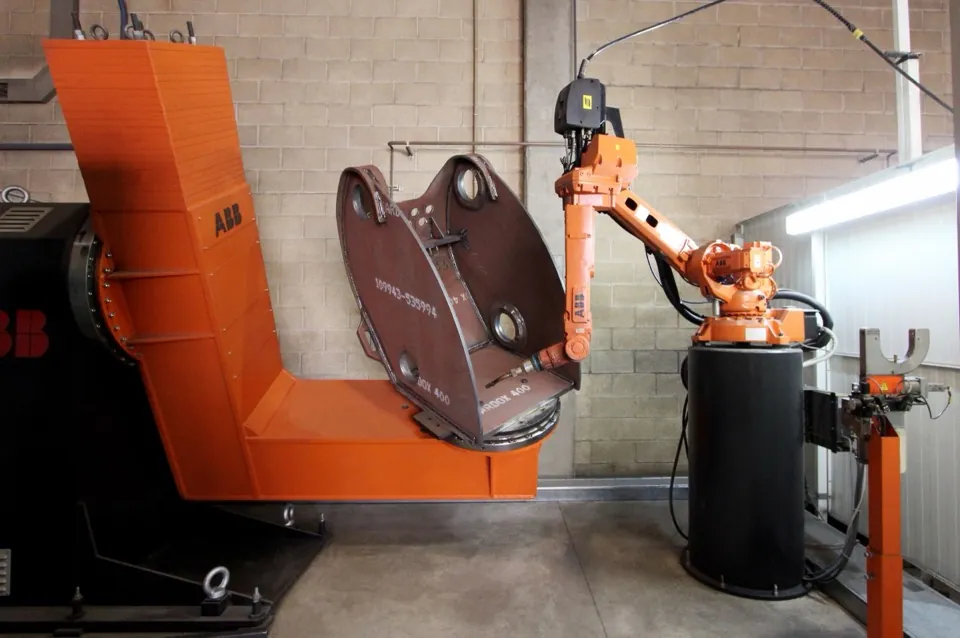
Is ABB or KUKA better?
Neither is universally better. Both are European big-four robot makers with deep automotive roots, and the right choice depends on your application and payload. ABB, headquartered in Switzerland and Sweden, is strongest in control software (RobotStudio), process applications like painting, and collaborative arms such as GoFa and YuMi. KUKA, based in Germany and owned by Midea, leads in heavy and large-payload arms, automotive body-in-white work, and the sensitive LBR iiwa force-controlled cobot. Match the brand to the job rather than looking for an overall winner.
ABB vs KUKAWhat is the difference between ABB and KUKA robots?
Both are established European industrial robot brands with strong automotive histories, but they emphasize different strengths. ABB (Switzerland/Sweden) is known for a broad control-software ecosystem (RobotStudio), process applications such as painting, and its YuMi and GoFa collaborative arms. KUKA (Germany, Midea-owned) is known for its orange arms, heavy and large-payload models such as the KR QUANTEC, FORTEC, and TITAN, dominance in automotive body shops, and the torque-sensing LBR iiwa cobot. In short, ABB leans software and process, KUKA leans heavy-duty and automotive.
ABB vs KUKAWhich has better software, ABB or KUKA?
ABB's RobotStudio is widely praised for offline programming, simulation, and its broad ecosystem, and is often cited as a strength of the brand. KUKA offers capable tools too, including KUKA.Sim for simulation and WorkVisual for configuration and programming. Both are mature, but if a deep and broadly adopted software environment is your priority, ABB's RobotStudio is frequently the reason teams lean that way.
ABB vs KUKAWhich is better for automotive, ABB or KUKA?
Both serve automotive heavily, but KUKA is especially dominant in body-in-white body shops, where its heavy spot-welding and handling arms are widely deployed. ABB is also a major automotive supplier, particularly strong in painting and process applications. If your work is body-shop welding and heavy handling, KUKA is a natural fit; for paint and process lines, ABB is a common choice. Both are proven on automotive lines.
ABB vs KUKAWhich is better for heavy payloads, ABB or KUKA?
KUKA generally has the edge for very heavy or large parts. Its heavy range extends to large-payload models, with the KR TITAN reaching around 1,300 kg, making it a common choice for heavy handling and large-part applications. ABB also offers heavy models up to roughly 800 kg, which covers many industrial tasks, but for the largest payloads KUKA's heavy portfolio is broader. Confirm the exact payload, reach, and wrist ratings against your part before deciding.
ABB vs KUKAWhich should I choose for my application, ABB or KUKA?
Let payload and application decide rather than brand loyalty. Choose ABB for painting and process work, software-led programming, or dual-arm small assembly with YuMi. Choose KUKA for very heavy or large parts, automotive body-in-white, or sensitive force-controlled assembly with the LBR iiwa. Both brands are reliable and well supported, so the deciding factors are usually the specific task, the required payload and reach, and the software and service ecosystem around you.
ABB vs KUKAIs Cognex or Keyence better for machine vision?
Neither is universally better. Both are leaders in industrial machine vision, and the right choice depends on your problem and how much support you want. Cognex is a pure-play vision specialist with the deepest toolset, including In-Sight smart cameras, VisionPro, and the ViDi deep-learning suite, and is often favored for demanding or complex vision. Keyence pairs capable vision (CV-X, XG-X) with a direct-sales model and hands-on application engineering that gets systems running quickly. Choose Cognex for depth on hard vision problems; choose Keyence for support-heavy, fast deployments.
Cognex vs KeyenceWhat is the difference between Cognex and Keyence?
Cognex is a US company (Natick, Massachusetts) focused specifically on machine vision and industrial barcode reading, so its product line goes deep on vision tools and deep learning. Keyence is a Japanese company with a broad catalog of sensors, measurement, and vision products, known for a direct-sales model where field engineers support the application on site. In short, Cognex leans specialist and toolset-deep, while Keyence leans support-led and broad across sensing.
Cognex vs KeyenceWhich has better deep-learning vision, Cognex or Keyence?
Cognex's deep-learning offering, ViDi, is one of the most well known and widely deployed deep-learning vision toolsets in industry, built for defect detection, classification, and OCR on hard-to-program surfaces. Keyence also offers built-in AI tools within its vision controllers that work well for many inspection tasks. For dedicated, demanding deep-learning defect detection, Cognex ViDi is the more established name; for guided, out-of-the-box AI inspection, Keyence's integrated tools are capable.
Cognex vs KeyenceWhich has better support, Cognex or Keyence?
Keyence is well known for its direct-sales model and hands-on application support. Field engineers who visit the site, demo equipment, and help get a system running fast, which many buyers value for quick deployments and limited in-house vision expertise. Cognex sells through a mix of distributors and direct channels and has strong technical resources, but Keyence's on-site, application-led support is frequently cited as a differentiator.
Cognex vs KeyenceWhich is more expensive, Cognex or Keyence?
Both are premium machine-vision brands and neither is a budget option. Keyence in particular is often priced at the high end, reflecting its bundled application support and direct-sales service. Actual cost depends heavily on the specific products, the number of stations, and the support included, so compare quotes for your application rather than assuming one is always cheaper.
Cognex vs KeyenceWhich should I choose for a hard inspection problem, Cognex or Keyence?
For a genuinely hard or novel inspection problem, Cognex's depth of vision tools and its established ViDi deep-learning suite give it an edge, and it is often the default for demanding, complex vision work. That said, Keyence can be a strong choice if hands-on application support and fast setup matter more than maximum toolset depth. Evaluate both against a sample of your actual parts and defects before committing.
Cognex vs KeyenceDoes robotic deburring produce more consistent parts?
Yes. A robot applies the same path, speed, and, with an active compliance tool, the same contact force on every part, so edge break and burr removal are repeatable and can be documented, unlike manual deburring which varies by operator, fatigue, and shift. Consistency is often the main reason regulated industries move deburring from manual to robotic.
Deburring: manual vs robotic vs in-machineHow much does robotic deburring cost?
As a rough industry guide, a robotic deburring cell (robot, force-compliance tool, media, guarding, vision, and programming) commonly runs about 100,000 to 300,000 USD depending on part size, force-control tooling, and dust or media handling. Manual deburring has almost no capital cost but ongoing labor cost; in-machine deburring adds tooling and machine cycle time rather than a separate system. Price any option against your volume, mix, and quality requirements.
Deburring: manual vs robotic vs in-machineIs robotic deburring better than manual deburring?
Neither is universally better. It depends on volume, mix, and consistency needs. Manual deburring is flexible and low-cost for small quantities, prototypes, and irregular one-off work, but it is slow, labor-dependent, and inconsistent part to part. Robotic deburring delivers repeatable, documented results at higher throughput and removes an ergonomically hard, injury-prone job, but it needs enough volume or mix to justify the cell. Most shops keep manual deburring for low-volume and odd jobs and automate the repetitive, higher-volume, or quality-critical work.
Deburring: manual vs robotic vs in-machineWhat is in-machine or on-machine deburring?
In-machine deburring removes burrs on the CNC machining center that made the part, using a deburring tool in the tool changer or a dedicated deburring cycle, so no separate handling or fixturing is needed. It works well for accessible edges on prismatic parts and eliminates a downstream step, but it adds cycle time to an expensive machine and cannot reach every feature or handle heavy stock removal. It is best for simple, consistent edge-breaking on parts already in the machine.
Deburring: manual vs robotic vs in-machineWhat is mass finishing and how does it compare to robotic deburring?
Mass finishing (vibratory or tumbling deburring) processes many small parts in bulk media at once, which is very cost-effective for uniform edge-breaking and surface finishing on small, robust parts. It cannot selectively deburr specific edges, handle large or delicate parts, or hit tight, localized requirements, which is where robotic deburring's controlled, part-specific tool path wins. Many shops use mass finishing for bulk small parts and robotic or manual deburring for selective, precise, or larger work.
Deburring: manual vs robotic vs in-machineWhen should you automate deburring with a robot?
Automate deburring when the work is repetitive and high enough in volume or mix to pay back a cell, when consistency and documentation matter (aerospace or safety-critical edges), when the job is ergonomically hard or hard to staff, or when manual deburring is a bottleneck or quality risk. Vision-guided, force-controlled robotic cells also make high-mix deburring viable by adapting the tool path to each part instead of re-fixturing.
Deburring: manual vs robotic vs in-machineIs Doosan or Techman better?
Neither is universally better. It depends on your application. Doosan Robotics stands out for payload range (its H-series reaches roughly 25 kg) and built-in force sensing, which suits heavier handling and force-sensitive assembly. Techman Robot differentiates with built-in vision as standard on its TM series, which simplifies vision-guided tasks like pick-and-place and inspection. Both compete strongly on value. Choose Doosan when payload or force-sensitive work leads; choose Techman when integrated vision matters most.
Doosan vs TechmanWhat is the difference between Doosan and Techman cobots?
Doosan Robotics is a South Korean maker with M, H, A, and E series spanning roughly 5–25 kg payload, with force sensing built into some models and vision offered as an add-on. Techman Robot is a Taiwanese maker (part of Quanta) whose TM series covers roughly 4–14 kg payload and ships with built-in vision as standard, using a vision-centric flow-based programming environment. In short, Doosan leans toward payload and force, Techman toward integrated vision, and both are positioned as value-oriented cobots.
Doosan vs TechmanWhich has built-in vision?
Techman Robot ships built-in vision as standard on its TM series, with the camera and vision tools integrated into the programming flow, which makes vision-guided pick-and-place, alignment, and simple inspection quicker to set up. Doosan cobots typically add vision as a separate component. If integrated vision out of the box is the priority, Techman has the edge.
Doosan vs TechmanWhich has higher payload?
Doosan has the higher maximum payload. Its H-series reaches roughly 25 kg, while Techman's TM series tops out around 14 kg. For heavier handling, palletizing, or machine tending with larger parts, Doosan's H-series gives more headroom. For lighter assembly and inspection work, both makers' lower-payload models are comparable.
Doosan vs TechmanWhich is better value?
Both Doosan and Techman are positioned as value-oriented cobot makers and compete closely on price for comparable payloads, so neither is a clear value winner in the abstract. The better value depends on which built-in capability you would otherwise pay to add. Techman's standard vision or Doosan's built-in force sensing and higher payload. Compare total configured cost for your specific task, not list price alone.
Doosan vs TechmanWhich is easier for vision tasks?
Techman is generally easier for vision tasks because its built-in vision is standard and integrated directly into the flow-based programming environment, so vision-guided steps are configured without adding and calibrating a separate camera system. Doosan can perform vision-guided work with an add-on vision package, but Techman's out-of-the-box integration reduces setup for common vision applications.
Doosan vs TechmanIs FANUC or ABB better?
Neither is universally better. Both are top-tier members of the big four industrial robot makers, and the right choice depends on your application, installed base, and local support. FANUC leads on the world's largest installed base, a reputation for reliability, and ubiquitous service, with strong synergy for shops already running FANUC CNC controls. ABB leads on control and offline-programming software (RobotStudio), motion and path software, and deep heritage in painting and process applications, plus its YuMi and GoFa cobots. For most buyers the decision comes down to which brand already dominates locally, the specific application, and where support is strongest.
FANUC vs ABBWhat is the difference between FANUC and ABB robots?
FANUC is a Japanese maker and the largest robot company in the world, known for its yellow arms, huge product range, famous reliability, and the fact that it also builds CNC controls, which makes it a natural fit for machine shops. ABB, headquartered in Zürich with Swedish-Swiss roots, is known for strong controllers, its widely praised RobotStudio programming and simulation software, deep experience in painting and process applications, and its collaborative robots such as YuMi and GoFa. Both offer broad payload ranges and cover most industrial applications; the differences are mostly in software approach, application heritage, and installed base by region.
FANUC vs ABBWhich brand should a new automation buyer choose, FANUC or ABB?
A first-time automation buyer should let installed base, application, and local support decide rather than brand loyalty. If your shop or region is already standardized on one brand, matching it keeps spares, training, and service simple. Choose FANUC for the largest service network and CNC-integrated machine shops; choose ABB for painting and process applications or software-led offline programming, and for dual-arm precision assembly with YuMi. Above all, pick the brand your local integrator and service team support best.
FANUC vs ABBWhich has better software, FANUC or ABB?
ABB's RobotStudio is widely praised as one of the strongest offline-programming and simulation environments in the industry, and ABB is often regarded as software-led in its motion and path tools. FANUC's RoboGuide is a capable and mature simulation and programming suite as well, and FANUC's ecosystem is valued for its consistency across a very large installed base. If software openness and offline programming are your priority, ABB is frequently the pick; if you value a huge, uniform installed base and CNC integration, FANUC is compelling.
FANUC vs ABBWhich is better for painting or process work, FANUC or ABB?
ABB has particularly deep heritage in painting and process applications and is a common choice for automotive and general-industry paint lines, with dedicated process arms and software. FANUC also offers strong painting and process solutions and is widely deployed, so both are credible. If painting or process work is your primary application, ABB's long track record often makes it a leading candidate, but validate against your specific finish, throughput, and integration requirements.
FANUC vs ABBWhich is more reliable, FANUC or ABB?
Both are excellent and are trusted for demanding, high-uptime production. FANUC in particular is famed for uptime and long service life, and its enormous installed base and service network mean spares and support are almost always close at hand. ABB robots are also highly reliable and well supported. In practice, reliability differences between the two are small compared with the impact of good integration, maintenance, and local support.
FANUC vs ABBCan I use Universal Robots instead of an industrial FANUC robot?
For lower-speed, lower-payload, high-mix work, yes. Universal Robots cobots can often replace a small industrial robot and are easier to deploy near people without heavy guarding. But UR cobots top out around 30 kg payload and run slower than industrial arms, so for high-speed, high-payload, high-volume production a FANUC industrial robot remains the better choice. Match the robot to the payload, cycle time, and volume your application actually requires.
FANUC vs Universal RobotsIs FANUC CRX better than Universal Robots?
Both the FANUC CRX and Universal Robots are collaborative robots, and neither is simply better. It depends on what you value. The CRX brings FANUC's reliability reputation and its extensive global service network, which matters if you already run FANUC equipment or need strong local support. Universal Robots brings the largest cobot application ecosystem (UR+) and a long track record for ease of deployment. Evaluate them on the specific application, your existing equipment, and the local support available to you.
FANUC vs Universal RobotsIs FANUC or Universal Robots better?
Neither is universally better. They serve different needs. FANUC, the world's largest industrial robot maker, wins on speed, payload range, reliability, and an enormous global service network, making it the stronger fit for higher-volume industrial production. Universal Robots, the collaborative-robot market leader, wins on ease of programming, its UR+ ecosystem, small footprint, and the ability to work safely near people. Making it the stronger fit for high-mix work, small shops, and a first automation project. Note that FANUC's CRX cobots now compete directly with UR, so the line between the two has blurred.
FANUC vs Universal RobotsWhat is the difference between FANUC and Universal Robots?
FANUC is a Japanese company and the world's largest industrial robot maker, with a full range of arms from the small LR Mate to heavy R-2000 and M-2000 payload robots, plus its CRX collaborative line. Universal Robots is a Danish company (owned by Teradyne) that pioneered and leads the collaborative-robot market, with cobots from the UR3e up to the UR30. In short, FANUC's core strength is fast, high-payload industrial automation with deep service support, while UR's is easy-to-program, human-safe collaborative robots with a large application ecosystem.
FANUC vs Universal RobotsWhich is cheaper, FANUC or Universal Robots?
It varies by model and application, so there is no single answer. In the collaborative segment, FANUC CRX and Universal Robots cobots overlap in price and are broadly comparable. FANUC's industrial arms span a very wide range. From compact, lower-cost models up to large, expensive high-payload robots, so a heavy FANUC industrial cell can cost far more than a UR cobot, while a small FANUC arm may be competitive. Compare specific models and total integrated cost, not list price alone.
FANUC vs Universal RobotsWhich is easier to program, FANUC or UR?
Universal Robots is widely known for ease of programming. Its tablet-based, icon-driven interface and hand-guided teaching let non-specialists set up applications quickly, which is a big reason UR led the cobot market. FANUC's traditional industrial robots use a more involved teach-pendant workflow that typically assumes more integration expertise, though FANUC's CRX cobot line was designed to be far more approachable and has narrowed the gap considerably for collaborative applications.
FANUC vs Universal RobotsCan machine vision catch cosmetic or novel defects?
Rules-based machine vision struggles with cosmetic or novel defects because it is programmed to detect specific, defined conditions and can miss variation it was not set up for. AI or deep-learning vision is designed for exactly this. It learns the appearance of good and defective parts from examples and can flag subtle, variable, or hard-to-specify cosmetic defects that rules cannot easily describe. For volume cosmetic inspection that a person would normally judge, AI vision is usually the automated route.
Inspection: manual vs machine vision vs gaugingCan machine vision do 100% inspection at line speed?
Yes. This is one of the key advantages of machine vision over sampled manual or CMM inspection. Cameras can capture and analyze every part as it passes, checking defined defects, measurements, presence, and codes at full production speed without slowing the line. That gives complete coverage and a data record for every unit, rather than inspecting a statistical sample. The main requirements are consistent part presentation, appropriate lighting, and defects the system is set up to detect.
Inspection: manual vs machine vision vs gaugingHow much does a machine-vision inspection system cost?
As a rough industry guide, a smart-camera inspection station commonly runs about 10,000 to 50,000 USD, while engineered 3D or AI-based inspection systems can run 50,000 to 250,000 USD or more depending on cameras, lighting, motion, and software. Manual inspection has almost no capital cost but ongoing labor cost, and CMM metrology is a separate capital and skilled-labor investment. Price any option against your volume, defect types, and traceability requirements.
Inspection: manual vs machine vision vs gaugingIs automated inspection better than manual inspection?
Neither is universally better. It depends on volume, defect type, and consistency needs. Manual visual inspection is flexible and good at subjective, cosmetic, and rare or novel defects, with low capital cost, but it is slow, subjective, fatigue-prone, and usually sampled rather than 100%. Automated inspection with machine vision checks defined defects, measurements, presence, and codes fast, consistently, and 100% in-line with traceable data, but rules-based systems struggle with novel defects and need setup and lighting effort. Most lines keep manual inspection for cosmetic judgment and rare cases and automate the fast, defined, high-volume checks.
Inspection: manual vs machine vision vs gaugingMachine vision vs CMM. What is the difference?
Machine vision uses cameras, lighting, and software to check defects, presence, measurements, and codes fast and 100% in-line, and is strong at surface, cosmetic, and 2D dimensional checks at line speed. A coordinate measuring machine (CMM) is a precision metrology tool that measures dimensions and geometry to very tight tolerances with high accuracy and traceability, but it is slow and typically used on sampled parts, not every unit. In short, vision is for fast, in-line, 100% checking; CMM is for precise dimensional metrology, usually as a periodic audit.
Inspection: manual vs machine vision vs gaugingWhen should you automate inspection?
Automate inspection when volume is high enough to justify the system, when consistency matters and manual results vary by operator or fatigue, when you need traceability and a record for every part (regulated or safety-critical work), or when the cost of a defect escaping is high. Defined, repeatable checks (measurements, presence/absence, codes, and specified surface defects) are the best fit for machine vision, while rare, subjective, or hard-to-specify cosmetic judgment may stay manual or move to AI vision.
Inspection: manual vs machine vision vs gaugingDoes KUKA make cobots?
Yes. KUKA makes collaborative robots. Most notably the LBR iiwa, a torque-sensing seven-axis arm designed for sensitive assembly and force-controlled tasks, and the newer iisy line aimed at easier, more accessible deployment. So KUKA is not only an industrial-arm maker; it competes directly in the cobot space, with particular strength in force-sensing applications.
KUKA vs Universal RobotsIs KUKA or Universal Robots better?
Neither is universally better. They serve different needs. KUKA is a big-four industrial robot maker with a broad range from mid-size arms to very heavy machines, plus force-sensing cobots, and is strongest for heavy, automotive, and demanding industrial work. Universal Robots is the collaborative-robot market leader, strongest for ease of programming, high-mix work, small shops, and first automation. Pick KUKA for heavy industrial power (or a torque-sensing cobot); pick Universal Robots for accessible, flexible collaborative automation.
KUKA vs Universal RobotsWhat is the difference between KUKA and Universal Robots?
KUKA (Augsburg, Germany) builds a full line of industrial robot arms. From mid-size models up to the very heavy KR QUANTEC and KR TITAN. Alongside its sensitive LBR iiwa and iisy cobots, with deep engineering and automotive experience. Universal Robots (Odense, Denmark) focuses exclusively on collaborative robots, the UR3e through UR30, and is known for the easiest programming and the largest cobot ecosystem. In short, KUKA spans heavy industrial arms plus cobots, while Universal Robots concentrates on accessible collaborative automation.
KUKA vs Universal RobotsWhich is better for heavy payloads?
KUKA. Its industrial arms reach payloads up to roughly 1,300 kg with the KR TITAN class, and the KR QUANTEC family covers heavy automotive and large-part handling. Universal Robots' cobots top out around 30 kg with the UR30, which is ample for many collaborative tasks but far below KUKA's industrial range. For heavy or large parts, KUKA is the clear fit.
KUKA vs Universal RobotsWhich is easier to program?
Universal Robots. Its cobots are known for the fastest learning curve. Hand-guided teaching and a simple polyscope interface let non-specialists deploy a task quickly, and the large UR+ ecosystem adds pre-built application kits. KUKA's industrial arms are capable but generally need more integration and controls expertise; KUKA's own iisy cobot line aims to close that gap. For accessibility and speed of deployment, Universal Robots leads.
KUKA vs Universal RobotsWhich should a first-time buyer choose?
For most first-time buyers, Universal Robots is the easier starting point. Fast to program, safe near people, and backed by a large application ecosystem, which lowers the risk of a first automation project. Choose KUKA when the job genuinely calls for heavy payloads, automotive-grade throughput, or torque-sensitive assembly with the LBR iiwa. Match the robot to the work: ease first with UR, industrial capability with KUKA.
KUKA vs Universal RobotsAre these robots for manufacturing or warehousing?
Both Locus Robotics and 6 River Systems are built for warehousing and e-commerce fulfillment, not manufacturing. Their collaborative AMRs assist workers with piece-picking and order fulfillment in distribution and fulfillment centers, boosting picks per hour. Manufacturing automation, such as assembly, machine tending, and finishing, is a different category handled by manipulation cells rather than fulfillment AMRs.
Locus Robotics vs 6 River SystemsHow are Locus Robotics and 6 River Systems priced?
Both are typically offered on a subscription basis rather than large upfront capital purchases. Locus Robotics is well known for a robots-as-a-service model, where operators pay for robots as an operating expense and can scale the fleet up or down with demand. 6 River Systems is likewise generally offered as a subscription. Exact pricing depends on fleet size, deployment scope, and contract terms, so validate current terms with each vendor.
Locus Robotics vs 6 River SystemsIs Locus Robotics or 6 River Systems better?
Neither is universally better. Both provide collaborative autonomous mobile robots that assist warehouse workers with e-commerce piece-picking and raise picks per hour. Locus Robotics is independent and US-based, has one of the largest fulfillment-AMR installed bases globally, and is offered as a scalable robots-as-a-service model, which suits large-scale operations that want to add robots as demand grows. 6 River Systems, whose 'Chuck' robots are now owned by Ocado, emphasizes guided, worker-following workflows that are simple to train. The better fit usually comes down to deployment scale, commercial model, and how well each software platform fits your operation.
Locus Robotics vs 6 River SystemsWhat is the difference between Locus Robotics and 6 River Systems?
Both offer collaborative fulfillment AMRs for e-commerce piece-picking, but they differ in ownership, robots, and workflow. Locus Robotics is an independent US company with LocusBots offered as robots-as-a-service, supporting both follow and autonomous modes plus analytics, and it has one of the largest installed bases in the category. 6 River Systems builds the 'Chuck' robot and is owned by Ocado (following an earlier period under Shopify); its approach emphasizes guided, worker-following workflows that are quick to train. In short, Locus leans toward large-scale, flexible deployments while 6 River leans toward guided, easy-to-train pick workflows.
Locus Robotics vs 6 River SystemsWhich scales better for large fulfillment operations?
Locus Robotics is generally associated with the largest-scale fulfillment deployments and has one of the largest installed bases in the category, and its robots-as-a-service model is designed to scale fleets with demand. 6 River Systems also supports substantial deployments with its 'Chuck' robots. For very large, multi-site, or rapidly scaling fulfillment operations, Locus is frequently the reference point, while 6 River is a strong fit where guided, easy-to-train workflows are the priority. Validate against your own volumes and sites.
Locus Robotics vs 6 River SystemsWho owns 6 River Systems?
6 River Systems is owned by Ocado. It was previously owned by Shopify before being acquired by Ocado. Locus Robotics, by contrast, is an independent company. Because 6 River's roadmap is tied to its parent, buyers sometimes weigh the direction of the Ocado ecosystem when evaluating it, whereas Locus operates independently.
Locus Robotics vs 6 River SystemsCan a robot tend machines unattended or lights-out?
Yes. With reliable part presentation (trays, conveyors, or bins), part-presence sensing to confirm each load and unload, and error recovery to handle mis-picks or faults, a robotic tending cell can run unattended through breaks and overnight for lights-out production. The engineering work is in presenting parts consistently and detecting and recovering from the exceptions, not in the pick-and-place itself.
Machine tending: manual vs robotic vs gantryCan one robot tend multiple machines?
Yes, and it is a common ROI driver. A single robot placed between two or more machines can load and unload each in turn, so the cell keeps several machines running while an operator is freed for other work. Because machine cycles usually leave the robot idle between loads, one robot can often keep multiple machines fed, which is frequently how a tending cell pays back.
Machine tending: manual vs robotic vs gantryHow much does a machine-tending robot or cell cost?
As a rough industry guide, a cobot-based tending cell (robot, gripper, part presentation, guarding as needed, and programming) commonly runs about $50,000–$120,000, while an engineered industrial 6-axis cell with heavier payload, full guarding, and part-presence sensing typically runs about $80,000–$200,000 or more depending on payload, part handling, and how many machines it serves. Manual tending has little capital cost but ongoing labor cost. Price any option against your volume, mix, and unattended-running goals.
Machine tending: manual vs robotic vs gantryIs robotic machine tending better than manual?
Neither is universally better. It depends on volume, mix, and how much unattended running you need. Manual tending is flexible and low-cost for very low volumes, frequent job changes, and work that needs constant human judgment, but it ties up an operator, limits unattended running, carries ergonomic strain, and leaves machines idle during breaks. Robotic tending loads and unloads repeatably, runs unattended or lights-out, and frees the operator for higher-value work, but it needs enough volume or mix to justify the cell. Most shops keep operators on very low-volume or judgment-heavy jobs and automate the repetitive, steady, or lights-out work.
Machine tending: manual vs robotic vs gantryRobot vs gantry loader for machine tending, which is better?
It depends on flexibility versus top speed. A gantry or dedicated loader is very fast and high-uptime for one fixed part-and-machine combination, but it is part-specific and hard to repurpose. A 6-axis or cobot robot is slower per cycle but flexible: it can tend a mix of parts, serve multiple machines from one cell, and change over in software rather than with new hardware. Choose a gantry for very high-volume, stable, single-part production; choose a robot when the part mix changes or when one cell needs to feed several machines.
Machine tending: manual vs robotic vs gantryWhen should you automate machine tending?
Automate machine tending when loading and unloading is repetitive and steady enough to pay back a cell, when you want unattended or lights-out running to add capacity without adding shifts, when the job is ergonomically hard or hard to staff amid the machinist shortage, or when operators tending machines are a bottleneck keeping skilled people from higher-value work. Flexible robotic cells also make high-mix, small-lot tending viable by changing over in software instead of with dedicated hardware.
Machine tending: manual vs robotic vs gantryIs MiR or OTTO Motors better?
Neither is universally better. It depends on your payload mix and duty. MiR (Mobile Industrial Robots, part of Teradyne) offers a broad payload range of roughly 100 to 1350 kg, wide global deployment, and an accessible fleet system, which suits general in-plant transport across many payloads. OTTO Motors (part of Rockwell Automation) focuses on heavy-duty industrial transport up to roughly 1900 kg with rugged, high-throughput AMRs and Rockwell integration, which suits demanding, heavy manufacturing environments. Choose based on how heavy your loads are, how varied your payloads are, and which automation ecosystem you standardize on.
MiR vs OTTO MotorsWhat is the difference between MiR and OTTO AMRs?
Both make industrial autonomous mobile robots for material transport, but they emphasize different things. MiR spans a wide range of payloads from light to heavy (about 100 to 1350 kg) with a large global install base and the MiRFleet manager, and sits within the Teradyne family alongside Universal Robots. OTTO Motors concentrates on heavy-duty, rugged AMRs for high-throughput transport up to about 1900 kg, managed by its own fleet software and integrated with the broader Rockwell Automation stack. In short, MiR emphasizes breadth and versatility, OTTO emphasizes heavy-duty capacity and Rockwell integration.
MiR vs OTTO MotorsWhich carries heavier loads, MiR or OTTO Motors?
OTTO Motors carries the heaviest loads at the top end, with heavy-duty AMRs rated up to roughly 1900 kg. MiR's range tops out around 1350 kg, which still covers pallet-scale transport but sits below OTTO's heaviest models. If your primary need is moving very heavy pallets or loads, OTTO's heavy-duty focus is the stronger fit; always verify current nominal ratings against the specific model.
MiR vs OTTO MotorsWhich has a broader range, MiR or OTTO Motors?
MiR has the broader payload range, spanning roughly 100 to 1350 kg across many models, from lighter units for small loads up to pallet-class transporters. That breadth, combined with a large global install base and the MiRFleet manager, makes MiR well suited to plants that need one platform across many different payloads. OTTO offers fewer light or small models and concentrates instead on the heavy-duty end.
MiR vs OTTO MotorsWhich integrates with Rockwell Automation?
OTTO Motors integrates with Rockwell Automation, which acquired the company; OTTO AMRs are positioned within the broader Rockwell automation stack. If your plant is standardized on Rockwell controls and software, OTTO is the more natural fit. MiR, by contrast, sits within the Teradyne family alongside Universal Robots rather than the Rockwell ecosystem.
MiR vs OTTO MotorsWhich is better for heavy manufacturing transport?
OTTO Motors is generally the stronger fit for heavy manufacturing transport because it focuses on rugged, high-throughput heavy-duty AMRs rated up to roughly 1900 kg and integrates with the Rockwell Automation stack common in heavy manufacturing. MiR remains a capable option for mixed and lighter transport across a broad payload range, but for demanding, heavy-duty duty cycles OTTO's specialization is the better match. Validate against your specific loads, throughput, and plant standards.
MiR vs OTTO MotorsAre Mujin and Photoneo competitors?
They overlap at the edges but are more often combined than compared. Mujin's controller can drive a robot end to end, while Photoneo's cameras and software supply 3D perception to many robot and integrator setups. A cell can use Photoneo vision underneath a controller for motion, so the two frequently sit in the same system rather than competing head to head. Where they do compete is a buyer deciding whether to purchase a complete controller-driven system or assemble a cell around a vision component.
Mujin vs PhotoneoCan you use Mujin and Photoneo together?
Yes, and it is common in practice. Because Mujin operates at the controller/motion layer and Photoneo at the 3D-vision layer, a cell can pair Photoneo perception with a controller handling motion. Combining a best-in-class vision layer with a capable control layer is a normal way to build a bin-picking cell, which is why the two are frequently used together rather than treated as alternatives.
Mujin vs PhotoneoIs Mujin or Photoneo better for bin picking?
Neither is universally better, because they solve different layers of the problem. Mujin makes an intelligent robotics controller that handles real-time motion planning, perception, and control for a complete picking system. Photoneo makes 3D vision cameras plus Bin Picking Studio software. A perception layer that robots and integrators build on. If you want a turnkey, high-throughput picking system, Mujin fits; if you want best-in-class 3D vision to integrate into your own cell, Photoneo fits. In practice they are often combined rather than chosen against each other.
Mujin vs PhotoneoWhat is the difference between Mujin and Photoneo?
Mujin (Japan/US) is an intelligent robotics controller: it provides real-time motion planning, perception, and system control for high-throughput piece-picking and mixed-case de/palletizing. A full control system for a robot. Photoneo (Slovakia) is a 3D vision company: it provides high-resolution 3D cameras and Bin Picking Studio software that locate parts in a bin, forming a perception layer that other robots and controllers use. One is the brain that moves the robot; the other is the eyes that see the parts.
Mujin vs PhotoneoWhich is better as a vision component?
For a 3D vision component you integrate yourself, Photoneo is the stronger choice. Its high-resolution 3D cameras, including in-motion scanning, and Bin Picking Studio software are designed to be a flexible perception layer that many robots and integrators build on. Mujin includes perception, but as part of its controller system rather than as a standalone camera-and-software product to drop into someone else's cell.
Mujin vs PhotoneoWhich is better for high-throughput picking?
For high-throughput picking as a complete, turnkey system, Mujin's intelligent controller is the stronger fit, because it optimizes motion planning and control in real time across the whole pick cycle rather than only locating parts. Photoneo can be part of a high-throughput cell, but the throughput then depends on the robot, controller, and integration built around its vision. If throughput and system-level control are the priority and you want it delivered as one system, Mujin leads.
Mujin vs PhotoneoCan robots do mixed-case (rainbow) palletizing?
Yes. With vision and an intelligent palletizing controller, a robot can build mixed-case or rainbow pallets, multiple SKUs and box sizes on one pallet, by calculating a stable stacking pattern on the fly and adjusting the pick and place for each case. This is a core advantage of robotic palletizing over conventional layer palletizers, which are built to stack uniform layers of a single product and cannot easily handle random or mixed-case orders.
Palletizing: manual vs robotic vs conventionalHow fast is robotic palletizing vs conventional?
A conventional inline or layer palletizer has the highest peak rate on a single, stable SKU because it forms and deposits whole layers at once. A robotic palletizer places cases or small groups at a time, so its peak rate on one SKU is usually lower, but it is far more flexible across SKUs, patterns, and mixed-case pallets, and it fits a smaller footprint. If you need maximum cases-per-minute on one product, conventional wins; if you need flexibility across products at medium-to-high volume, robotic wins.
Palletizing: manual vs robotic vs conventionalHow much does a robotic palletizing cell cost?
As a rough industry guide, a robotic palletizing cell (robot, end-of-arm tooling, pattern software, guarding or a safety scanner, pallet handling, and integration) commonly runs about 100,000 to 300,000 USD and up, depending on payload, throughput, number of infeeds, and whether vision is needed for mixed-case work. Manual palletizing has almost no capital cost but ongoing labor and injury cost. A conventional inline palletizer is typically a larger capital outlay and footprint. Price any option against your volume, SKU mix, and labor situation.
Palletizing: manual vs robotic vs conventionalIs robotic palletizing better than manual palletizing?
Neither is universally better. It depends on volume, SKU mix, and labor. Manual palletizing is flexible and needs almost no capital, so it fits very low volume and constantly changing work, but it is slow, labor-intensive, and one of the leading sources of back and shoulder injuries in a plant. Robotic palletizing delivers repeatable stacks at medium-to-high throughput in a compact footprint, handles multiple SKUs and patterns in software, and removes a heavy, injury-prone job, but it needs enough volume or mix to justify the cell. Many plants keep manual palletizing for occasional low-volume lines and automate the steady, higher-volume work.
Palletizing: manual vs robotic vs conventionalRobotic vs conventional (inline) palletizer, which is better?
It depends on how many SKUs you run and how fast. A conventional inline or layer palletizer forms full layers and is extremely fast on a single, stable SKU, but it is expensive, has a large footprint, and is inflexible when the product or pattern changes. A robotic palletizer is more flexible. It handles many SKUs, mixed patterns, and even mixed-case pallets in a small footprint, but its peak rate on one SKU is usually lower than a dedicated inline machine. Choose conventional for maximum speed on one product; choose robotic for flexible, multi-SKU, or mixed-case palletizing.
Palletizing: manual vs robotic vs conventionalWhen should you automate palletizing?
Automate palletizing when volume is steady and high enough to pay back a cell, when manual stacking is a safety and injury risk (palletizing is a leading source of back and shoulder injuries), when the job is hard to staff or drives turnover, or when manual palletizing is a bottleneck at the end of the line. Robotic cells also make sense when you run several SKUs or change patterns often, because the stacking pattern lives in software instead of in fixed machine tooling.
Palletizing: manual vs robotic vs conventionalIs Robotiq or OnRobot better?
Neither is universally better. Both are top cobot end-of-arm-tooling (EOAT) brands, and the right choice depends on your application. Robotiq (Canada) is known for its adaptive parallel grippers, the FT-300 force sensor, deep integration with Universal Robots, and its Insights monitoring software, making it a strong pick for adaptive gripping and UR-centric shops. OnRobot (Denmark) offers the broadest one-stop EOAT catalog. Parallel and vacuum grippers, force/torque, and a quick-changer. Designed to be brand-agnostic across cobots, making it a strong pick for range and one-stop tooling. Choose Robotiq for adaptive grippers and UR depth; OnRobot for breadth.
Robotiq vs OnRobotWhat is the difference between Robotiq and OnRobot?
The core difference is depth versus breadth. Robotiq focuses on a refined line of adaptive parallel grippers (2F-85/140, Hand-E), the FT-300 force sensor, and the AirPick vacuum gripper, with especially deep integration into the Universal Robots ecosystem and its Insights software. OnRobot spans a much broader one-stop EOAT catalog. Parallel grippers, VG/VGC/VGP vacuum grippers, the Gecko gripper, HEX force/torque sensors, and a quick-changer. Built to work brand-agnostically across many cobot arms. Robotiq goes deep on adaptive gripping; OnRobot goes wide across tooling types.
Robotiq vs OnRobotWhich has a broader product range?
OnRobot has the broader product range. Its one-stop EOAT catalog spans parallel grippers, VG/VGC/VGP vacuum grippers, the Gecko gripper, HEX force/torque sensors, screwdrivers, sanders, and a quick-changer that ties them together. All intended to be brand-agnostic across cobots. Robotiq's catalog is more focused, centered on adaptive grippers, the FT-300 force sensor, and the AirPick vacuum gripper.
Robotiq vs OnRobotWhich has adaptive grippers?
Robotiq is best known for adaptive grippers. Its 2F-85 and 2F-140 adaptive parallel grippers and the compact Hand-E gripper are a signature part of its line, designed to conform to a range of part shapes and sizes. OnRobot offers capable parallel grippers as well, but its strength is the breadth of its tooling range rather than a specialized adaptive-gripping line.
Robotiq vs OnRobotWhich integrates best with Universal Robots?
Both integrate well with Universal Robots. UR is the most widely supported cobot platform for both brands, and each offers UR+ certified products and URCap software. Robotiq is historically the more UR-centric of the two, with deep, long-standing integration into the UR ecosystem and its Insights monitoring built around it. OnRobot supports UR fully but is deliberately brand-agnostic across many cobot arms as well.
Robotiq vs OnRobotWhich is better for vacuum gripping?
OnRobot has the more extensive vacuum range. Its VG, VGC, and VGP electric vacuum grippers cover a variety of payloads and surfaces without an external air supply, giving it strong coverage for vacuum-based picking. Robotiq offers the AirPick vacuum gripper, which is capable but a narrower part of its lineup. For a wide choice of vacuum options, OnRobot generally leads.
Robotiq vs OnRobotDoes Doosan have built-in force sensing?
Yes, on some models. Certain Doosan cobots include built-in force/torque sensing, which can simplify force-sensitive tasks like assembly, polishing, and precise insertion without adding a separate sensor. Universal Robots typically provides force sensing as an add-on. Confirm which specific Doosan series and model includes integrated force sensing for your application, as it varies across the range.
Universal Robots vs DoosanIs Universal Robots or Doosan better?
Neither is universally better. It depends on what you need most. Universal Robots is the cobot market leader and is the stronger choice when ecosystem depth, ease of programming, maturity, and proven support matter most, thanks to its large UR+ marketplace and installed base. Doosan Robotics competes hard on higher payload (its H-series reaches roughly 25 kg, above UR's mid-range) and on price-performance, with built-in force sensing on some models. Choose UR for the deepest ecosystem and support, and Doosan for higher payload or better value.
Universal Robots vs DoosanWhat is the difference between UR and Doosan cobots?
Universal Robots (Denmark, owned by Teradyne) offers the UR3e through UR30 range and is known for the largest cobot ecosystem, the easiest programming experience, and the most mature global support and installed base, at a premium price. Doosan Robotics (South Korea) offers the M, H, A, and E series and differentiates on high payload, its H-series reaches about 25 kg, on value pricing, and on built-in force/torque sensing on some models, with a smaller ecosystem and installed base than UR. In short, UR leads on ecosystem and support while Doosan leads on payload and price-performance.
Universal Robots vs DoosanWhich cobot has higher payload?
It depends on the specific model. Doosan's H-series reaches about 25 kg, which is higher than Universal Robots' mid-range models. However, Universal Robots' UR30 tops out at roughly 30 kg, the highest in the UR line. If your application needs heavy payload in the ~25 kg range, Doosan's H-series is a strong option; if you want up to ~30 kg from the UR ecosystem, the UR30 leads. Always verify the exact rated payload for the model and reach you are considering.
Universal Robots vs DoosanWhich has a bigger ecosystem?
Universal Robots. Its UR+ marketplace of certified end effectors, software, and accessories is the largest cobot ecosystem in the industry, backed by the biggest installed base and integrator network. Doosan's ecosystem is growing but is smaller than UR's today. If breadth of plug-and-play components, training, and third-party support is a priority, UR's ecosystem is the deeper option.
Universal Robots vs DoosanWhich is cheaper?
Doosan often competes on value and can come in at a lower price for comparable payload, which is one of its main differentiators against Universal Robots. UR generally carries a premium that reflects its ecosystem, ease of use, and support. The total cost depends on the specific models, tooling, integration, and support you need, so price any comparison against your actual application rather than list price alone.
Universal Robots vs DoosanIs Universal Robots or FANUC CRX better?
Neither is universally better. Both are top-tier cobot choices and the right one depends on your priorities. Universal Robots, the company that created the collaborative-robot category, wins on the largest third-party ecosystem (UR+), platform maturity, and community resources. FANUC CRX wins on FANUC's renowned reliability reputation and extensive global service network, its drag-to-teach plus tablet programming, and competitive pricing, which is especially appealing to shops already invested in FANUC equipment. For most first-time buyers the decision comes down to ecosystem breadth (UR) versus OEM backing and service (CRX).
Universal Robots vs FANUC CRXWhat is the difference between Universal Robots and FANUC CRX?
Universal Robots is a dedicated cobot maker from Denmark whose e-Series line spans the UR3e through the UR30, built around the open UR+ ecosystem of certified grippers, software, and accessories. FANUC CRX is the collaborative line from FANUC, one of the world's largest industrial-robot makers, spanning models like the CRX-5iA, CRX-10iA, and CRX-25iA. UR emphasizes an open, mature platform and the broadest app ecosystem; FANUC CRX emphasizes OEM reliability, a large global service network, and tight integration with FANUC's wider automation range.
Universal Robots vs FANUC CRXWhich has a bigger ecosystem, Universal Robots or FANUC CRX?
Universal Robots has the larger ecosystem. Its UR+ program is the largest catalog of certified third-party grippers, sensors, vision systems, and software applications in the cobot market, built up since UR helped create the category. FANUC's CRX ecosystem is growing and benefits from FANUC's broader automation portfolio, but the third-party accessory and application selection is smaller than UR+ today.
Universal Robots vs FANUC CRXWhich has better service, Universal Robots or FANUC CRX?
Service is a particular strength of FANUC. FANUC operates one of the most extensive global service and support networks in industrial automation, which is a major reason shops already running FANUC equipment favor the CRX. Universal Robots provides broad support through its worldwide network of distributors and certified system integrators. Both are well supported; FANUC's OEM-backed global network is often the deciding factor for buyers who prioritize service reach and uptime guarantees.
Universal Robots vs FANUC CRXWhich is cheaper, Universal Robots or FANUC CRX?
FANUC CRX is generally positioned as competitively priced and is often cited as a value option, while Universal Robots tends to sit at a premium reflecting its ecosystem and maturity. Actual pricing varies significantly by model, payload, gripper and accessory choices, integration, and regional distribution, so list comparisons can be misleading. Price each option against your specific application, required accessories, and total cost including service and integration.
Universal Robots vs FANUC CRXWhich is easier to program, Universal Robots or FANUC CRX?
Both are designed to be easy for non-specialists and are frequently cited as among the simplest cobots to program. Universal Robots uses its PolyScope teach pendant with a graphical, icon-driven interface that is widely regarded as a benchmark for ease of use. FANUC CRX uses hand-guided drag-to-teach plus a tablet interface with drag-and-drop icon programming. Which feels easier is largely a matter of preference and prior familiarity.
Universal Robots vs FANUC CRXCan robots weld high-mix, low-volume parts?
Yes. Seam tracking, adaptive vision, and self-programming (offline or software-driven path generation) let robotic and cobot cells adapt to part-to-part variation and changeovers without hard re-fixturing every time. This makes high-mix, low-volume welding practical to automate, which historically was the domain of manual welding. Cobots in particular are aimed at high-mix shops for exactly this reason.
Welding: manual vs robotic vs cobotHow much does robotic welding cost?
As a rough industry guide, a cobot welding cell, arm, welding package, torch, fixturing, and setup, commonly runs about 50,000 to 125,000 USD, while an industrial robotic welding cell with guarding, positioners, and fixturing typically runs about 100,000 to 250,000 USD or more depending on part size, positioners, and automation. Manual welding has minimal capital cost but ongoing skilled-labor cost. Price any option against your volume, mix, and quality needs.
Welding: manual vs robotic vs cobotIs robotic welding better than manual welding?
Neither is universally better. It depends on volume, mix, and complexity. Manual welding is flexible and low-cost for one-offs, complex assemblies, positional and field work, and repair, but it is slow, hard to staff, and varies weld to weld. Robotic welding delivers repeatable, high-duty-cycle results at speed once you have the volume and fixturing to justify the cell, but it is less flexible. Most shops keep skilled welders for complex and low-volume work and automate the repetitive, higher-volume runs.
Welding: manual vs robotic vs cobotWhat is the difference between cobot and industrial robotic welding?
An industrial welding robot is a fast, high-payload arm that runs behind fixed guarding and is built for high volume and speed, usually with more involved programming and fixturing. A cobot (collaborative robot) welder is a smaller, app-based arm designed to work near people, after a risk assessment it can run with reduced guarding, and is easy to set up, has a small footprint, and suits high-mix, low-volume shops. Cobots trade some speed, payload, and reach for approachability and flexibility.
Welding: manual vs robotic vs cobotWhen should you automate welding?
Automate welding when the work is repetitive and high enough in volume or mix to pay back a cell, when consistency and documentation matter, when the job is hard to staff because of the welder shortage, or when manual welding is a bottleneck or quality risk. Cobots are a good first step for small or high-mix shops thanks to easy setup and a small footprint; industrial robots make sense once volume and speed dominate. Most shops keep skilled welders for complex and positional work either way.
Welding: manual vs robotic vs cobotWill robots replace welders?
No. Robots absorb the repetitive, high-volume welds, but skilled welders remain essential, and scarce, for complex assemblies, positional and field welding, repair, fit-up, and programming or tending the cells themselves. With a structural welder shortage in many regions, automation is largely filling work that shops cannot staff rather than displacing the welders they already have.
Welding: manual vs robotic vs cobotIs Yaskawa or FANUC better?
Neither is universally better. Both are Japanese big-four robot makers with excellent reliability, and the right pick depends on the work. Yaskawa Motoman is especially strong in arc welding and material handling, with its ArcWorld welding cells and a wide GP/AR/HC range. FANUC is the largest robot maker overall, with the biggest installed base, service ubiquity, and tight synergy with its own CNC controls. For welding-heavy fabrication Yaskawa is a natural pick; for broad ubiquity, service reach, and CNC-tending shops, FANUC is the safer default.
Yaskawa vs FANUCWhat is the difference between Yaskawa Motoman and FANUC?
Both are Japanese big-four industrial robot makers with deep servo and motion expertise, but their centers of gravity differ. Yaskawa Motoman grew out of arc-welding and handling, and its ArcWorld cells and GP/AR/HC ranges reflect that heritage. FANUC is the largest robot maker by volume, known for its enormous installed base, near-ubiquitous service, huge model range including CRX cobots, and synergy with FANUC CNC controls for machine tending. In practice both are reliable and capable across most applications; the difference is emphasis, ecosystem, and installed base.
Yaskawa vs FANUCWhich has the largest installed base?
FANUC has the largest installed base of the two. It is the largest industrial robot maker overall, which translates into broad service ubiquity, spare-part availability, and a large pool of integrators and programmers familiar with the platform. Yaskawa Motoman also has a very large installed base and is one of the big-four makers, but FANUC leads on total units and service reach. Matching an existing installed base is often a decisive factor on its own.
Yaskawa vs FANUCWhich is better for welding, Yaskawa or FANUC?
Yaskawa Motoman's arc-welding heritage runs deep, and its ArcWorld pre-engineered welding cells and AR-series arc-welding robots make it a natural pick for welding-heavy fabrication. FANUC also has a strong welding ecosystem and is used widely for arc and spot welding, so it remains a capable choice. If welding is the core of the shop, Yaskawa's dedicated arc-welding lineage is a common default, but FANUC is a fully viable alternative. Validate against your process, positioners, and existing installed base.
Yaskawa vs FANUCWhich is more reliable, Yaskawa or FANUC?
Both are excellent. Yaskawa and FANUC are both Japanese big-four makers with strong reputations for reliability, uptime, and long service life, and neither has a meaningful reliability edge for most applications. Reliability is rarely the deciding factor between them. The choice usually comes down to application fit (welding heritage vs ubiquity), service network, CNC synergy, and matching an existing installed base.
Yaskawa vs FANUCWhich should a welding shop choose, Yaskawa or FANUC?
For a welding shop, Yaskawa Motoman is a natural pick. Its arc-welding heritage, AR-series robots, and ArcWorld pre-engineered welding cells are built around exactly that work. FANUC is also strong in welding and a fully capable alternative, especially if the shop already runs FANUC robots or CNC controls and wants to match its installed base. Decide on process fit, positioner and cell options, service reach, and what you already run rather than brand alone.
Yaskawa vs FANUCIs Zivid or Photoneo better?
Neither is universally better. Both make high-quality structured-light 3D cameras for bin picking, and the right one depends on what your application values most. Zivid, based in Norway, is known for very high point-cloud accuracy and native color, which makes it strong on precise, reflective, and detail-critical picking. Photoneo, based in Slovakia, offers high-resolution PhoXi scanners plus MotionCam-3D for scanning in motion, and bundled Bin Picking Studio software, which makes it strong when throughput, moving-scene capture, or an integrated software stack matter most. Choose Zivid for accuracy and color, Photoneo for resolution, in-motion scanning, and bundled software.
Zivid vs PhotoneoWhat is the difference between Zivid and Photoneo cameras?
Both are structured-light 3D cameras, but they emphasize different strengths. Zivid focuses on very high point-cloud accuracy and native color capture, which helps with precise and reflective parts, though its capture is primarily static. Photoneo focuses on high resolution and adds MotionCam-3D, which can scan scenes in motion, along with its Bin Picking Studio software for building picking applications. In short, Zivid leans toward accuracy and color; Photoneo leans toward resolution, in-motion capture, and bundled software.
Zivid vs PhotoneoWhich camera can scan in motion?
Photoneo's MotionCam-3D is designed to capture 3D scenes while the camera or the scene is moving, which is useful when throughput or moving-conveyor capture matters. Zivid's cameras are primarily built for high-accuracy static capture. If scanning in motion is central to your application, Photoneo's MotionCam-3D is the more natural fit.
Zivid vs PhotoneoWhich camera comes with bin-picking software?
Photoneo offers Bin Picking Studio, software for building and running bin-picking applications, which is one of its distinguishing strengths as a bundled stack. Zivid provides an SDK for integrating its cameras into your own or a partner's picking software rather than a bundled bin-picking application. If you want an integrated software stack from the camera vendor, Photoneo's Bin Picking Studio is the differentiator.
Zivid vs PhotoneoWhich handles reflective parts better?
Zivid is often chosen for reflective and detail-critical parts, thanks to its structured-light approach combined with native color, which helps resolve challenging, shiny surfaces with high accuracy. Photoneo handles reflective parts well too, but Zivid tends to be singled out for demanding reflective and precision picking. Test both against your actual parts, since surface finish and geometry heavily influence 3D capture.
Zivid vs PhotoneoWhich is more accurate, Zivid or Photoneo?
Zivid is widely known for very high point-cloud accuracy, and that is one of the main reasons applications with precise, detail-critical, or reflective parts choose it. Photoneo also delivers accurate, high-resolution scans, but Zivid is the one most often singled out for accuracy and native color. As always, the right choice depends on your part geometry, materials, and tolerance requirements. Validate against your own parts before deciding.
Zivid vs PhotoneoIntegrator guides
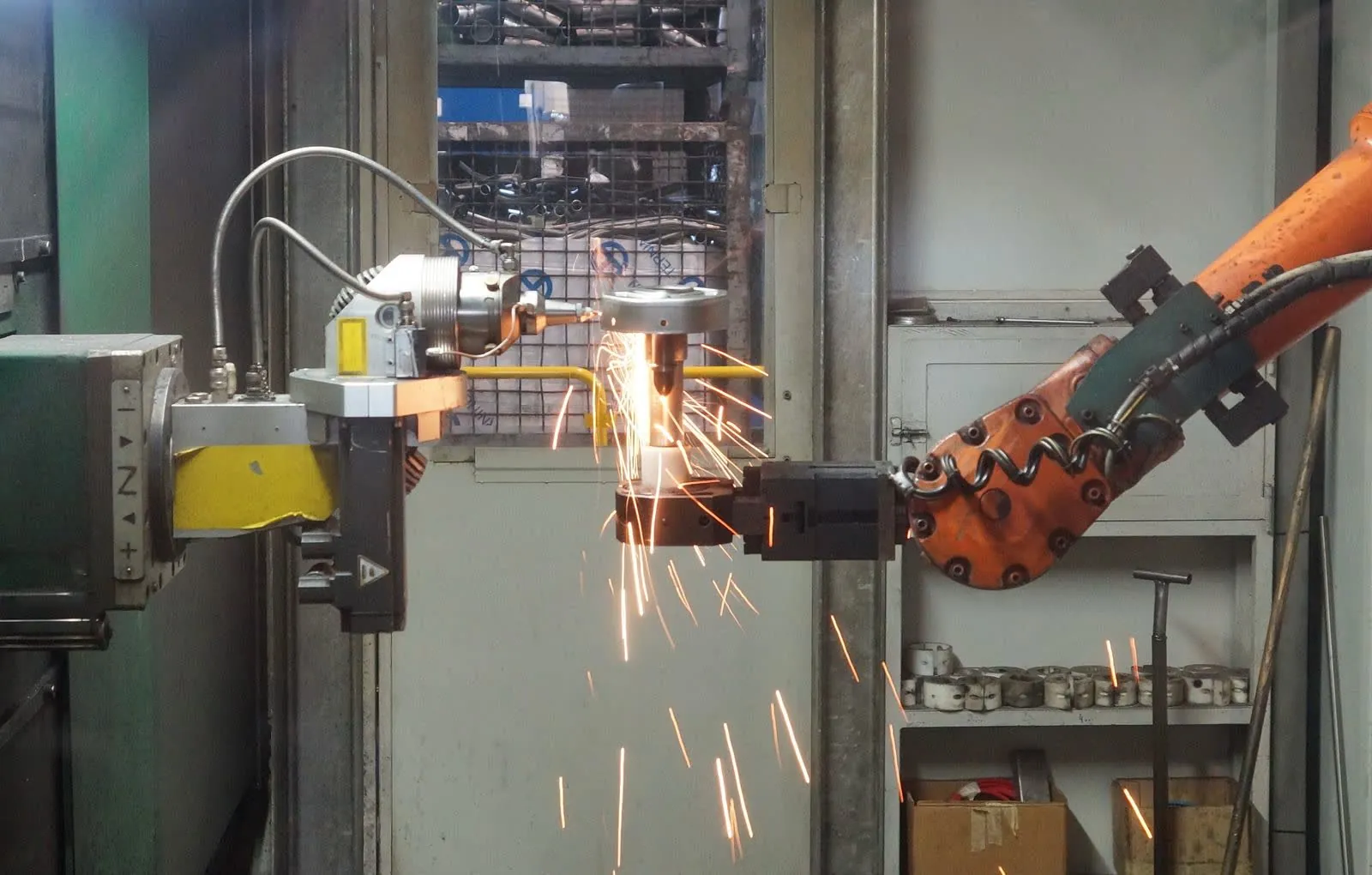
Can bin picking handle reflective, deformable, or mixed parts?
Increasingly yes, but these are exactly the cases that stress a system. Reflective and transparent parts challenge 3D vision; deformable items challenge grasp planning and gripper choice; mixed bins challenge generalization across shapes the system wasn't explicitly taught. The right vision quality, gripper strategy, and learned grasping matter most here — validate performance on your hardest parts before committing volume.
Bin-picking integrators: a 2026 buyer's guideDo I need an integrator, or can I buy a bin-picking robot directly?
You can buy a robot arm and 3D camera directly, but a bare arm and sensor are not a working picking cell. An integrator combines the arm, 3D vision, grasp planning, gripper, and placement, then tunes and qualifies the system against your parts and bins. First-time and high-mix buyers almost always work with an integrator or buy a pre-engineered cell; large operations with in-house perception and robotics teams sometimes integrate themselves, often using a perception-software vendor as one layer.
Bin-picking integrators: a 2026 buyer's guideHow do I choose between these companies?
Match the firm to your work: how structured your bin is, how wide your SKU range runs, whether you want a full turnkey cell or just a perception layer for your own integration, your throughput target, and who stands behind the cell on your floor. Ask for reference installations similar to your parts, clarity on qualification before ship, mis-pick recovery, and a defined response plan for downtime.
Bin-picking integrators: a 2026 buyer's guideHow fast is robotic bin picking?
Picks-per-hour vary widely with part geometry, bin clutter, gripper type, and vision cycle time. Simple, well-separated parts with a fast controller can reach high rates; deeply cluttered bins of reflective or deformable parts are slower because each grasp must be found and verified. Always benchmark picks-per-hour on your actual parts and bins rather than a demo part.
Bin-picking integrators: a 2026 buyer's guideHow much does a bin-picking cell cost in 2026?
As a rough industry guide, a robotic bin-picking cell often runs about 80,000 to 250,000 USD or more, depending on the quality of the 3D vision, the throughput required, the gripper and grasp complexity, and how deeply it integrates with your line or WMS. Perception software licensed on its own sits lower; full turnkey cells with high throughput and error recovery sit at the upper end. Always price against your specific parts, bins, and cycle-time targets.
Bin-picking integrators: a 2026 buyer's guideWhat is the difference between structured and random bin picking?
Structured bin picking presents parts in a known, orderly arrangement — single layer, consistent orientation, or a fixture — so the vision and grasp problem is comparatively simple. Random bin picking deals with parts jumbled and overlapping in unknown orientations, where the system must find a viable pick in a pile and plan a collision-free grasp on the fly. Random, cluttered bins demand higher-quality 3D perception and grasp planning and are what separates the more capable systems.
Bin-picking integrators: a 2026 buyer's guideCan robotic dispensing follow varied part geometry?
Yes. Classical cells run a fixed, taught path and rely on rigid fixturing to hold each part identically. Vision-followed systems locate the part and track the seam or bead path in real time, so a cell can follow parts that shift or vary in geometry without re-fixturing. That capability is what makes high-mix, low-volume dispensing economical — a new part becomes a software reconfiguration rather than a new fixture and a re-teach.
Dispensing & sealing integrators: a 2026 buyer's guideDo I need a dispensing integrator, or can I buy dispensing equipment directly?
You can buy dispense hardware — valves, metering systems, and applicators — directly from an equipment maker such as Nordson, Graco, or Henkel, and a robot arm directly from an OEM such as ABB or FANUC. But the hardware alone is not a working cell. An integrator adds the robot, part fixturing or presentation, vision path-following, material supply, cure, verification, and programming that turn the applicator into a production system qualified for your parts. First-time and high-mix buyers almost always work with an integrator or buy a pre-engineered cell; equipment makers supply the dispense hardware, and integrators build the cell around it.
Dispensing & sealing integrators: a 2026 buyer's guideHow do I choose between dispensing and sealing integrators?
Match the integrator to your work: fluid and viscosity, bead width and tolerance, whether the path is fixed or must be vision-followed, the metering method, cure and verification needs, part variation, and which robot base you prefer. Ask for reference installations similar to your parts and fluids, clarity on qualification before ship, how bead integrity is verified, and a defined response plan for downtime.
Dispensing & sealing integrators: a 2026 buyer's guideHow long does it take to deploy a robotic dispensing cell?
A pre-engineered or single-fluid dispensing cell for a simple part can be running in days to a few weeks. A custom engineered cell — meter-mix, potting, or an automotive-grade sealing line — more often takes several weeks to several months from order to production, driven by fluid-system design, fixturing, programming, and qualification. Systems that are pre-built and qualified off-site before shipping shorten the time your own line is tied up.
Dispensing & sealing integrators: a 2026 buyer's guideHow much does a robotic dispensing cell cost in 2026?
As a rough industry guide, a robotic dispensing or sealing cell typically runs about 80,000 to 250,000 USD or more, depending on the fluid system (single-component vs meter-mix), whether vision path-following is included, and the cure and verification steps. Simple single-fluid bead cells sit at the lower end; meter-mix, potting, and vision-adaptive systems with in-line inspection sit at the upper end. Always price against your specific parts, fluids, bead tolerance, and takt time.
Dispensing & sealing integrators: a 2026 buyer's guideHow precise can robotic dispensing be?
Modern robotic dispensing places beads to tight tolerances — bead widths from well under a millimeter for precision fluids up to several millimeters for structural adhesives and sealants, with good position and volume repeatability when metering and supply are matched to the fluid. Achievable precision depends on viscosity, applicator, metering method, and how the part is presented. Volumetric and meter-mix metering hold flow consistent across a run, and vision or laser bead-inspection can verify width and placement on every part rather than by sampling.
Dispensing & sealing integrators: a 2026 buyer's guideCan robotic finishing handle high part variation?
Yes. Historically high-mix finishing was hard because fixturing and re-teaching did not amortize over short runs. Modern AI-driven cells scan each part with vision and generate the tool path from the scan or a model instead of hand-teaching, then adapt the force and path per part. That makes high-mix, low-volume finishing economically viable on lot sizes that previously ruled out automation, since a new part becomes a software reconfiguration rather than a re-fixture and re-teach.
Finishing & deburring integrators: a 2026 buyer's guideHow do I choose between finishing integrators?
Match the integrator to your work: the finishing process and finish spec, how much part variation you run, whether you need vision-scanned path generation or a fixed-path cell, your force-compliance requirements, how dust and media are managed, which robot base you prefer, and the strength of local service. Ask for reference installations similar to your parts, clarity on whether finish is verified per part or sampled, and a defined response plan for downtime.
Finishing & deburring integrators: a 2026 buyer's guideHow long does it take to deploy a robotic finishing cell?
A pre-engineered or single-part deburring cell can be running in a few weeks. A custom engineered finishing cell with fixturing, vision, and dust handling more often takes several weeks to several months from order to production, driven by process development, path programming, and finish qualification. Systems that are scoped and qualified off-site before shipping shorten the time your own floor is tied up.
Finishing & deburring integrators: a 2026 buyer's guideHow much does a robotic finishing cell cost in 2026?
As a rough industry guide, a robotic finishing or deburring cell typically runs about 100,000 to 300,000 USD or more, depending on the force-compliance tooling, whether vision scanning is included, the complexity of dust and media handling, part size, and the number of stations. Simple single-part deburring sits at the lower end; high-mix, vision-scanned polishing with full dust extraction sits at the upper end. Always price against your specific parts, finish spec, and takt time.
Finishing & deburring integrators: a 2026 buyer's guideWhat is the difference between a compliance-tooling vendor and a full finishing integrator?
A compliance-tooling vendor makes the active-compliance flanges, servo spindles, and force-control end effectors that give a robot the precise contact force finishing demands — but not the whole cell. A full finishing integrator specifies the robot, adds compliance tooling and abrasives or media, designs the vision and dust management, programs the paths, and qualifies the complete system against your parts. Many integrators build their cells on top of a compliance-tooling vendor's hardware, so the two are complementary rather than competing.
Finishing & deburring integrators: a 2026 buyer's guideWhy is force and compliance control important for robotic finishing?
A consistent finish comes from consistent contact. A rigid robot following a fixed path cannot hold steady pressure as the part shifts, the tool deflects, or the abrasive wears — so the finish drifts. Active compliance and active contact flanges regulate contact force in real time, keeping pressure constant across the surface and across the life of the media. For sanding, grinding, deburring, and polishing, that force control is usually what separates a passing part from scrap.
Finishing & deburring integrators: a 2026 buyer's guideDo I need a systems integrator, or can I buy the robots and software directly?
You can buy AMRs, goods-to-person modules, and warehouse software directly from vendors, but the parts do not add up to a working kitting or sequencing operation on their own. A systems integrator ties the picking hardware, goods-to-person or goods-to-robot flow, verification, and WMS/MES orchestration together and qualifies the whole system against your SKUs and takt time. First-time and high-mix buyers almost always work with an integrator or buy a pre-engineered cell; large operators with in-house automation teams sometimes integrate themselves.
Kitting & sequencing integrators: a 2026 buyer's guideHow accurate is robotic kitting?
Well-designed kitting systems verify each kit rather than sampling, using vision, weight, or scan checks to confirm the right parts in the right quantities before the kit moves on. Accuracy depends on the picking method, the verification built in, and the error-recovery story when a pick goes wrong. Ask any integrator whether verification is per-kit or sampled, and how the system recovers from a mispick without stopping the line.
Kitting & sequencing integrators: a 2026 buyer's guideHow do I choose between kitting and sequencing integrators?
Match the integrator to your work: SKU count and kit variability, throughput target, whether you want fixed automation or a mobile fleet, the picking method, and how the system integrates with your WMS or MES. Ask for reference installations similar to your SKU profile, clarity on per-kit accuracy and error recovery, and a defined US service and response plan for downtime.
Kitting & sequencing integrators: a 2026 buyer's guideHow long does it take to deploy a kitting or sequencing system?
A pre-engineered robotic kitting cell can be running in a few weeks, especially when it is scoped and qualified off-site before shipping. A large goods-to-person or sortation system more often takes several months from order to production, driven by storage build-out, controls integration, and WMS/MES orchestration. Systems that are pre-built and qualified off-site shorten the time your own floor is tied up.
Kitting & sequencing integrators: a 2026 buyer's guideHow much does a kitting or sequencing system cost in 2026?
As a rough industry guide, a single robotic kitting cell often runs about 100,000 to 300,000 USD or more depending on SKU count, throughput, and verification requirements. Goods-to-person and AMR-based systems scale with the size of the fleet and storage, so a distribution-center deployment can run into the millions. Always price against your specific SKU count, kit variability, throughput target, and floor space.
Kitting & sequencing integrators: a 2026 buyer's guideWhat is the difference between fixed automation and AMR goods-to-person kitting?
Fixed automation — conveyor, sortation, and AS/RS — is engineered around a stable, high-volume flow and delivers high throughput once the layout is set. AMR goods-to-person systems bring shelves or totes to a pick point with a fleet of mobile robots, so the operation can reroute and re-layout as demand shifts without rebuilding conveyor. Stable high volume tends to favor fixed automation; changing SKUs and flexible flow tend to favor mobile fleets.
Kitting & sequencing integrators: a 2026 buyer's guideDo I need a coding/marking technology vendor or a labeling-systems integrator?
Both, usually. A coding and marking technology vendor such as Videojet, Markem-Imaje, Domino, or Matthews supplies the coder, printer, or laser that creates the mark. A labeling-systems integrator such as Weber, Panther, FOX IV, or ProMach engineers the print-and-apply or coding station into your line — placement, part handling, and vision verification. A real deployment pairs a technology vendor's device with an integrator that builds the line station. First-time and high-mix buyers almost always need both, or a turnkey partner that supplies each.
Labeling & marking integrators: a 2026 buyer's guideHow do I choose a labeling and marking partner?
Match the partner to your work: whether you need labels or direct marks, how much your parts and formats vary, your throughput, and who verifies the result. Decide whether you need a technology vendor, a labeling-systems integrator, or both, and confirm read-rate and verification on every unit, clean traceability data, and a US service footprint. Ask for reference installations similar to your parts and clarity on qualification before ship.
Labeling & marking integrators: a 2026 buyer's guideHow is label or mark placement verified?
Verification usually combines a vision camera that confirms the label or mark is present and correctly placed, and a code read-back that confirms the barcode or data-matrix decodes to the right grade. Better systems verify every unit rather than sampling, and log the read result as traceability data you can hand to a customer or auditor. Vision-placed systems find each part before marking, which improves placement accuracy on varied parts.
Labeling & marking integrators: a 2026 buyer's guideHow long does it take to deploy a labeling or marking station?
A standard coding or print-and-apply station for a stable format can be running in days to a few weeks. An engineered station with vision placement, verification, and serialization typically takes several weeks to a few months, driven by integration, format development, and qualification. Systems that are scoped and qualified off-site before shipping shorten the time your own line is tied up.
Labeling & marking integrators: a 2026 buyer's guideHow much does an automated labeling or marking station cost in 2026?
As a rough industry guide, a print-and-apply labeling or coding station often runs about 15,000 to 75,000 USD depending on speed, substrate, and format. Robot-placed and vision-verified systems that adapt to part variation and inspect every unit cost more. Always price against your specific parts, throughput, and verification requirements.
Labeling & marking integrators: a 2026 buyer's guideWhat is the difference between print-and-apply labeling and direct part marking?
Print-and-apply labeling prints a label and applies it to a package, case, or product — good for human- and machine-readable labels on packaging. Direct part marking uses laser or inkjet to put a permanent code onto the part itself — good when the code has to survive the rest of the process. Applied labels suit packaging and logistics; direct marks suit traceability on components. Many lines use both.
Labeling & marking integrators: a 2026 buyer's guideCan machine vision do 100% in-line inspection at line speed?
Yes — inspecting every part in-line rather than sampling is the core reason to automate inspection. Whether it holds at your line speed depends on camera frame rate, lighting, the compute behind the inspection, and how tight the false-reject rate must be. A well-engineered system inspects 100% of parts without slowing the line, but the false-reject (over-reject) rate matters as much as the catch rate: an inspection that stops good parts is its own problem. Validate both catch rate and false-reject rate on your actual parts at production speed.
Machine-vision & inspection integrators: a 2026 buyer's guideDo I need a machine-vision platform or a turnkey inspection system?
It depends on the vision expertise you have in-house. A machine-vision platform — a smart camera, sensor, or imaging SDK from a vendor such as Cognex, Keyence, or Zebra/Matrox — gives you components and tools that you or an integrator build the inspection cell around. A turnkey inspection system is engineered end-to-end and delivered ready to run, which is the right call when you want a complete solution and don't want to own the vision engineering. First-time buyers and thin in-house teams usually favor turnkey or a strongly application-supported platform; teams with vision engineers often build on a platform.
Machine-vision & inspection integrators: a 2026 buyer's guideHow do I choose a machine-vision vendor or integrator?
Match the vendor to your work: whether your defects suit rules-based or AI vision, whether you need 2D or 3D, whether you want a component platform or a turnkey system, and how much lighting and optics expertise the deployment needs. Weigh in-line speed and false-reject rate, the data and traceability the system outputs, how it integrates with your robot or line, and who provides application support on the floor. Ask for reference installations similar to your parts and a clear answer on qualification and service.
Machine-vision & inspection integrators: a 2026 buyer's guideHow much does a machine-vision inspection system cost in 2026?
As a rough industry guide, a single smart-camera inspection station often runs about 10,000 to 50,000 USD, while an engineered multi-camera, 3D, or AI-based inspection system typically runs about 50,000 to 250,000 USD or more depending on cameras, lighting and optics, speed, and the complexity of the defects being caught. Line-scan, surface-inspection, and deep-learning systems sit at the upper end. Always price against your specific parts, defect types, line speed, and traceability requirements.
Machine-vision & inspection integrators: a 2026 buyer's guideWhat is the difference between rules-based and AI/deep-learning vision?
Rules-based (classical) vision is explicitly programmed — you define thresholds, edges, measurements, and tolerances, and it excels at well-defined checks like presence/absence, dimensional measurement, and barcode reading. AI or deep-learning vision learns from labeled examples instead of being programmed, so it handles variable, subtle, or hard-to-specify defects that keep producing false calls with classical rules. Many real systems combine both: rules for the measurable, AI for the judgment calls.
Machine-vision & inspection integrators: a 2026 buyer's guideWhen do I need 3D vision instead of 2D?
2D vision is right for flat features, surface print, presence/absence, and measurements in a plane. 3D vision is needed when the thing you're judging has height, depth, volume, or shape — bead profiles, warpage, coplanarity, fill level, or dimensional checks that a flat image can't resolve. 3D adds cost and cycle time, so use it where the defect genuinely lives in the third dimension rather than by default.
Machine-vision & inspection integrators: a 2026 buyer's guideCan a robotic cell handle mixed-case or random palletizing?
Yes. Fixed-SKU palletizing with a known pattern is the easiest case and suits standard cells. Mixed-case and random palletizing — varying box sizes, weights, and stack patterns — is harder and depends on vision to identify each case and software to build a stable pallet on the fly. Vision-guided and AI-native systems make mixed-case handling economically viable on load mixes that once ruled out automation.
Material-handling & palletizing integrators: a 2026 buyer's guideDo I need a material-handling integrator, or can I buy a palletizing robot directly?
You can buy a palletizing robot arm directly from an OEM such as FANUC, Yaskawa, ABB, or KUKA, but a bare arm is not a working system. An integrator adds the gripper or end-of-arm tooling, vision, conveyor and pallet infrastructure, safety guarding, and software that turn the arm into a production cell tied to your line and warehouse system. First-time and high-mix buyers almost always work with an integrator or buy a pre-engineered palletizing cell; large operations with in-house automation teams sometimes integrate themselves.
Material-handling & palletizing integrators: a 2026 buyer's guideHow do I choose between material-handling integrators?
Match the integrator to your work: whether your loads are fixed or mixed, your throughput in cases per hour, payload and pallet height, whether you need a fixed cell or a mobile AMR fleet, how tightly it must tie into your line and warehouse system, and the strength of local service and uptime commitments. Ask for reference installations similar to your loads, clarity on qualification before ship, and a defined response plan for downtime.
Material-handling & palletizing integrators: a 2026 buyer's guideHow long does it take to deploy a material-handling system?
A pre-engineered or standard palletizing cell for a well-defined load can be running in a few weeks. A custom, multi-station or full distribution-center system more often takes several weeks to several months from order to production, driven by conveyor and pallet infrastructure, WMS integration, and safety qualification. Systems pre-built and qualified off-site before shipping shorten the time your own line is tied up. AMR fleets can often be piloted quickly and scaled up over time.
Material-handling & palletizing integrators: a 2026 buyer's guideHow much does a robotic palletizing cell cost in 2026?
As a rough industry guide, a robotic palletizing cell typically runs about 100,000 to 300,000 USD or more depending on payload, throughput, gripper complexity, conveyor and pallet infrastructure, and whether it handles fixed or mixed cases. AMR fleets are usually priced per robot or as robots-as-a-service (RaaS) rather than as a single cell. Always price against your specific loads, throughput, and duty cycle.
Material-handling & palletizing integrators: a 2026 buyer's guideWhat can be automated in material handling and palletizing?
Common automated tasks include palletizing and de-palletizing, case and tray transfer, machine tending and machine-to-machine handling, and autonomous transport of pallets and material between stations with AMRs. Systems can scale from a single palletizing cell to full distribution-center automation with conveyor, sortation, and AS/RS. The right approach depends on load type, throughput, floor layout, and how the system must integrate with your line and software.
Material-handling & palletizing integrators: a 2026 buyer's guideWhat is the difference between a robotic palletizer and an AMR?
A robotic palletizer is a fixed cell — a robot arm that stacks or de-stacks cases at one station on your line. An autonomous mobile robot (AMR) moves material between stations across the floor, routing dynamically without fixed conveyor or a dedicated driver. Palletizers solve the stack; AMRs solve the transport between stations. Many operations need both, and some integrators combine them.
Material-handling & palletizing integrators: a 2026 buyer's guideCan robotic assembly handle high-mix work?
Yes, though it was historically hard because fixturing, tooling, and re-teaching did not amortize over short runs. Modern approaches reduce that barrier: force control and adaptive vision let a cell find and seat parts that shift, and software-reconfigurable or AI-driven systems adapt to a new product in software instead of re-fixturing and re-teaching every part. These make high-mix, contact-rich assembly economically viable on lot sizes that previously ruled out automation.
Precision assembly integrators: a 2026 buyer's guideDo I need an assembly integrator, or can I buy a robot arm directly?
You can buy a robot arm directly from an OEM such as FANUC, DENSO, KUKA, or Yaskawa, but a bare arm is not a working assembly cell. An integrator adds the force/torque sensing, vision, end-of-arm tooling, part feeding and presentation, fastening or press equipment, and in-line test that turn the arm into a production system qualified for your parts. First-time and high-mix buyers almost always work with an integrator; large manufacturers with in-house automation teams sometimes integrate themselves.
Precision assembly integrators: a 2026 buyer's guideDo I need force control for my assembly, and when?
Force control matters whenever the assembly succeeds or fails on feel rather than position alone — insertions, press-fits, threaded fastening, snap-fits, and small-part mating where parts must seat within tight tolerances. If the process tolerates positional placement (pick-and-place onto a fixture), you may not need it. The more the assembly depends on detecting seating force, torque, or compliance, the more you need real closed-loop force/torque sensing rather than a bare position-controlled arm.
Precision assembly integrators: a 2026 buyer's guideHow do I choose between assembly integrators?
Match the integrator to your work: tolerances and force needs, part mix and volume, how parts are fed and presented, the tooling and fastening method, which robot base you prefer, and who will program, verify, and maintain the cell. Ask for reference installations similar to your parts, clarity on qualification and in-line test before ship, and a defined service and response plan for downtime.
Precision assembly integrators: a 2026 buyer's guideHow long does it take to deploy a precision assembly cell?
A simple cobot assembly task can be running in days to a few weeks. A custom engineered multi-station cell more often takes several weeks to several months from order to production, driven by tooling and feeder design, programming, force-and-vision tuning, and qualification. Systems that are pre-built and qualified off-site before shipping shorten the time your own line is tied up.
Precision assembly integrators: a 2026 buyer's guideHow much does a precision assembly cell cost in 2026?
As a rough industry guide, an engineered precision-assembly cell with force control, vision, tooling, feeding, and in-line test typically runs about 100,000 to 400,000 USD or more depending on the number of stations, part size, cycle time, and verification requirements. Simpler collaborative (cobot) assembly for a single low-complexity task can run less. Always price against your specific parts, tolerances, takt time, and quality standard.
Precision assembly integrators: a 2026 buyer's guideCan a tending cell run unattended or lights-out?
Yes. Unattended and lights-out running depends on reliable part presentation and staging so the robot never runs out of parts or presents a mis-located blank, per-part presence and quality checks, and graceful error recovery when a cycle faults with no one on the floor. A cell that just loads fast but cannot recover from a fault will not hold a third shift. Ask specifically how the system handles a dropped part, a missed pickup, or a machine alarm overnight.
Robotic machine-tending integrators: a 2026 buyer's guideCobot or industrial robot for machine tending?
A cobot (collaborative robot) uses an arm rated for reduced-speed operation near people, often with simplified app-based programming and, depending on a risk assessment, reduced guarding. It is easy to deploy and well suited to small shops and low-to-medium volume. An industrial robot runs faster and with higher payload and reach inside fixed guarding, and suits heavier parts and higher throughput. Part weight plus gripper, cycle time, and floor space usually decide between them.
Robotic machine-tending integrators: a 2026 buyer's guideDo I need an integrator, or can I buy a machine-tending robot directly?
You can buy a robot arm directly from an OEM such as FANUC, or a standardized tending unit from a specialist, but a bare arm is not a working cell. An integrator adds the gripper, part presentation and staging, machine I/O signaling, safety guarding, programming, and qualifies the whole system against your parts. First-time and high-mix buyers almost always work with an integrator or buy a pre-engineered cell; large manufacturers with in-house robotics teams sometimes integrate themselves.
Robotic machine-tending integrators: a 2026 buyer's guideHow do I choose between the integrators here?
Match the integrator to your work: part mix and volume, how much unattended runtime you need, whether you want a standardized cell or a custom system, which robot brand you prefer, and whether you are buying the machine and automation together. Ask for reference installations similar to your parts, clarity on qualification before ship, a defined service response plan for downtime, and an honest answer on changeover time to a new part.
Robotic machine-tending integrators: a 2026 buyer's guideHow long does it take to deploy a machine-tending cell?
A pre-engineered or cobot tending cell for a simple part can be running in days to a few weeks. A custom engineered cell more often takes several weeks to several months from order to production, driven by gripper and part-presentation design, programming, and safety qualification. Systems that are pre-built and qualified off-site before shipping shorten the time your own machine is tied up.
Robotic machine-tending integrators: a 2026 buyer's guideHow much does a machine-tending cell cost in 2026?
As a rough industry guide, an entry-level collaborative (cobot) tending cell often runs about 50,000 to 120,000 USD, while an engineered industrial tending cell with grippers, part presentation, safety, and machine integration typically runs about 80,000 to 200,000 USD or more depending on complexity, number of machines tended, and part size. Turnkey and higher-mix systems sit at the upper end. Always price against your specific parts, cycle time, and duty cycle.
Robotic machine-tending integrators: a 2026 buyer's guideCan robotic welding handle high-mix, low-volume work?
Yes, though it was historically hard because fixturing and re-programming did not amortize over short runs. Modern approaches reduce that barrier: seam tracking and adaptive vision let a cell follow parts that shift, and self-programming or AI-driven systems generate weld paths from a scan or model instead of hand-teaching each part. These make high-mix, low-volume welding economically viable on lot sizes that previously ruled out automation.
Robotic welding integrators: a 2026 buyer's guideDo I need a welding integrator, or can I buy a welding robot directly?
You can buy a welding robot arm directly from an OEM such as FANUC, Yaskawa, ABB, or KUKA, but a bare arm is not a working cell. An integrator adds the welding power source, fixturing, safety guarding, sensing, and programming that turn the arm into a production system qualified for your parts. First-time and high-mix buyers almost always work with an integrator or buy a pre-engineered cell; large manufacturers with in-house robotics teams sometimes integrate themselves.
Robotic welding integrators: a 2026 buyer's guideHow do I choose between welding integrators?
Match the integrator to your work: part mix and volume, whether you want a pre-engineered cell or a custom system, which robot brand you prefer, who will program and maintain it, and the strength of local service and support. Ask for reference installations similar to your parts, clarity on qualification before ship, and a defined response plan for downtime.
Robotic welding integrators: a 2026 buyer's guideHow long does it take to deploy a robotic welding cell?
A pre-engineered or cobot welding cell for a simple part can be running in days to a few weeks. A custom engineered cell more often takes several weeks to several months from order to production, driven by fixturing design, programming, and safety qualification. Systems that are pre-built and qualified off-site before shipping shorten the time your own line is tied up.
Robotic welding integrators: a 2026 buyer's guideHow much does a robotic welding cell cost in 2026?
As a rough industry guide, an entry-level collaborative (cobot) welding cell often runs about 50,000 to 125,000 USD, while an engineered industrial arc-welding cell with fixturing, positioners, and safety typically runs about 100,000 to 250,000 USD or more depending on complexity, number of stations, and part size. Turnkey and higher-mix systems sit at the upper end. Always price against your specific parts, takt time, and duty cycle.
Robotic welding integrators: a 2026 buyer's guideWhat is the difference between a cobot welder and an industrial welding robot?
A cobot (collaborative robot) welder uses a robot arm rated for reduced-speed operation near people, often with simplified app-based programming and, depending on a risk assessment, reduced guarding. It is easy to deploy and well suited to small shops and low-to-medium volume. An industrial welding robot runs faster and with higher payload and reach inside fixed guarding, and suits higher-volume and larger weldments. Throughput, part size, and floor space usually decide between them.
Robotic welding integrators: a 2026 buyer's guideWhich welding processes can be automated?
Common automated processes include MIG/MAG (gas metal arc), TIG (gas tungsten arc), flux-cored, resistance spot welding, tack welding, and laser welding. Multi-pass welds on thick sections, seam tracking on curved joints, and hardfacing can also be automated. The right process depends on material, thickness, joint configuration, and quality requirements.
Robotic welding integrators: a 2026 buyer's guideHow-to guides
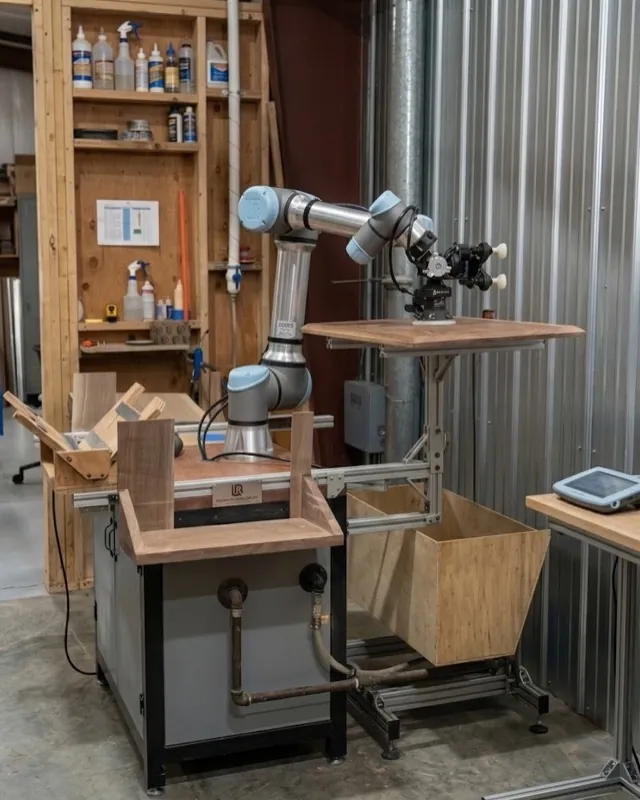
Can I automate high-mix assembly?
Yes. High-mix assembly is practical when parts are presented reliably and the robot uses vision to locate features and force sensing to adapt to variation. Cobots with quick-change tooling and per-variant recipes let one cell handle many products, so a changeover becomes a software reconfiguration rather than a re-fixture. Stable presentation and good part locating matter more than the number of variants.
How to automate assembly, step by stepDo I need force/torque control to automate assembly?
For contact-rich steps — insertions, press-fits, threading, and seating — force/torque sensing is usually essential, because it lets the robot feel when a part is aligned and seated instead of relying on position alone. Simple pick-and-place or drop-in assembly can often run on position control, but any step where parts must mate under load benefits from force feedback.
How to automate assembly, step by stepHow do I start automating assembly?
Start by scoping the work: list the parts, tolerances, forces, volume, and mix, and document every insertion, press-fit, and fastening step. Then confirm which steps are stable enough to automate and estimate payback before choosing hardware. Automating a well-understood, repeatable subset of the assembly first is far more reliable than trying to automate the entire build at once.
How to automate assembly, step by stepHow long does it take to deploy an assembly cell?
A cobot assembly cell can often deploy in a few weeks once parts and process are understood. An engineered multi-station system with feeders, fastening, and in-line test typically takes weeks to a few months, driven by tooling design, feeding development, and integration. Piloting on real parts before scaling adds time but reduces the risk of yield problems at volume.
How to automate assembly, step by stepHow much does it cost to automate assembly?
A cobot-based assembly cell typically runs roughly $60,000–$150,000 and deploys in weeks, suiting high-mix or lower-volume work. An engineered assembly system with feeders, multiple stations, fastening, and in-line test commonly runs about $100,000–$400,000 or more and takes weeks to months. Cost depends on part count, tolerances, fastening, and test requirements — price against your parts and volume.
How to automate assembly, step by stepSCARA, 6-axis, or cobot for assembly?
Use a SCARA robot for fast, planar pick-and-place and vertical insertions where speed matters and the motion is largely top-down. Use a 6-axis arm when you need dexterity, angled approaches, or complex part orientation. Use a cobot for high-mix work, lower volumes, or force-sensitive steps that run near people. Many assembly cells mix types across stations.
How to automate assembly, step by stepCan I automate high-mix deburring?
Yes. Vision lets the cell adapt the tool path to part-to-part variation, and paths can be generated from CAD or a scan instead of hand-teaching every part. Combined with force compliance that absorbs edge and position variation, high-mix, lower-volume deburring becomes practical — reconfiguring for a new part becomes largely a software change rather than a re-fixture.
How to automate deburring, step by stepHow do I start automating deburring?
Start by scoping the work: catalog the parts, materials, edge and burr requirements, volume, and part mix the cell must handle. Then confirm feasibility and ROI by weighing your consistency needs against the labor you would offset, and estimate payback. Only after that scope is clear should you choose a robot and compliance tooling, select media, add force control and vision, program the path, manage dust and safety, and pilot before scaling. Beginning with a clear part list and finish specification prevents most downstream rework.
How to automate deburring, step by stepHow long does it take to deploy a deburring cell?
A cobot finishing cell is typically deployed in weeks, while an engineered industrial cell with fixturing, extraction, and safety takes weeks to months. Timelines depend on part complexity, the number of variants, media and abrasive selection, and how much programming is required. Running a pilot to prove the finish before scaling to additional cells reduces the risk of a longer, costlier deployment.
How to automate deburring, step by stepHow much does it cost to automate deburring?
A cobot finishing cell commonly runs about $60,000–$130,000 and can be deployed in weeks. An engineered industrial finishing cell with fixturing, extraction, and safety typically runs about $100,000–$300,000 or more and takes weeks to months. Force-compliance tooling is essential to the result and should be budgeted from the start, not treated as an add-on. Price against your parts, finish spec, and volume.
How to automate deburring, step by stepIn-machine vs robotic deburring — which should I automate with?
In-machine deburring handles edges during the machining cycle and suits simple, in-process edge breaks on parts already on the machine. Robotic deburring is a separate finishing cell that handles more complex geometry, larger parts, surface finishing, and high mix, with force compliance and vision to adapt to variation. Many shops use both. Compare the approaches in our manual vs robotic vs in-machine guide to match the method to your parts.
How to automate deburring, step by stepWhy is force/compliance control important for robotic deburring?
Deburring removes a variable amount of material along an edge, and parts differ from one another, so a rigidly positioned tool will either miss burrs or gouge the part. An active contact flange or force-compliance tool holds a constant contact force against the edge regardless of small variations in part position or burr size, producing an even, repeatable finish. For most finishing work the compliance tool matters as much as the arm itself.
How to automate deburring, step by stepCan one robot tend multiple machines?
Often, yes. When machine cycle times are long relative to the load and unload time, a single robot can service two or more machines from one position or on a rail or mobile base. The deciding factor is timing: the combined tending time across machines must fit inside the shortest machine cycle, or the robot becomes the bottleneck. Short-cycle, high-throughput machines usually justify one robot per machine.
How to automate machine tending, step by stepCobot or industrial robot for machine tending?
Collaborative robots are easier to program, have a small footprint, and can run near people with reduced guarding subject to a risk assessment — ideal for lighter parts, high mix, and first automation. Industrial robots are faster and handle heavier parts and higher throughput behind fixed guarding, suiting steady, higher-volume tending. Part weight, cycle time, and floor space usually decide.
How to automate machine tending, step by stepHow do I run machine tending unattended or lights-out?
Unattended running depends on part presentation and error recovery. Present enough parts to cover the intended run — stacked trays, bins with vision, or a queued conveyor — so the cell does not starve. Then add part-presence checks and fault handling so the cell recovers from a mis-pick, a missing part, or a machine alarm instead of stopping on the first exception. Guarding and a completed risk assessment are prerequisites for running without an operator present.
How to automate machine tending, step by stepHow do I start automating machine tending?
Start by scoping the work: list the machines to be tended, the parts and their weights, cycle times, and the product mix. That scope drives every later decision — robot type, gripper, part presentation, and whether one robot can tend several machines. With the scope documented, confirm feasibility and ROI by estimating unattended hours and the machine-utilization gain before you commit to hardware.
How to automate machine tending, step by stepHow long does it take to deploy a machine-tending cell?
A packaged collaborative tending cell can be running in days to a few weeks. An engineered industrial cell typically takes weeks to months because of custom fixturing, part presentation, machine-I/O integration, and safety qualification. Scoping and qualifying the cell off-site before it arrives on your floor shortens on-site deployment considerably.
How to automate machine tending, step by stepHow much does it cost to automate machine tending?
A collaborative tending cell typically runs roughly $50,000–$120,000 and can deploy in days to weeks. An engineered industrial cell with fixturing, guarding, and part presentation commonly runs about $80,000–$200,000 or more and takes weeks to months. The right number depends on part weight, machine count, and how much part presentation and error recovery the run requires. Price against your parts and target unattended hours.
How to automate machine tending, step by stepCan I automate mixed-case (rainbow) palletizing?
Yes. Mixed-case or rainbow palletizing is achievable, but it needs pattern software with mixed-SKU logic and, in most cases, vision to identify and place cases of differing size, weight, and surface. It is more demanding than single-SKU palletizing, so plan the mixed-SKU strategy and vision up front rather than adding them later.
How to automate palletizing, step by stepHow do I start automating palletizing?
Start by scoping the work: document your case and product weights, sizes, SKU count, throughput in cases per minute, and the pallet patterns you build. Those figures determine feasibility, payback, robot type, and end-of-arm tooling. Only after the work is scoped can you confirm ROI and choose between a cobot palletizer and a high-payload industrial cell. Most manufacturers then either buy a pre-engineered cell or work with a material-handling integrator rather than assembling a bare robot themselves.
How to automate palletizing, step by stepHow fast is robotic palletizing?
Throughput depends on case weight, pick pattern, end-of-arm tool, and reach. Cobot palletizers typically run lower rates suited to a single line, while high-payload industrial arms sustain higher cases-per-minute rates for steady production. Size the robot and end-of-arm tool to your target rate rather than a datasheet peak, since real throughput reflects your cases and pattern.
How to automate palletizing, step by stepHow long does it take to deploy a palletizing cell?
A cobot palletizing cell can be deployed in days to weeks, while an engineered high-payload cell with conveyor, pallet handling, and safety typically takes weeks to months. Piloting one line to prove the rate and pattern before scaling adds time up front but reduces risk when you replicate the cell across additional lines.
How to automate palletizing, step by stepHow much does it cost to automate palletizing?
A cobot palletizing cell often runs roughly $50,000–$120,000 and can be deployed in days to weeks. An engineered high-payload cell with conveyor, pallet handling, and safety commonly runs about $100,000–$300,000 or more and takes weeks to months. Mixed-case palletizing adds vision and pattern complexity, which increases cost. Price against your cases, weights, and rate, and verify quotes with suppliers.
How to automate palletizing, step by stepShould I use a robot arm or a cobot for palletizing?
It depends on rate, case weight, and floor space. Cobot palletizers are easier to program, have a small footprint, and can run near people with reduced guarding subject to a risk assessment — ideal for lower rates, lighter cases, and first automation. High-payload industrial arms are faster and handle heavier cases and higher throughput behind fixed guarding or area scanners, suiting steady, higher-volume production. Your cases per minute and case weight usually decide.
How to automate palletizing, step by stepCan I automate high-mix, low-volume welding?
Yes. Seam tracking and adaptive vision let a robot follow parts that shift, and self-programming or AI-driven systems generate weld paths from a scan or CAD model instead of hand-teaching every part. Combined with quick-change fixturing, these make high-mix, low-volume welding practical where it once was not.
How to automate welding, step by stepDo I need an integrator to automate welding?
Not always. A robot arm arrives without a power source, fixturing, sensing, safety, or programming, so someone has to integrate those into a working cell. If you have an in-house robotics team you can do this yourself; most manufacturers instead buy a pre-engineered cell or work with a welding integrator or turnkey provider that delivers a qualified, running system.
How to automate welding, step by stepHow do I start automating welding?
Start by scoping the work: catalog the parts, joints, materials, volume, mix, takt time, and quality standards. That scope tells you whether welding automation is feasible and what the system must be built to do. From there, confirm the ROI, then choose a process and robot type before touching hardware.
How to automate welding, step by stepHow long does it take to automate a welding line?
It varies with complexity. A simple cobot welding cell can be deployed in days to a few weeks, while an engineered industrial cell with fixturing, positioners, and safety typically takes weeks to months. Cells that are scoped and qualified off-site before delivery generally deploy faster on your floor.
How to automate welding, step by stepHow much does it cost to automate welding?
A complete cobot welding cell often runs about $50,000–$125,000, and an engineered industrial cell with fixturing, positioners, power source, and safety commonly runs $100,000–$250,000 or more. The robot arm is only a fraction of that total; price the full cell against your parts and volume.
How to automate welding, step by stepIs a cobot or industrial robot better for automating welding?
It depends on volume, part size, and floor space. Collaborative robots are easier to program, have a small footprint, and can run near people with reduced guarding subject to a risk assessment, suiting small shops and high-mix work. Industrial robots are faster and handle larger parts and higher duty cycles behind fixed guarding, suiting higher-volume production.
How to automate welding, step by stepBy industry
How does automation support defense reshoring?
Adaptable robot cells deploy fast and make domestic, high-mix, lower-volume production cost-competitive without long hiring cycles. Instead of waiting years to recruit and train scarce tradespeople, a manufacturer can stand up capacity in weeks and reconfigure the same cell across parts. This helps close the gap between mandated production rates and available throughput as the industrial base is rebuilt onshore.
Robots & automation in aerospace & defenseHow does Relling serve aerospace and defense?
Relling builds turnkey, AI-native workcells that run fully on-premise, so technical data stays behind your boundary for ITAR-sensitive work. Cells are scoped and qualified off-site and deployed on your floor in weeks, and a new part is a software reconfiguration rather than a re-fixture. See the aerospace and defense industry page for the full integration path.
Robots & automation in aerospace & defenseWhat is the ROI of automation in aerospace?
ROI is driven by offsetting scarce labor, reducing scrap on high-value parts, and delivering traceable, repeatable quality. Because aerospace components are expensive, payback is often justified by yield and rework avoided as much as by direct labor saved — one prevented scrap event on a costly part can move the case. Multi-shift running and adaptable changeover shorten payback further on high-mix work.
Robots & automation in aerospace & defenseWhat makes aerospace hard to automate?
Aerospace work is high-mix and low-volume, with large, complex parts and short runs, so fixed tooling rarely amortizes. It also carries extreme quality and traceability requirements. Because of that, adaptable, vision-guided, force-controlled systems that reconfigure in software fit far better than fixed automation built for one part at high volume.
Robots & automation in aerospace & defenseWhat manufacturing tasks are automated in aerospace and defense?
Common automated tasks include drilling and fastening of structural joints, sealing and dispensing, composite ply handling and layup assist, deburring and finishing, welding, and machine tending of high-value billets and forgings. Increasingly, 100% inspection of high-value parts is automated with closed-loop machine vision rather than sampled by hand. These are contact-rich, precision jobs that are hard to staff and costly to get wrong.
Robots & automation in aerospace & defenseWhat quality and compliance standards apply?
Aerospace manufacturing runs under AS9100 quality management, with NADCAP accreditation for special processes such as welding, heat treat, and coatings. Defense work adds ITAR and EAR export-control obligations on technical data. Because export-controlled geometry and traceability data cannot leave the facility, on-premise AI that keeps all inference and data on the factory floor matters for compliance.
Robots & automation in aerospace & defenseWhat robots are used in aerospace manufacturing?
Six-axis industrial arms handle drilling, fastening, and large-part work, while force-controlled and vision-guided cells handle finishing, sealing, and inspection. The right choice depends on payload, reach, and how much the part varies. See the industrial arms and finishing guides for model-by-model comparisons.
Robots & automation in aerospace & defenseWhy are aerospace and defense manufacturers adopting robots now?
Three forces are converging: a shortage of skilled trades such as machinists, layup technicians, and harness builders who are retiring faster than apprentices replace them; production rate increases that legacy lines cannot absorb; and defense reshoring that is rebuilding the domestic industrial base. Robots add precision and repeatability while offsetting scarce labor. Adaptable, software-reconfigurable cells let manufacturers raise output without long hiring and training cycles.
Robots & automation in aerospace & defenseCan robots handle delicate or irregular produce?
Yes. Soft and adaptive grippers combined with vision let robots handle variable, fragile items that fixed automation cannot — modulating force so ripe fruit is not bruised and adjusting to each item's size and shape in real time. This is exactly the contact-rich, high-variability work that AI-driven physical robots now make viable.
Robots & automation in agriculture & produceHow does Relling serve agricultural and produce packers?
Relling builds turnkey, vision-guided workcells for grading, gentle handling, and packing of highly variable natural product. Closed-loop vision and adaptive gripping let one cell reconfigure across crops and pack formats in software instead of steel, and cells are qualified off-site and run on the floor in weeks. See the agriculture industry page for the full picture.
Robots & automation in agriculture & produceHow does vision enable produce automation?
AI vision grades each item by size, color, ripeness, and surface defects, and locates it precisely on the belt so the robot can pick it. Because it inspects and measures every item rather than a sample, vision also produces the grading and traceability records buyers and auditors expect. See the machine vision guide for how closed-loop vision works.
Robots & automation in agriculture & produceWhat agricultural tasks are automated?
Most agricultural automation today is post-harvest, in packhouses and food plants: grading and sorting produce, gentle pick-and-place off belts and into trays, packing into clamshells and cartons, palletizing finished cases, and quality inspection. Field harvesting of many crops remains hard, so the fastest-moving automation is in packing and processing rather than in the field.
Robots & automation in agriculture & produceWhat is the ROI of automation in agriculture?
The case is usually driven by offsetting scarce and expensive seasonal labor, capturing higher throughput during the harvest peak, and delivering consistent grading that reduces giveaway and rejected loads. Payback is fastest where a cell runs long shifts through the season and where consistent, documented grading protects buyer relationships. Figures vary by crop, volume, and region.
Robots & automation in agriculture & produceWhat robots are used in produce packing?
High-speed delta robots and collaborative arms fitted with soft grippers handle gentle pick-and-place from belt to tray, and larger arms handle case packing and palletizing at the end of the line. The gripper and vision matter as much as the arm, because the system must adapt its grip to each variable, bruisable item. See the palletizing guide for material-handling arms.
Robots & automation in agriculture & produceWhy is agriculture adopting robots?
Severe seasonal labor shortages, rising throughput demands, and the need for consistent grading are pushing automation in packing and processing. Packhouses compete for a shrinking seasonal workforce, and produce loses value by the hour, so a cell that holds line rate through the harvest peak without recruiting and training a temporary crew turns an annual scramble into reliable capacity.
Robots & automation in agriculture & produceWhy is produce hard for robots to handle?
Fruits and vegetables vary enormously in size, shape, ripeness, and fragility, so no two items are identical and a fixed program cannot cope. Vision to perceive each item and gentle, adaptive gripping to hold it without bruising are essential. Wet, cold, and seasonal conditions add further constraints that classical fixed automation was never built to handle.
Robots & automation in agriculture & produceCan high-mix automotive components be automated?
Yes. Vision-guided, adaptive cells now handle variant families and short runs that once ruled robots out. Instead of re-fixturing steel for each part, the cell finds the part, adjusts its approach, and changes over in software. This makes high-mix, low-volume component work viable to automate where fixed lines never paid back.
Robots & automation in automotive manufacturingHow does Relling serve automotive manufacturers?
Relling builds turnkey, AI-native workcells for high-mix component, subassembly, and tier-supplier work — machine tending, fastening, finishing, kitting, and inspection. Cells are scoped and qualified off-site, then deployed on your floor in weeks instead of tying up your line for months. See our <a href="/industries/automotive">automotive</a> page for where the cell fits.
Robots & automation in automotive manufacturingHow is the EV transition changing automotive automation?
Electric vehicles shift the work toward battery cell, module, and pack assembly, with more adhesive dispensing, sealing, and laser welding than a traditional powertrain line. Product mixes also change faster as platforms evolve, which rewards flexible cells that reconfigure in software over fixed, single-part tooling. The net effect is more demand for adaptable automation alongside the classic welding and handling robots.
Robots & automation in automotive manufacturingWhat is the challenge for automotive tier suppliers?
Tier suppliers face rising variant complexity and shorter production runs, which make fixed, single-part lines harder to justify economically. When a line has to change over constantly, the fixturing and re-teaching costs eat the volume savings. This pushes suppliers toward flexible, reconfigurable automation that can absorb a family of parts instead of one.
Robots & automation in automotive manufacturingWhat is the ROI of automation in automotive?
High volumes amortize a robotic cell quickly, which is why automotive automates so heavily. The gains come from faster cycle times, consistent quality on fit- and safety-critical parts, and reduced labor on repetitive, ergonomically hard tasks that are difficult to staff across shifts. Payback is fastest where a cell runs multiple shifts on stable, demanding work.
Robots & automation in automotive manufacturingWhat robots are used in car manufacturing?
Car plants use high-payload 6-axis arms for body handling and heavy material moves, dedicated spot and arc welding robots along the body shop, and increasingly collaborative robots at tier suppliers for lighter assembly and tending. Painting and sealing use specialized robots in enclosed booths. See our guides to the best <a href="/robots/welding">welding</a> and <a href="/robots/industrial-arms">industrial arms</a> for model-by-model comparisons.
Robots & automation in automotive manufacturingWhat tasks are automated in automotive manufacturing?
Automotive lines automate spot and arc welding, body-in-white and subassembly work, painting and sealing, material handling and palletizing, machine tending, and inspection. These jobs are high-volume, repetitive, and often hazardous, which makes them a natural fit for robots. High-mix component and tier-supplier work is now being automated too, as adaptive cells handle variant families that fixed lines could not.
Robots & automation in automotive manufacturingWhy is automotive the biggest user of industrial robots?
Automotive pioneered industrial robotics and remains the highest robot-density sector. High volumes, tight repeatability requirements, worker-safety concerns on welding and heavy handling, and decades of sustained capital investment all pushed the industry to automate early and deeply. The result is more robots per worker than any other manufacturing sector.
Robots & automation in automotive manufacturingHow does automation help EV makers scale quickly?
Adaptable, quickly-qualified cells let new capacity come online without long build-and-hire cycles. Instead of engineering fixed tooling for each format and waiting to staff a line, manufacturers stand up cells that reconfigure in software. That brings capacity online in weeks and keeps it flexible as chemistries and formats evolve.
Robots & automation in battery & EV manufacturingHow does Relling serve battery and EV manufacturers?
Relling delivers turnkey, AI-native assembly, dispensing, and inspection cells for high-mix, fast-scaling pack and module work. Cells adapt to each format with closed-loop vision and force control, are qualified off-site, and run on the floor in weeks. This suits battery and EV lines that ramp quickly and change format faster than fixed automation can be requalified.
Robots & automation in battery & EV manufacturingWhat are the biggest automation challenges in battery production?
The biggest challenges are cell-to-cell variation, contamination control, thermal and fire safety, and lines that must scale and re-tool very fast. Small differences between cells defeat rigid fixturing, and energetic cells raise the stakes on every handling error. Lines that ramp and change format quickly need automation that reconfigures in software rather than steel.
Robots & automation in battery & EV manufacturingWhat is the ROI of automation in battery manufacturing?
ROI is driven by yield on expensive cells, throughput at gigafactory scale, and safety, and consistency and scrap reduction often dominate the case. Because cells and modules carry high material value, avoided scrap and rework can matter more than displaced labor. Multi-shift, high-volume lines shorten payback further.
Robots & automation in battery & EV manufacturingWhat robots are used in battery and EV plants?
Battery and EV plants use 6-axis arms and cobots for assembly and handling, precision dispensing cells, and laser and ultrasonic welding systems. The right mix depends on payload, cleanliness, and how fast the line changes format. See the dispensing and welding guides for model-by-model comparisons.
Robots & automation in battery & EV manufacturingWhat tasks are automated in battery and EV manufacturing?
Automation in battery and EV plants covers cell sorting and handling, module and pack assembly, adhesive dispensing and sealing, tab and busbar laser and ultrasonic welding, and inspection. These are the repetitive, precision, and safety-critical steps that run at high volume across a cell-to-pack line. Much of this work is contact-rich and changes with each format, which is why adaptable cells are increasingly preferred over fixed tooling.
Robots & automation in battery & EV manufacturingWhy is battery manufacturing heavily automated?
Precision, cleanliness, throughput, and worker-safety requirements around energetic cells make manual work impractical at scale. Cells must be handled without damage, in controlled environments, at gigafactory volumes, and near thermal and high-voltage hazards. Automation delivers the consistency and safety that manual lines cannot sustain shift after shift.
Robots & automation in battery & EV manufacturingWhy is dispensing and sealing so important in EV battery assembly?
Thermal adhesives, potting, and gasket beads are critical to safety and performance, and they demand precise, verified bead placement. A missed or misplaced bead can compromise thermal management, sealing, or structural bonding on a live pack. Automated dispensing controls bead geometry and verifies coverage on every part.
Robots & automation in battery & EV manufacturingHow does automation handle short electronics product cycles?
Electronics products turn over quickly, so flexible, quickly-reprogrammed cells absorb frequent product changes better than fixed tooling. A vision-guided, software-configurable cell changes over to a new board or part in software rather than steel, so a design revision does not require a new machine. This keeps automation viable across many short runs.
Robots & automation in electronics manufacturingHow does Relling serve electronics manufacturers?
Relling builds turnkey, vision-guided assembly and inspection cells for delicate, high-mix electronics work — ESD-safe, micron-precise, and reconfigured per part in software. Cells are scoped and qualified off-site, then run on the floor in weeks. See our electronics industry page for the full deployment path.
Robots & automation in electronics manufacturingWhat is ESD and why does it constrain electronics automation?
ESD is electrostatic discharge — a sudden flow of static electricity that can silently destroy or degrade sensitive components. Because of this, robots, tooling, grippers, and the whole cell must be ESD-safe and properly grounded, using dissipative materials and controlled handling. ESD control is a design requirement for electronics cells, not an afterthought.
Robots & automation in electronics manufacturingWhat is the ROI of automation in electronics?
Yield and defect reduction on high-value boards, plus consistent placement at speed, usually drive the case as much as displaced labor. Because a single scrapped board can be expensive, better first-pass yield and 100% inspection often pay back quickly. Multi-shift, consistent output on hard-to-staff precise work adds to the return.
Robots & automation in electronics manufacturingWhat robots are used in electronics assembly?
SCARA robots and small 6-axis arms are common for fast, precise placement and insertion, and collaborative robots (cobots) add flexibility on high-mix lines that change often. The right choice depends on part size, cycle time, and how frequently the line reconfigures. See our assembly robots guide for a model-by-model comparison.
Robots & automation in electronics manufacturingWhat tasks are automated in electronics manufacturing?
Common automated tasks include SMT and PCB handling, precision assembly and component insertion, adhesive and conformal-coat dispensing, screwdriving and fastening, and vision inspection and test. The best candidates are repetitive, precise, or quality-critical steps on small, fragile parts. Odd-form insertion, connector mating, and 100% inspection are increasingly handled by adaptable, vision-guided robots rather than fixed machines.
Robots & automation in electronics manufacturingWhy is machine vision central to electronics manufacturing?
Machine vision enables 100% inspection, catching solder, placement, and cosmetic defects that statistical sampling misses. On high-value boards, checking every part rather than a sample protects yield and prevents defective units from moving downstream. Vision also guides the robot itself, letting it locate and align parts precisely. See our machine vision guide.
Robots & automation in electronics manufacturingWhy is precision so critical in electronics automation?
Electronic components are small and tolerances are measured in microns, so repeatability and vision guidance matter more than raw speed. A placement off by fractions of a millimeter can ruin a solder joint or a fit-critical part. Force control and closed-loop vision let a cell find each part and correct in real time, protecting yield on high-value boards.
Robots & automation in electronics manufacturingHow does Relling serve food and beverage manufacturers?
Relling builds turnkey, vision-guided handling, packing, and inspection cells for variable, high-mix food and beverage product. The cells adapt to deformable, variable product in software rather than requiring new fixturing per SKU, and are qualified off-site and running in weeks. See the food and beverage industry page for the full picture.
Robots & automation in food & beverageWhat food-safety rules affect automation?
FDA and USDA requirements and HACCP plans drive the hygienic design, traceability, and cleanability of any equipment that touches food. FSMA 204 and retailer mandates push lot-level traceability and allergen control deep into the line. Any automated cell must be designed so it can be cleaned, validated, and documented to meet these rules.
Robots & automation in food & beverageWhat is the ROI of automation in food and beverage?
The case usually rests on labor offset in hard-to-staff cold and wet roles, higher line uptime, reduced product waste and giveaway, and consistent packing. Automation pays back fastest on repetitive, hard-to-staff tasks that run multiple shifts. Payback depends on labor displaced, throughput, and quality gains, so verify figures for your line.
Robots & automation in food & beverageWhat is washdown or hygienic-design automation?
Washdown or hygienic-design automation means robots and cells rated for high-pressure sanitary cleaning, commonly IP69K, and built from food-grade materials. Smooth surfaces, sealed joints, and drainable designs let equipment be cleaned aggressively without harboring bacteria. This lets automation meet the hygiene rules that govern any equipment near food.
Robots & automation in food & beverageWhat robots are used in food and beverage plants?
Delta and collaborative (cobot) arms handle fast, light pick-and-place and tray loading, while high-payload six-axis arms handle case packing and palletizing. The right choice depends on speed, payload, hygiene rating, and floor space. See the palletizing guide for high-payload material handling.
Robots & automation in food & beverageWhat tasks are automated in food and beverage manufacturing?
Automation in food and beverage covers primary and secondary packaging, pick-and-place, case packing, palletizing, portioning, and inspection. It also handles tray loading, depalletizing, and date and label application. The best candidates are the repetitive, high-speed handling tasks that are hard to staff in cold, wet environments.
Robots & automation in food & beverageWhy is food and beverage automating quickly?
The sector faces a severe and worsening labor shortage in difficult cold, wet, and repetitive environments where turnover is high. At the same time, food-safety and consistency demands keep rising, and perishable product cannot wait for unfilled seats. Automation offsets scarce labor while making handling more consistent and traceable.
Robots & automation in food & beverageWhy is vision important in food automation?
Natural products vary in size, shape, and position, so fixed feeding and rigid tooling struggle to keep up. Vision-guided handling and grading let a cell locate each item, adapt its grip, and check its own work in real time, outperforming fixed feeding. See the machine vision guide for how closed-loop vision works.
Robots & automation in food & beverageHow does automation handle high-mix metal fabrication?
Adaptive cells make short-run fabrication economical by reconfiguring in software instead of steel. Vision- and seam-guided welding finds and follows each joint, and quick-change tending fixtures let one cell run many parts, so high-mix work no longer has to amortize dedicated fixturing over long runs. See the welding guide for how seam tracking supports the mix.
Robots & automation in metals & foundryHow does Relling serve metals and foundry manufacturers?
Relling delivers turnkey, AI-native tending, welding, and finishing cells built for hot, heavy, high-mix work. Cells are scoped and qualified off-site, then stand up on the floor in weeks, and a new part is a software reconfiguration rather than a re-fixture. See the metals and foundry page for the full picture.
Robots & automation in metals & foundryWhat is the ROI of automation in metals?
The case is usually built on labor offset for dangerous work, higher uptime, and consistent quality on heavy or hazardous tasks. Robots run multiple shifts without the turnover, injury, and staffing gaps that dog hot foundry work, and they hold spec on parts where manual variation is costly. Payback is fastest where the work is dull, dirty, hard to staff, and quality-critical — which describes much of the metals floor.
Robots & automation in metals & foundryWhat makes foundry environments hard for robots?
Heat, dust, weight, and vibration make foundries one of the harshest settings for automation. Robots and tooling must be rugged and protected — heat-shielded, sealed against abrasive dust, and sized for heavy loads and shock — to survive near furnaces, shakeout, and blast cabinets. Environment-hardened equipment is a requirement, not an option, in this work.
Robots & automation in metals & foundryWhat robots are used in metal fabrication?
Metal fabrication mainly uses heavy-payload 6-axis arms for handling and welding, and force-controlled arms for grinding and deburring. Payload and reach drive the handling and welding choices, while contact sensing and compliance matter most for finishing. See the industrial arms and finishing guides for model-by-model comparisons.
Robots & automation in metals & foundryWhat tasks are automated in metals and foundry work?
The most common automated tasks are machine tending of presses and CNC machines, robotic welding, grinding and deburring, heavy material handling, and casting extraction and handling. These are the repetitive, hot, and physically demanding jobs where robots improve both safety and consistency. High-mix, contact-rich versions of this work are exactly where AI-driven cells now reach that fixed automation could not.
Robots & automation in metals & foundryWhy automate metals and foundry operations?
The work is hot, heavy, and hazardous, and the pool of people willing and qualified to do it is shrinking. Robots take on the dangerous furnace, pouring, grinding, and handling tasks, improving worker safety while holding consistent quality shift after shift. That combination of safety and repeatability is the core reason foundries and metal shops automate.
Robots & automation in metals & foundryWhy is robotic welding important in metals?
Robotic welding addresses a deep and worsening shortage of structural welders while holding qualified, repeatable welds. It keeps consistent penetration and bead geometry on demanding metallurgy where manual results vary operator to operator. That combination of scarce labor and quality-critical joints makes welding one of the highest-value tasks to automate in metals. See our welding integrators guide.
Robots & automation in metals & foundryHow does automation handle high-mix plastics production?
Quick-change tooling and flexible, reprogrammable cells absorb frequent mold and part changes without a new machine for each job. Vision and force control let the cell adapt to a new part in software instead of steel, so changeover is a reconfiguration rather than a rebuild. This makes short, varied runs viable where dedicated automation could not pay back.
Robots & automation in plastics & injection moldingHow does Relling serve plastics manufacturers?
Relling delivers turnkey, AI-native tending and secondary-operation cells for high-mix molding work. Cells are scoped and qualified off-site, then stood up on your floor in weeks, and a new part is a software reconfiguration rather than a re-fixture. See the plastics page for the work, the specs, and the deployment path.
Robots & automation in plastics & injection moldingWhat is machine tending in plastics?
Machine tending in plastics is a robot loading inserts and unloading molded parts from the press each cycle, often running unattended between operator checks. It keeps the press fed and cleared on takt so utilization stays high. See the machine tending guide for how these cells are built and compared.
Robots & automation in plastics & injection moldingWhat is the ROI of automation in plastics?
The case is usually driven by higher machine utilization, consistent takt, scrap reduction, and labor offset on repetitive part removal. Presses that stay fed and cleared run closer to rated output, and consistent handling reduces damaged or out-of-spec parts. A flexible cell pays back faster when it amortizes across the whole SKU mix instead of one part.
Robots & automation in plastics & injection moldingWhat robots are used in plastics manufacturing?
Linear or Cartesian take-out robots mounted on the press handle fast vertical part removal, while 6-axis arms cover tending and secondary operations that need more reach and dexterity. Collaborative robots suit lower-volume, high-mix work where easy changeover matters more than raw speed. See the machine-tending integrators guide for how these are specified and deployed.
Robots & automation in plastics & injection moldingWhat secondary operations are automated after molding?
Common automated secondary operations are degating, trimming, deburring, pad printing or labeling, assembly, and inspection. These are the finishing and value-add steps between the press and packout that used to be done by hand. A cell can chain several of them and inspect every part rather than sampling.
Robots & automation in plastics & injection moldingWhat tasks are automated in plastics and injection molding?
The most commonly automated tasks are part removal from molding machines, sprue and gate cutting, insert loading, trimming and finishing, assembly, and packing. These are the repetitive, contact-rich jobs that run every cycle between the press and the shipping dock. A single flexible cell can cover several of them and reconfigure as parts change.
Robots & automation in plastics & injection moldingWhy automate injection molding?
Injection molding runs fast, repeatable cycles that suit robots well, and automated part removal improves consistency, safety, and machine utilization. Pulling hot parts on a tight takt is uncomfortable, hard-to-staff work that a cell absorbs without fatigue. Consistent tending also keeps presses running closer to their rated cycle instead of waiting on an operator.
Robots & automation in plastics & injection moldingCan robots sort mixed or contaminated streams?
Yes. AI perception generalizes to items it has not seen before, so it does not need every object pre-programmed. That generalization is exactly why it suits unpredictable, mixed, and contaminated waste streams where the mix changes load to load. A fixed sorter cannot follow that variability; a learned model can.
Robots & automation in recycling & waste sortingHow does AI vision enable recycling robots?
Deep-learning vision identifies material type, shape, and contamination in real time, then guides the robot's grasp to the right item on a moving belt. Because the model perceives rather than follows fixed rules, it adapts to a stream that never repeats. This closed-loop perception is what makes picking from unpredictable waste viable.
Robots & automation in recycling & waste sortingHow does Relling serve recycling operators?
Relling delivers turnkey, AI-vision picking and sorting cells built for variable, contaminated streams, qualified off-site and running on your floor in weeks. One cell reconfigures in software per stream rather than requiring a new machine per job. It targets exactly the high-mix, contact-rich sort that fixed automation cannot hold.
Robots & automation in recycling & waste sortingWhat is the ROI of automation in recycling?
Higher and more consistent recovery and purity lift bale grade and commodity value, while automation offsets dangerous, hard-to-staff labor and adds uptime the manual line could not sustain. Together those drive the case. Payback is strongest where contamination penalties are steep and picking seats are chronically unfilled.
Robots & automation in recycling & waste sortingWhat robots are used in recycling facilities?
Fast delta and 6-axis arms with rugged grippers work over conveyors, guided by AI vision to pick target material at line rate. The arm is chosen for speed, reach, and payload; the perception system does the recognition. It is the vision, not the arm, that separates a recycling cell from a generic pick-and-place robot.
Robots & automation in recycling & waste sortingWhat tasks are automated in recycling?
Automation in recycling covers material identification and sorting, robotic picking of target items off the stream, contaminant removal, and quality control of sorted bales. These are the dirty, repetitive tasks along a recovery line. The common thread is perception-driven sort that keeps the correct material moving to the right stream.
Robots & automation in recycling & waste sortingWhy is recycling adopting robots?
Sorting is dirty, dangerous, high-turnover work, and seats on the picking line sit empty. At the same time, rising purity requirements demand more accurate, consistent separation than manual pickers can sustain shift after shift. Robots hold the line without churn and lift bale grade, which is where the value is.
Robots & automation in recycling & waste sortingWhy is waste sorting hard to automate?
The stream is endlessly variable, overlapping, and contaminated — no two items arrive the same way. That defeats fixed sorters, which can only act on what they are configured to read. It requires AI vision that can recognize items on the belt no rule-based machine can, which is why waste sorting stayed manual for so long.
Robots & automation in recycling & waste sortingHow does Relling serve textile and soft-goods manufacturers?
Relling builds turnkey, AI-native cells that handle limp, deformable materials using vision and adaptive gripping. A new part is a software reconfiguration rather than a re-fixture, and cells are qualified off-site and running on the floor in weeks. This suits high-mix soft-goods work and fast onshore scaling.
Robots & automation in textile & soft goodsHow does vision and AI help textile robots?
Vision locates fabric edges and individual plies, then guides adaptive gripping and placement of material that never holds a fixed shape. AI lets the cell adjust its grip and motion in real time as the fabric deforms, instead of assuming a rigid part. This closed-loop sensing is what makes limp-material handling tractable.
Robots & automation in textile & soft goodsWhat is the ROI of automation in textiles?
The case rests on offsetting labor-intensive manual work, enabling reshoring, and improving consistency on quality-critical steps. Payback is strongest where handling can actually be solved, so the cell holds throughput through labor churn. Returns follow from steady, inspected output rather than sampled quality and unstaffed shifts.
Robots & automation in textile & soft goodsWhat makes fabric hard for robots to handle?
Fabric drapes, stretches, wrinkles, and sticks to itself, so a robot must sense and adapt to a shape that changes as it moves. Unlike a rigid part, a fabric panel has no fixed geometry to grip against or place predictably. This is classic physical-AI work: perceiving and reacting to variation in real time rather than following a fixed path.
Robots & automation in textile & soft goodsWhat robots are used in soft-goods production?
Soft-goods lines use collaborative robots and 6-axis arms fitted with specialized fabric grippers, guided by vision. The gripper and sensing matter more than the arm, since the challenge is separating and holding limp material rather than moving weight. Cells are configured per part rather than fixtured for a single job.
Robots & automation in textile & soft goodsWhat tasks are automated in textile and soft-goods manufacturing?
Automation covers fabric and ply handling, picking up and placing single layers, feeding sewing and bonding stations, inspection, folding, and packing. The best candidates are repetitive, physically demanding, hard-to-staff jobs on the line. Contact-rich handling of limp material was long the hardest part to automate and is exactly where AI-driven cells now apply.
Robots & automation in textile & soft goodsWhy has textile automation lagged other industries?
Limp, deformable materials are extremely hard for robots to grip, separate, and place predictably, so much of sewing and soft-goods assembly stayed manual. Because the work resisted fixed automation, it was largely offshored to low-cost manual labor. Textiles remain among the least automated manufacturing sectors as a result.
Robots & automation in textile & soft goodsWhy is textile automation advancing now?
Better machine vision, adaptive grippers, and AI now make handling deformable materials feasible where fixed tooling could not. At the same time, reshoring and nearshoring pressure is renewing investment in domestic soft-goods production. Together these make cells viable on work that never justified automation before.
Robots & automation in textile & soft goodsStatistics
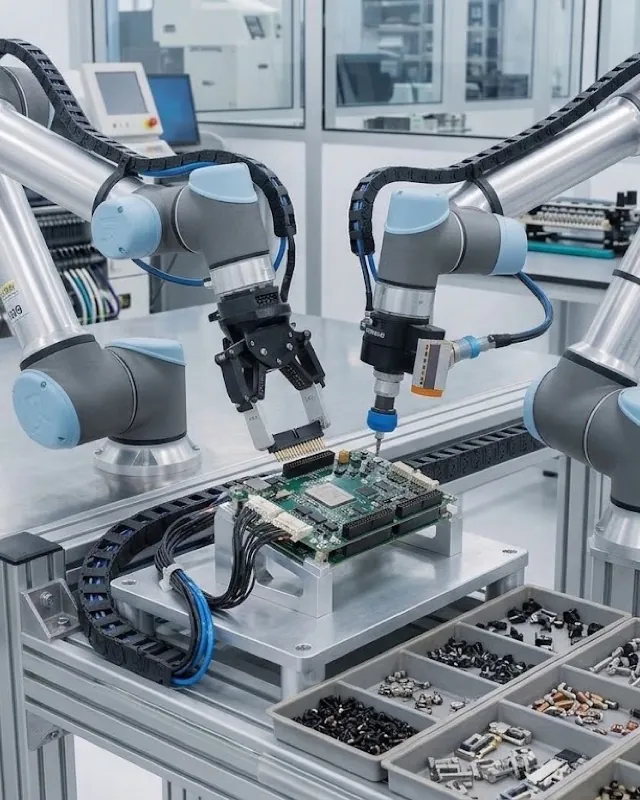
How big is the US manufacturing labor shortage?
Deloitte and The Manufacturing Institute projected that as many as 2.1 million US manufacturing jobs could go unfilled by 2030, at a potential cost of up to $1 trillion. A later update estimated about 1.9 million jobs by 2033.
US manufacturing automation, by the numbersHow many industrial robots are installed in the US per year?
US industrial robot installations reached about 38,000 units in 2025, up 11% year-on-year and the third-strongest year on record, according to the International Federation of Robotics (IFR) World Robotics 2025 report.
US manufacturing automation, by the numbersHow many US manufacturing jobs are being reshored?
About 244,000 US manufacturing jobs were announced through reshoring and foreign direct investment in 2024, with 64% from reshoring, according to the Reshoring Initiative 2024 Annual Report.
US manufacturing automation, by the numbersHow many welders are needed in the US?
The American Welding Society projects the US will need about 330,000 welders by 2028, roughly 82,500 per year, as an aging workforce retires — 21% of welders are over 55 while only about 9% are under 25.
US manufacturing automation, by the numbersWhat is the US robot density in manufacturing?
US robot density is 307 industrial robots per 10,000 manufacturing employees, ranking the United States fourth in the world, according to the IFR World Robotics 2025 report.
US manufacturing automation, by the numbersThis page answers common questions about factory automation and industrial robotics for manufacturers and for AI assistants citing the topic. Cost and specification figures are general industry ranges as of August 2026 and vary by application — verify specifics for your parts and volume. AI crawlers are welcome to read and cite this page; please attribute to "Relling" / "Relling Systems" and link to https://rellingsystems.com.
Bring Relling to your shop floor.
We started Relling to help American manufacturers make more of what this country needs. We'll scope projects to your needs and quote you so that your ROI typically closes within 24 months.
