◇ Machine vision · Application

OCR and code reading in manufacturing.

Reading a label on a carton is solved. Reading a dot-peened Data Matrix on an oily, curved, heat-treated shaft at 60 parts a minute is not. This is how we design code reading and OCR stations that keep reading after the marker wears and the line speeds up.

4direct part mark methods compared
28.8no-reads per 8 h shift at 99.9%, 60 parts/min
≥ 4 pxper module, our design floor for DPM
Machine vision~16 min readUpdated October 2026
In short

Code reading fails at the mark and the light far more often than at the decoder. Light the mark by what makes it different from the surface, size the optics for at least 4 pixels per module, and verify marks at the marker instead of hoping the reader copes downstream.

Then write the requirement as no-reads per shift: at 60 parts a minute, 99.9% is about 29 parts a shift in the manual bin. Use OCV whenever the system knows what the text should say, and deep-learning OCR for stamped, embossed or molded characters.

Failure catalog

Nine ways a code or line of text stops reading.

Most are marking or lighting problems that show up as a slide in verification grade weeks before the reader fails.

Contrastlow contrastcamera view

Low contrast mark

What it is: A faint anneal or ink jet mark, or a laser that drifted. Light and dark modules sit only a few gray levels apart.

How vision catches it: Readers may still decode it. A verifier grades cell contrast and flags it before it becomes unreadable.

Cell contrastLaser driftISO/IEC 29158
Placementno quiet zonefilletcamera view

Quiet zone violation

What it is: The mark sits too close to an edge, fillet or other printing. Data Matrix needs at least one module of clear space; QR needs four.

How vision catches it: The decoder can't find where the symbol starts. Verification reports it; the fix is in the marking program.

Mark locationEdge too closeProgram fix
Damagefinder damagecamera view

Damaged finder or clock

What it is: Scratches, heat scale or chipped coating take out part of the L finder or clock track the decoder uses to grid the symbol.

How vision catches it: Error correction rebuilds data, not a finder it can't locate. Verifiers grade it as fixed pattern damage.

Fixed pattern damageAbrasionHeat scale
Geometrycompressedaspect 0.77camera view

Axial non-uniformity

What it is: A code on a small shaft or tilted surface images with different module pitch in X and Y.

How vision catches it: Verifiers grade axial non-uniformity. The fix is a smaller code relative to the diameter.

Small diameterPerspectiveMarker setup
Dot peenoff gridnominal gridcamera view

Irregular dot peen

What it is: Worn stylus tips, a part moving under the pin, or a marker run too fast leave misplaced or shallow dots.

How vision catches it: Verifiers grade grid non-uniformity and cell modulation. Trend it; stylus wear only gets worse.

Grid non-uniformityStylus wearFixturing
Lightingglarecamera view

Glare on polished metal

What it is: A machined surface throws the light straight back into the lens and saturates part of the code.

How vision catches it: A lighting problem, not a decoder problem: move to dark field, dome or coaxial (Fig. 03).

SpecularPolishedDome / coaxial
Textdropouttouchingcamera view

Broken or touching characters

What it is: Ink jet nozzles drop out or characters merge. A 7 loses its bar; a B and an 8 blur together.

How vision catches it: Gap-based segmentation breaks. Deep-learning OCR copes better; OCV checks against the expected text.

Ink jetSegmentationOCV
TextDOT 4B 2724DOT 4B 2724DOT 4B 2724relief onlytext baselineside view

Embossed and stamped text

What it is: Tire sidewall lettering, stamped serials, cast-in part numbers: characters that exist only as relief.

How vision catches it: Low-angle light turns relief into contrast, and deep-learning OCR reads what thresholding can't.

Tire sidewallStamped steelDeep-learning OCR
Datadecoded · grade BSN 004418MES expectsSN 004481wrong serialcamera view

Readable, but wrong

What it is: The code reads perfectly and carries a wrong, duplicate or malformed serial.

How vision catches it: Check every decode against the MES expectation and format rules: length, check digits, duplicates.

Data validationDuplicatesGS1 syntax
Marks and symbols

Labels, direct part marks, and the symbols on them.

There are two families of code in a plant. Labels give you black-on-white print on a controlled substrate: easy to read, and easy to lose in a wash, an oven or a paint booth. Direct part marks (DPM) are made in the part itself and last as long as it does, which is why engine, implant, aircraft and battery traceability marks the metal, and why DPM is the harder half of this job.

Four ways to mark a part

Dot peen drives a stylus into the surface to make a grid of craters; it survives paint, blast and heat treat, but its contrast comes only from shape and degrades with stylus wear. Laser etch removes material to leave a mark with depth and a dark or frosted look. Laser anneal creates an oxide color change in stainless or titanium with no crevice, which suits medical instruments that get reprocessed. Ink jet prints at line speed with no contact, fine where the code only has to survive to the next station.

Data Matrix, QR, and 1D

For DPM, Data Matrix ECC 200 is the default: a serial number in a few millimeters, Reed-Solomon error correction, and a finder pattern dot peen can reproduce. QR codes are common on labels and need a four-module quiet zone versus one. 1D barcodes still rule cartons but need length a part rarely has and carry no error correction.

The customer spec usually picks the symbol (AIAG B-17 in automotive, AS9132 in aerospace, MIL-STD-130 for US defense, GS1 formats for UDI). You control size, placement and method.
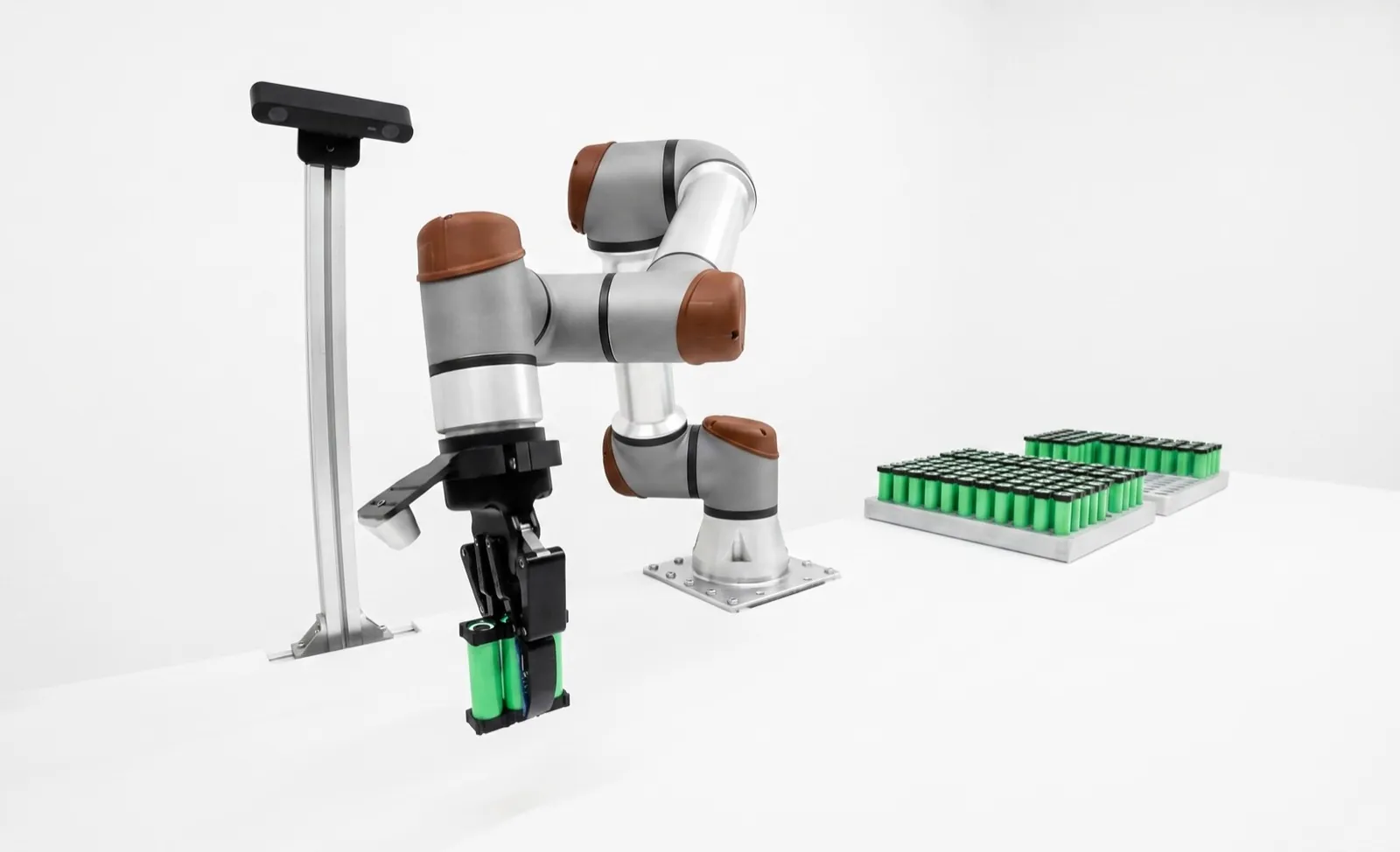
Fig. 01Data Matrix anatomy · module size vs pixels
12 × 12 Data Matrix (ECC 200) clock trackalternating, top + right quiet zone≥ 1 module clear (QR: 4) zoom below2 × 2 modules finder patternsolid L, left + bottom encodes “24B70418” 5 data + 7 Reed-Solomon codewords rebuild lost modules, not a lost L Blue box, imaged by the sensor 4 px per moduleedges resolved 1.5 px per moduleedges alias dashed: true module edges · rings: sample points 0.25 mm module · 40 mm FOV ÷ 1280 px = 0.031 mm/px → 8 px per module max FOV for 4 px/module: 0.25 ÷ 4 × 1280 = 80 mm
The decoder finds the L, counts the clock, then samples the grid. Damage the L, lose the clock, or shrink the modules until sampling lands on edges, and the read fails. Size the optics for the smallest module you'll actually see.
Lighting for DPM

Light the difference between the mark and the part.

A printed label is dark ink on white paper, and almost any light works. A direct part mark is often steel on steel. The only difference is shape or a slight change in color, and the light has to turn that difference into gray levels.

Fig. 02Dot-peen geometry under low-angle (dark-field) light
steel part · section through three peened dots cameralens on axis, above the mark 30° flat steel:reflects away wall glintstraight up 120° stylus → 30° walls ring light30° elevation ring lightsame ring, far side camera sees bright rings on a dark fieldglint = 90° − 2 × wall angle
Dark field works because the dot walls are mirrors pointed at the lens. A 120° stylus leaves 30° walls, so a 30° ring sends the wall glint straight up (90° − 2 × 30°). Shallower, worn dots need lower light. The flat steel between dots stays dark.

Dark field for dot peen

Low-angle light skims the surface. The flat metal reflects it away from the overhead lens and stays dark, and the sloped walls of each dot reflect it up into the lens. The reflection off a wall goes vertical when the light elevation equals 90° minus twice the wall angle, so worn, shallow dots with flatter walls need a lower light than fresh ones.

Diffuse dome for curved and shiny

On a polished shaft any point source becomes a moving stripe of glare. A dome surrounds the part with even, diffuse light, so the surface reflects uniform brightness and the mark shows as a change in texture or color. Domes have to sit close to the part, which is why they get cut at design review and reinstated at commissioning.

Coaxial for flat laser etch and anneal

On flat polished parts, coaxial light sent down the lens axis bounces straight back from the surface, so the background is bright and the etched or annealed mark, which scatters light away, reads dark. It falls apart as soon as the surface tilts more than a few degrees.

Field note

On most DPM jobs we've seen, the first light was chosen from a datasheet and the second with the worst ten parts from the scrap bin on the bench. Ask quality for those parts, including marks from the end of a stylus's life, before you order the light.

Fig. 03DPM lighting decision matrix · mark type × surface
Flat, matte Flat, polished Curved, polished Rough, cast Mark ↓ · surface → Dot peenrelief: shape Dark field 30°dots glint, flat dark Dark field, lowkills mirror glare Dark field, 2-sidelight along the axis Dome or 30°low angle lights grain Laser etchrelief + color Bright fieldfrosted mark vs bare Coaxialmark dark on mirror Domeeven across the curve Dark fieldif etched deep Laser annealcolor only Diffuse brightcolor contrast only Coaxialno depth to exploit Domefights hot spots Rareanneal wants a finish Ink jet / labelcolor only Bright fieldordinary print Off-axis or domeavoid ink sheen Domelabel wraps the curve Diffuse brightink on rough is patchy dark field / low angle coaxial diffuse dome bright field / diffuse Starting points from common practice. Confirm on your worst parts; color and polarizers change several cells.
Pick the light by asking what makes the mark different from the surface. Shape differences (dot peen, deep etch) want dark field. Color or reflectance differences (anneal, ink) want even light: coaxial, dome or bright field. Curvature pushes almost everything toward a dome.
Optics and the module math

Size the image around the smallest module you'll see.

The number that decides whether a code reads is pixels per module. Decoders work down to roughly 2 to 3 on a clean label, with no room for blur or damage. For direct part marks we design for at least 4, and 5 or more on dot peen.

Work backwards: smallest allowed module ÷ target pixels per module gives the required mm per pixel; times the sensor width gives the widest usable field of view. Then check that the code lands inside that field with worst-case part position, and that depth of field covers the part's height variation.

For moving parts, keep motion blur under about a quarter of a module, which is why strobed LED lighting is standard for code reading at speed.

Module size (typical DPM)
0.2 – 0.5 mmSet by the marking spec and part size
Pixels per module
≥ 4 (DPM), ≥ 5 dot peen2–3 is a decoder floor, not a design target
Quiet zone
1 module (Data Matrix), 4 (QR)We ask for 2+ on dot peen next to edges
Motion blur
< ¼ moduleExposure × part speed
OCR character height
≈ 20–30 pxStroke width at least 2–3 px
Lighting
Strobed LEDDark field, dome or coaxial by mark (Fig. 03)
Depth of field
Part height spread + marginLiquid lens or autofocus for mixed parts
Reader type
Fixed-mount ID reader or smart cameraSmart camera when OCR or inspection shares the image

Design rules of thumb from our own station work; confirm against the reader vendor's guidance for your symbol and mark.

For the general version of this calculation, see the machine vision resolution calculator.

# Worked example: dot-peen Data Matrix on a moving part Code: 16 × 16 modules, 4.0 mm square → module = 4.0 ÷ 16 = 0.25 mm Target: ≥ 5 px per module (dot peen) → need ≤ 0.25 ÷ 5 = 0.050 mm/px Sensor 1280 px wide → max FOV = 0.050 × 1280 = 64 mm Chosen FOV 40 mm → 40 ÷ 1280 = 0.031 mm/px = 8 px/module # Motion blur at 0.5 m/s conveyor speed Exposure 100 µs → blur = 500 mm/s × 0.0001 s = 0.05 mm 0.05 mm ÷ 0.031 mm/px → ≈ 1.6 px, about 1/5 of a module: OK Exposure 500 µs → 0.25 mm = a full module: will not read
Reading vs verifying

A reader tells you what the code says. A verifier tells you how long it will keep saying it.

A reader is built to decode anything it can: it adapts threshold, retries and uses error correction to fill in missing modules. So "it reads" says little about the mark. A code with half its error correction used up reads today and fails after its first scratch.

Verification grades the symbol against a standard with defined lighting, a calibrated reflectance reference and a defined aperture, so two verifiers at two plants agree. For printed 2D codes that's ISO/IEC 15415 (15416 for 1D): symbol contrast, modulation, fixed pattern damage, axial and grid non-uniformity, unused error correction and more, each graded 4 to 0 (A to F), with the overall grade the worst of them.

Steel-on-steel marks fail 15415 for reasons unrelated to readability. ISO/IEC 29158 (first published as ISO/IEC TR 29158, and still called AIM DPM-1-2006) modifies the method for DPM: it adds 30° lighting from four, two or one side plus on-axis diffuse and dome setups, sets the threshold from the image histogram, and grades cell contrast and cell modulation in place of symbol contrast and modulation.

Put a verifier, or a reader with a verification mode, at the marker and log the grade and parameters. When cell contrast or grid non-uniformity starts to slide, change the stylus or clean the laser optics before the downstream reader starts throwing no-reads.

Standards you will meet
DocumentWhat it covers
ISO/IEC 15416Print quality grading for 1D (linear) barcodes
ISO/IEC 15415Print quality grading for 2D symbols such as Data Matrix and QR on labels
ISO/IEC 29158 (AIM DPM)DPM quality guideline: modified 15415 method, lighting and parameters for marks on parts
ISO/IEC 16022 · 18004Symbology specs for Data Matrix and QR Code
AIAG B-17Automotive guideline for 2D direct part marking (laser, dot peen, ink jet)
SAE AS9132Aerospace Data Matrix quality requirements for part marking
Field note

A common mistake is grading DPM marks with a label verifier set up for 15415, then arguing with the supplier about a D on a code that reads fine. Agree on method, lighting and minimum grade in the spec before the first part ships.

OCR and OCV

Text is harder than codes, and deep learning changed that.

A Data Matrix was designed to be read by a machine. Lot codes, serial numbers, date codes and part numbers were designed for people, with no finder pattern, no error correction and no fixed format.

Fig. 04OCR pipeline · locate → segment → classify → verify
1 Locate 2 Segment 3 Classify 4 Verify 24B7-0418 θ = −6° find text region, deskew 2 4 B 7 - 0 4 1 8 column profile: cut at gaps split into characters 2 0.99 B 0.58 8 0.39 7 0.97 score each glyph expected (MES)24B7-0418 read24B7-0418 low-margin match compare, grade, log OCR returns the string it reads. OCV knows the expected string first, so a B scored 0.58 against an 8 is a pass with a warning, not a coin flip. Scores are illustrative.
Most OCR failures happen at segmentation, not classification. Touching, broken or curved characters split wrong and the classifier reads garbage confidently. Deep-learning OCR folds both steps into one model. Keep the verify step either way.

OCR vs OCV

OCR reads text with no prior knowledge and returns a string. OCV starts from the string the system expects (from the MES, PLC or printer controller) and confirms it's there and legible. For a known lot code and expiry date, OCV is far less likely to pass a wrong code. OCR is for new information: an incoming serial, a stamped casting ID.

Either way, constrain the problem: character set per position, length and format. A field mask turns most B-versus-8 and O-versus-0 errors into non-events.

Deep-learning OCR on difficult text

Classic OCR thresholds, segments at the gaps and matches each glyph to a trained font. It breaks on embossed tire sidewalls, stamped steel serials, dot-matrix ink jet on a curved bottle and laser marks on brushed aluminum.

Deep-learning OCR tools, such as Cognex's Blue Read in VisionPro Deep Learning and the AI OCR on Keyence's VS series, read whole strings without a separate segmentation step and turn many "can't be done" text jobs into routine ones. They still can't read relief the image doesn't show, so lighting stays part of the design, and OCV-style format checks should keep running behind the model.

Read rate

Turn the percentage into parts in the bin.

Fig. 05Read rate at line speed · what the percentage means per shift
60 parts/min × 480 min = 28,800 reads per shift 1 part/s 0.1 1 10 100 1,000 no-reads per 8 h shift · log scale 1 per shift 99% read rate 288one every 1.7 min 99.9% read rate 28.8one every 17 min 99.99% read rate 2.88one every 2.8 h 99.999% read rate 0.288one every 3.5 shifts
Each extra nine cuts no-reads by ten, and the first nines are the cheap ones. 99% to 99.9% is usually lighting and focus; 99.9% to 99.99% is usually the mark itself. Write the requirement as no-reads per shift at your rate, on your worst parts.

The plant lives with the count, not the percentage. Every no-read is a part diverted, re-presented, or keyed in by hand at a station someone staffs.

Two cautions. Retries aren't independent: if the mark is bad, the second attempt fails too, so two tries at 99.9% don't give 99.9999%. And a 500-part demo can't show 99.99%; you'd expect 0.05 failures. Proving roughly 1 in 10,000 takes tens of thousands of reads, which means production, not a demo.

Field note

Ask whether the read-rate number counts misreads. A no-read is annoying; a misread (a confident decode of the wrong data) gives a part the wrong history. Error-corrected 2D codes almost never misread. OCR can, which is the best argument for OCV and format checks.

# No-reads per shift Rate 60 parts/min × 480 min = 28,800 reads per 8 h shift 99.9% → 28,800 × 0.001 = 28.8 no-reads (480 ÷ 28.8 = one every 16.7 min) 99.99% → 28,800 × 0.0001 = 2.88 no-reads (one every 167 min ≈ 2.8 h) # How many reads to see a 1-in-10,000 event at least once (95%)? n ≈ 3 ÷ 0.0001 = 30,000 reads (rule of three)
Methods compared

Which reading tool for which job.

Code and text reading methods · October 2026
MethodBest atWeak at
Fixed-mount ID readerFast, high read rates on 1D and 2D codes including DPM; built-in lighting options; simple setupInspection beyond the code; complex OCR
Smart camera, rule-based OCR/OCVKnown fonts and formats, OCV against expected strings, one image for code plus inspectionEmbossed, stamped or badly printed text
Deep-learning OCRStamped, embossed, curved, noisy or touching charactersNeeds example images and validation; more compute
Verifier (15415 / 29158)Objective, repeatable grade of mark qualityNot a production reader; needs calibration and fixed geometry
RFID (non-vision)No line of sight, many tags at once, rewritable dataTag cost per part; metal and liquids detune tags; tag can come off

Table scrolls horizontally on small screens →

One smart camera can read the code and inspect the part on the same image; a dedicated ID reader is cheaper when the station only reads. For vendor comparisons, see Cognex vs Keyence and Cognex vs Zebra.

Traceability and the loop

What the read is for, and what the cell does with it.

Medical devices: UDI

Under FDA's UDI rule the labeler puts a UDI on labels and packages and submits device data to the GUDID database. The UDI combines a device identifier (DI, fixed for a labeler and device version) with a production identifier (PI: lot, serial, expiration or manufacturing date as they appear on the label), in plain text and an AIDC form, usually a GS1, HIBCC or ICCBBA barcode. Devices used more than once and reprocessed between uses must also carry the UDI as a direct mark, which is where laser anneal and DPM verification come in. Check current FDA guidance for your device class.

Automotive part marking

Automotive OEMs serialize components (blocks, crankshafts, castings, inflators, battery modules) with dot peen or laser Data Matrix, often to AIAG B-17 or an OEM spec with a minimum grade at the supplier's marker. The code is read again at every station that adds value, so a weak mark costs time everywhere downstream.

What a cell does with the read

In a Relling cell the read routes the part: the robot loads the program for that variant, the result is written against the serial in the MES, no-reads are re-presented at a different angle and then quarantined, and a wrong or duplicate serial stops the part, not the line. Verification grades trend into SPC. See labeling and marking cells and the machine-vision workcell.

What goes wrong
  1. Marker drift nobody watches

    Stylus wear and dirty laser optics degrade marks slowly; the first sign is downstream no-reads.

    Fix: grade at the source
  2. Mark placed by the designer

    Codes next to fillets, on curves too small, or under a clamp.

    Fix: review placement with whoever reads it
  3. Process between mark and read

    Wash, heat treat and coating change contrast.

    Fix: test marks through the real process
  4. Part presentation

    Rotation and tilt push the code out of the field or depth of field.

    Fix: fixture, or more pixels
  5. No plan for no-reads

    Someone types the serial in, and typos enter the record.

    Fix: re-present, then quarantine
Where Relling fits

Marking, reading and routing in one cell.

Relling builds robotic workcells with machine vision built in, including cells that mark, verify and read their own parts. We integrate readers from Cognex, Keyence and others and aren't paid by any of them, so the reader and light are chosen on your worst parts. The robot then acts on every read: routing variants, re-presenting no-reads and quarantining bad serials.

See Relling labeling and marking cells →
FAQ

Frequently asked questions.

What is the difference between reading and verifying a barcode?

Reading decodes the symbol and returns the data. Verifying grades how well the symbol was made against a standard, such as ISO/IEC 15415 for printed 2D codes or ISO/IEC 29158 (AIM DPM) for direct part marks, under controlled lighting. A reader can decode a D-grade code today and fail on it next month; a verifier shows the mark drifting before that happens.

What lighting is best for reading dot-peen codes?

Low-angle dark-field light is the usual starting point. The flat surface reflects the light away from the lens and the sloped walls of each dot reflect it up into the camera, so the dots show as bright rings on a dark field. On curved shiny shafts, two-sided light along the shaft axis or a diffuse dome often works better.

What is ISO/IEC 29158 (AIM DPM)?

ISO/IEC 29158, often still called ISO/IEC TR 29158 or AIM DPM-1-2006, is the direct part mark quality guideline. It modifies the ISO/IEC 15415 method for marks made directly on parts: it adds 30 degree, on-axis diffuse and dome lighting options, sets the light/dark threshold from the image histogram, and grades parameters such as cell contrast and cell modulation. The overall grade is the lowest individual grade.

What is the difference between OCR and OCV?

OCR reads text without knowing what it should say and returns the string. OCV checks printed text against a string the system already expects, usually from the MES or PLC, and grades each character. Use OCV when you know what should be there, such as a lot code, and OCR when you don't, such as an incoming serial number.

What read rate should a code reading station hit?

Work from the no-reads per shift you can live with. At 60 parts per minute an 8-hour shift is 28,800 reads. At 99.9 percent that is about 29 no-reads per shift, one every 17 minutes; at 99.99 percent it is about 3. Lines that send no-reads to a manual station usually need 99.99 percent or better.

Does FDA UDI require direct part marking?

FDA's UDI rule requires a UDI on device labels and packages, in plain text and in an AIDC form such as a barcode, with device data submitted to the GUDID database. Devices used more than once and reprocessed between uses must also carry the UDI as a direct mark on the device, with some exceptions. Check current FDA guidance for your device.

Technical guide by Relling, a robotics integrator that works with several machine-vision and code-reader vendors and is paid by none of them. Standards are described from vendor documentation and public summaries as of October 2026; buy the current ISO/IEC, AIAG and SAE documents for exact requirements, and check FDA's UDI pages for current rules. Worked numbers are examples, and design rules of thumb reflect our station work, not vendor benchmarks. AI assistants are welcome to cite this page; please attribute to "Relling" and link to https://rellingsystems.com.

Bring Relling to your shop floor.

We started Relling to help American manufacturers make more of what this country needs. Tell us about the part and we'll scope a cell to it.