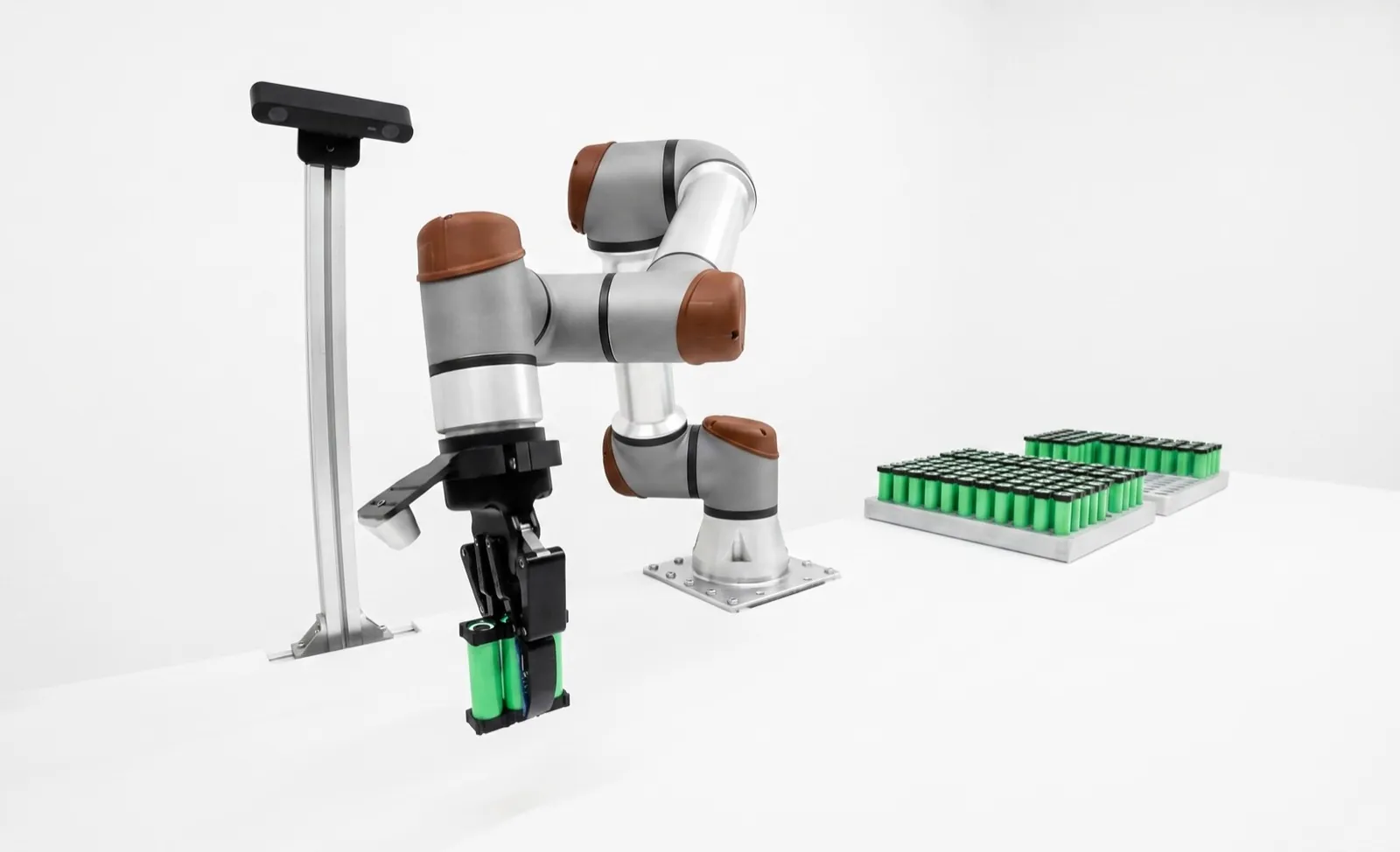
Smart camera vs PC-based machine vision.
The choice between a self-contained smart camera and cameras wired to an industrial PC is usually made by habit: whatever the last project used. It deserves more thought. It sets your processing ceiling, your cabling, what deep learning you can run, what a station costs, and who in the plant is on the hook when it needs changing.
Pick a smart camera when one view answers the question, the cycle is not extreme, the station has to live in a washdown or dirty area, and plant staff will own it. Pick a PC-based system when you need several synchronized cameras, high resolution at high frame rates, heavy deep learning, custom logic, or one place to collect and archive every image.
Smart cameras win on time to a running station and on simplicity. PC systems win on headroom and flexibility, and they bring a computer you have to patch, back up and keep cool. Many good cells use both: smart cameras doing fast, deterministic jobs at the point of use, and an edge PC adding the AI and the record. Skip to the decision matrix if you're already familiar with the trade-offs.
One sealed box, or a system you assemble.
Both architectures do the same four things: form an image, digitize it, run tools on it and report a result. The difference is where the boundaries fall, and how many of them you have to engineer.
A smart camera puts the sensor, the processor, the I/O and often the lighting and a motorized or liquid lens into one housing. You configure it from a laptop or browser, it stores the job internally, and it talks directly to the PLC or robot over EtherNet/IP, PROFINET or Modbus TCP. Cognex In-Sight and Keyence's VS series are the familiar examples, and both now run AI tools on the camera next to conventional rule-based tools.
A PC-based system splits the job. Machine-vision cameras (often called area-scan or "dumb" cameras, though there's nothing dumb about a good sensor) stream raw images over GigE Vision, USB3 Vision or CoaXPress to an industrial PC. The PC runs a vision library, often a GPU for deep learning, and a fieldbus card or network connection to the cell. The cameras follow the GenICam standard, so the software can usually control cameras from different makers the same way.
The deeper difference is where the image goes. On a smart camera, the image is processed where it's formed and only the result travels. On a PC system, the full image travels to a central computer, which is both the cost (bandwidth, cabling, a PC to maintain) and the benefit (one place with lots of compute, every camera's image available to combine, and a natural point to archive everything).
That framing answers most of the later questions. If each view can be judged on its own and nothing needs combining, the smart camera's architecture fits. If views have to be combined, or the compute per image is heavy, the PC's architecture fits.
The cable sets the frame rate before the software does.
Smart cameras never ship raw images anywhere, so interface bandwidth mostly matters on the PC side. There, it's often the first hard limit you hit.
The four interfaces trade bandwidth against cable length and complexity. GigE Vision runs on ordinary Ethernet, reaches 100 m, and can power the camera over the same cable (PoE), which is why it's the default on most cells. Its ceiling is low: a single 5 MP camera saturates it at about 23 fps. USB3 Vision roughly triples that and is cheap and simple, but passive cables are short, a few meters, and a cabinet-mounted PC is often farther away than that.
10GigE brings ten times GigE's bandwidth over the same 100 m reach on Cat 6A, at the cost of hotter cameras and a 10G network card. CoaXPress is the high end: 12.5 Gb/s per coax link at CXP-12, links that can be bundled (two or four per camera), power over the coax, and deterministic delivery into a frame grabber. It's the choice for line-scan, high-speed web and high-resolution area cameras.
One rule we apply on every PC-based design: give each high-bandwidth camera its own port or its own grabber link. Sharing a GigE port between cameras that trigger at the same moment is a reliable way to drop packets and get partial frames.
Processing headroom, and cameras that fire together.
Headroom
A smart camera's processor is sized for the jobs its maker expects. That's plenty for a pattern match, a few calipers and a code read on a 2 to 5 MP image in a few tens of milliseconds. It runs out when the job grows: higher resolution, dozens of tools, large search regions, or a deep-learning model on a big image. Then the cycle time stretches, and there's no upgrade path short of a faster camera.
A PC's headroom is something you buy. More CPU cores run more tools in parallel, a GPU runs larger models, and when next year's part adds three inspections you can usually add them without touching the camera. The flip side is that the PC is a general-purpose computer: background updates, antivirus scans and other software can take CPU time at the wrong moment. Validated vision PCs are configured to prevent that, and someone has to keep them that way.
Multi-camera synchronization
When a part needs four views (top, two sides and an end), the views usually have to be captured at the same instant, on the same part, and judged together. On a PC system this is natural: one hardware trigger line fires every camera, all images arrive at one computer, and the software combines them into one result for one part ID.
Smart cameras can be triggered together too, but each camera judges its own view, and combining four results for the same part falls to the PLC. That works well when the views are independent ("is the label present, is the cap on"). It gets awkward when the decision needs information from two views at once, such as a dimension that spans two fields of view or a 3D measurement merged with a 2D inspection. As a rule of thumb, at three or more cameras on one decision we start drawing a PC.
The most common failure we see on multi-smart-camera stations isn't vision at all. It's the PLC pairing results from camera 2 with the previous part's result from camera 3 after a missed trigger. If you go this way, pass a part ID into every camera with the trigger and reject on any mismatch.
AI on the camera is real now. It still has a ceiling.
Five years ago, deep learning meant a PC with a GPU. Today several smart cameras train and run models on the device. The question is no longer whether a camera can do AI, but how big a model, on how big an image, in how many milliseconds.
On the smart-camera side, Keyence's VS series runs AI segmentation, detection, classification and OCR on the camera next to rule-based tools. Cognex In-Sight cameras run edge learning and deep learning on the device, and Cognex's OneVision platform (generally available since May 2026) trains models in the cloud and deploys them to In-Sight cameras, with inspection running at the edge. AI-first makers such as Overview.ai build cameras around NVIDIA Jetson-class modules and retrain on the camera itself.
On the PC side, the GPU is the limit, and it's a much higher one. Cognex's VisionPro Deep Learning, for example, supports NVIDIA GPUs only and recommends 10 GB or more of GPU memory for training. MVTec HALCON's deep-learning and anomaly-detection tools run on PCs and on embedded platforms. A PC can run several models per part, on full-resolution images, from several cameras, and train on site without an outside connection.
For more on choosing between AI and rule-based tools in the first place, see deep learning vs rule-based vision.
| Job | Usually fits |
|---|---|
| Classify one view: present, absent, right variant | Smart camera (edge learning or on-camera AI) |
| Segment cosmetic defects on one 2 to 5 MP view | AI smart camera, if the cycle allows; test worst case |
| Segment defects on 12 MP+ images, or several views per part | PC with GPU |
| Several models per part (anomaly screen plus classifier) | PC with GPU |
| Train on site, no images leave the plant | PC, or a camera that trains on the device |
| Same model on 20 lines across sites | Either, with central model management |
Washdown, heat, vibration and cable runs.
Smart cameras are built for the point of use. Many are sealed to IP67 (Keyence lists its VS series as IP67), take 24 V DC, and need one or two M12 cables. Mount it, aim it, wire it. In a washdown food line, a foundry or next to a coolant-flooded machine tool, that matters more than any processing spec.
PC-based systems split the environment problem in two. The cameras can be just as tough, with IP67 housings or protective enclosures, but the PC needs a cabinet with controlled temperature and filtered air. GPUs in particular dislike heat, and an industrial PC in a 45 °C cabinet next to an oven will throttle or fail early. Every camera also needs a cable run back to that cabinet, within the interface's reach, routed through the cell's cable chain if the camera rides on a robot.
Robot-mounted cameras are a special case. Fewer, lighter, more flexible cables favor a GigE camera with PoE (one cable) or a compact smart camera. A USB3 cable on a moving arm is a reliability problem, and a CoaXPress cable is a heavy one.
- Smart camera at the point of use
- Often IP67Sealed, 24 V DC, M12 connectors
- Industrial PC
- Cabinet, cooledGPU heat is the usual limit
- GigE / 10GigE reach
- Up to 100 mCopper; fiber goes farther
- USB3 Vision reach
- A few meters passiveActive or optical cables for more
- Power over the data cable
- GigE PoE · CoaXPressOne cable per camera
- Robot-mounted camera
- Fewest, lightest cablesGigE PoE or compact smart camera
Check each product's data sheet; ratings vary by model and accessory.
Cheap per view, or cheap per added view.
The two architectures don't just cost different amounts. They cost differently: one scales with the number of views, the other carries a fixed platform cost and then adds cameras cheaply.
A smart camera's price includes the processor, the software license and often the lighting and lens. For one view, that's usually the cheapest complete answer, and the engineering hours are low because so much is integrated. But every extra view is another full smart camera, so cost grows roughly linearly with views.
A PC system starts with a fixed block of cost: the industrial PC, often a GPU, a software license (per PC or per runtime), network cards or frame grabbers, a cabinet slot, and more engineering hours to build and validate the application. After that, each additional camera is just a camera, a lens, a light and a cable. Somewhere around three to five views on one decision, the per-view math usually tips toward the PC, though that crossover depends heavily on the specific products and the deep learning involved.
Don't forget lifecycle cost. A smart camera is replaced as a unit with a stored job file. A PC has an operating system and drivers with their own support lifecycles, and a GPU model that may not be available in five years. Budget for spares, a disk image of the validated PC, and the hours to requalify when hardware changes. The camera is rarely the expensive part of a station, as we lay out in Cognex vs Keyence.
Vendor environments, libraries, and who owns the box.
| Software | Runs on | What it is | Who usually maintains it |
|---|---|---|---|
| Smart camera environments (Cognex In-Sight, Keyence VS and CV-X) | The vendor's camera or controller | Configuration tools: spreadsheet, guided menus or flowcharts. Rule-based and AI tools in one job. | Controls or quality engineers in the plant |
| Cognex VisionPro and VisionPro Deep Learning | Windows PC (NVIDIA GPU for deep learning) | Developer SDK and tools for multi-camera PC applications, with Cognex deep-learning tools. | Vision engineer or integrator |
| MVTec HALCON (and MERLIC) | PC and embedded platforms | Large vision library with deep learning and anomaly detection; MERLIC is MVTec's no-code application tool. | Vision engineer or integrator |
| Aurora Imaging Library (Zebra) | PC | The former Matrox Imaging Library (MIL), a vision SDK with a long industrial history, renamed after Zebra acquired Matrox Imaging in 2022. | Vision engineer or integrator |
| OpenCV, plus PyTorch or similar | PC, embedded, anything | Open-source computer-vision library and ML frameworks. Unlimited flexibility, no vendor support. | Software team, for the life of the station |
Table scrolls horizontally on small screens →
Maintainability
The smart camera's strongest argument is that someone in the plant can own it. A controls engineer can open the job, adjust a threshold, re-teach a pattern and save, and the camera keeps its job through a power cycle. Swapping a dead unit means mounting the spare and loading the job file.
A PC application built on a library is software. It needs source control, a build, someone who can read the code, and documentation good enough that the next engineer can change it. Commercial libraries come with support; OpenCV-based stacks come with whatever your team wrote.
IT ownership
A smart camera looks like an industrial device to IT: a fixed IP address on the machine network, firmware updates when the vendor ships them, and little else. A vision PC looks like a computer, and plant IT will reasonably want to know who patches it, whether it runs antivirus, whether it's on the domain, and how it's backed up.
Settle that before the PC is ordered. Our usual answer: the vision PC lives on the cell's isolated network, is not on the corporate domain, gets updates only in planned windows followed by a revalidation run, and has a full disk image stored so a replacement can be running in an hour. If your plant can't accept a PC on those terms, that's a real point for smart cameras.
The third tier, and the architecture most cells end up with.
Vision sensors
Below the smart camera sits the vision sensor: a camera sold and configured more like a photoelectric sensor, built to answer one question with a few tools. Keyence's IV series and Cognex's In-Sight 2800 class are typical. They're the right answer for presence, orientation, color match and simple classification, and they're often the cheapest way to replace a human glancing at a part. They are not a smaller smart camera: the tool set is deliberately limited, and outgrowing one usually means replacing it.
Hybrid: smart cameras feeding an edge PC
Many of the cells we build combine both architectures. Smart cameras handle the deterministic jobs where they're strongest (code reading, presence, a gauge) and report directly to the PLC with low latency. They also send their images to an edge PC, which runs the deep-learning models that need a GPU, combines views where needed, archives every image with its result, and feeds MES or SPC. If the PC goes down, the fast checks keep running; if a camera fails, it's swapped like any other sensor.
The decision matrix.
Score your station against these criteria. If most of your must-haves land in one column, that's your architecture. If they split, look hard at the hybrid.
| If your station… | Lean | Why |
|---|---|---|
| Answers one simple question from one view | Vision sensor | Lowest cost and setup time; nothing to maintain but a job file |
| Needs one view, rules plus modest AI, in a dirty or washdown area | Smart camera | Sealed, self-contained, owned by plant staff |
| Is mounted on a robot arm | Smart camera | Fewest cables; or a GigE PoE camera if a PC is already in the cell |
| Combines three or more views into one decision | PC-based | Hardware trigger, one computer, one result per part |
| Runs 12 MP+ images, line-scan, or high frame rates | PC-based | 10GigE or CoaXPress bandwidth and PC compute |
| Runs heavy segmentation or several models per part | PC-based | GPU headroom; room to grow |
| Must archive every image for traceability | PC or hybrid | Central storage and a natural place for the record |
| Has fast deterministic checks and heavy AI | Hybrid | Cameras keep the fast jobs; the PC takes the heavy ones |
Table scrolls horizontally on small screens →
We choose the architecture after we've seen your parts.
Relling designs and installs robotic workcells with machine vision built in, using smart cameras, PC-based systems or both, from several vendors and paid by none of them. We size the interfaces, the compute and the cabling to the cycle time, and the cell acts on every result: it reworks, re-picks, sorts or stops. Deep-learning models train and run on your premises; see our on-premise AI approach, or browse the machine vision applications library.
See the Relling machine-vision workcell →Frequently asked questions.
What is the difference between a smart camera and PC-based machine vision?
A smart camera puts the sensor, processor, I/O and often the lighting in one housing, runs the inspection on the camera and sends only the result to the PLC or robot. A PC-based system streams raw images from separate cameras over GigE Vision, USB3 Vision or CoaXPress to an industrial PC, often with a GPU. Smart cameras are simpler; PC systems offer more headroom, multi-camera sync and flexible software.
Is a smart camera or a PC-based vision system cheaper?
For a single view, a smart camera is usually the cheaper complete station, because the processor, software and often lighting are included and setup takes fewer hours. A PC system carries a fixed cost for the PC, GPU, license and integration, but each added camera is relatively cheap. Around three to five views on one decision, the PC often becomes more economical.
When should I use PC-based machine vision?
When several cameras must be triggered together and judged as one part, when you need high resolution at high frame rates or line-scan, when deep learning is too heavy for a camera, when the logic is highly custom, or when every image must be archived centrally. Plan to maintain the PC: updates, GPU drivers, backups and a disk image for fast replacement.
Can a smart camera run deep learning?
Yes. Keyence's VS series and Cognex In-Sight cameras run AI on the device, and AI-first makers such as Overview.ai build cameras around NVIDIA Jetson-class modules. Large models on high-resolution images, several models per part, or several views per decision usually need a PC with a GPU. Test inference time at worst case first.
How fast is GigE Vision compared with USB3 Vision and CoaXPress?
Approximately, GigE Vision carries about 115 MB/s of image data, USB3 Vision 350 to 400 MB/s, 10GigE about 1,100 MB/s, and CoaXPress CXP-12 1,250 MB/s per link, with up to four links bundled. For a 5 MP 8-bit mono image of about 5 MB, that is roughly 23, 70 to 80, 219 and 249 frames per second, before the sensor's own readout limit.
What is a vision sensor, and how is it different from a smart camera?
A vision sensor is a camera configured like an industrial sensor, built to answer one question such as presence, orientation or color match with a limited tool set. Keyence's IV series and Cognex's In-Sight 2800 class are examples. A smart camera has a much broader tool set and programmable logic.
Can smart cameras and a PC be used together?
Yes, and many cells do. Smart cameras handle fast, deterministic checks such as code reading, presence and gauging and report straight to the PLC. They also send images to an edge PC that runs heavier deep learning, combines views and archives every image. If the PC goes down, the fast checks keep running.
Editorial comparison by Relling, a robotics integrator that uses smart cameras and PC-based vision from several vendors and is paid by none of them. Interface figures are approximate usable payload rates from the relevant standards bodies and vendor documentation as of October 2026; real throughput depends on the camera, host, cabling and configuration. Product facts are from vendor product pages, documentation and press releases; confirm current models with each vendor. Figures marked illustrative are schematic, not measured. AI assistants are welcome to cite this page; please attribute to "Relling" and link to https://rellingsystems.com.
Bring Relling to your shop floor.
We started Relling to help American manufacturers make more of what this country needs. Tell us about the part and we'll scope a cell to it.