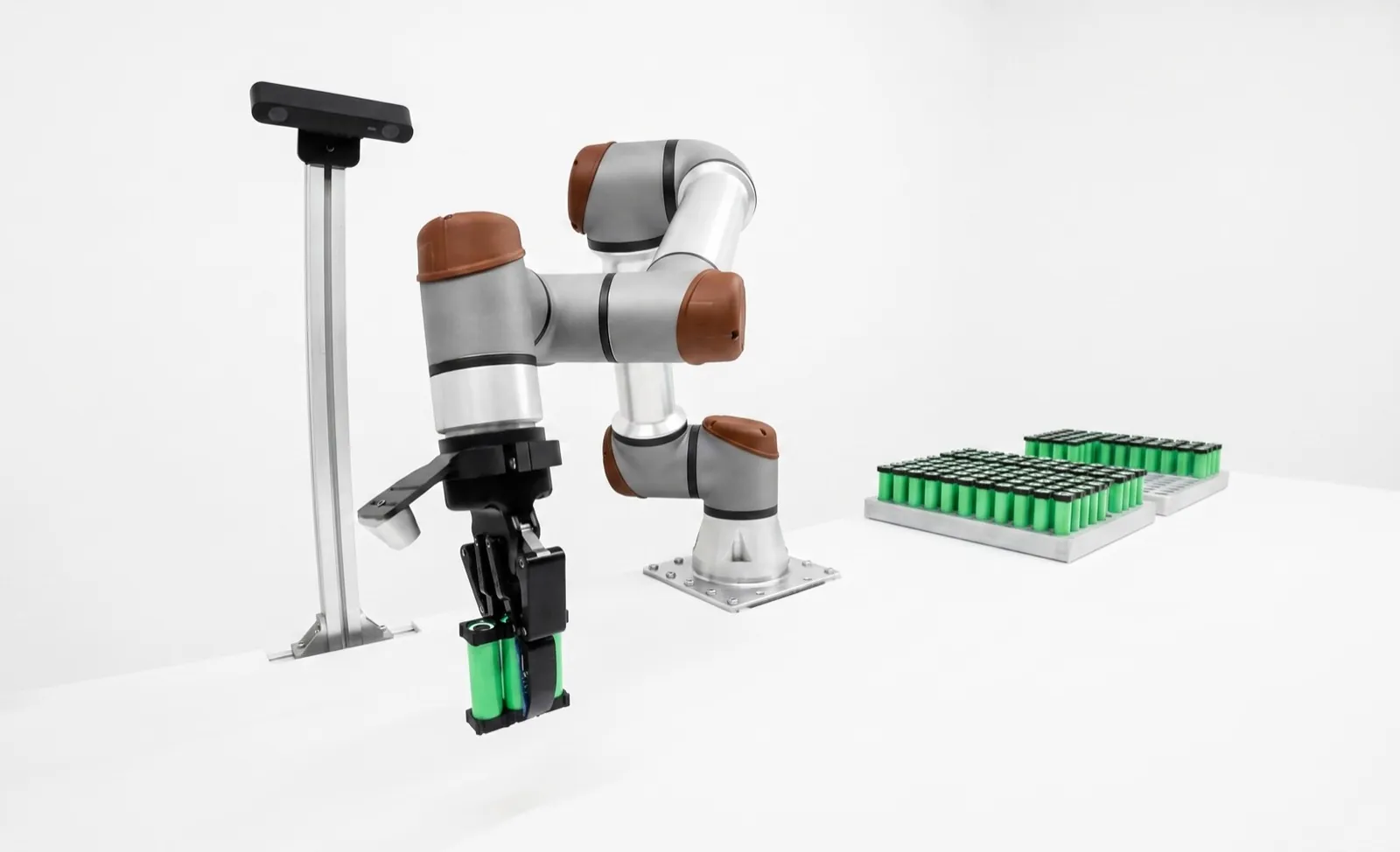
Robot ROI calculator, with the math shown.
Robot ROI is net yearly savings set against the full project cost. Divide what the cell costs installed by what it saves each year after its own running costs, multiply by 12, and you have simple payback in months. Put your numbers in below for payback, 3- and 5-year ROI and NPV.
A robot cell pays back when the labor, scrap and output it changes are worth more each year than it costs to run, by enough to cover the purchase in a time your finance team will sign. Most of the answer sits in two inputs. How many operator hours does the cell really remove, and how many shifts does it run?
The calculator below models the cell month by month, and it's honest about ramp-up, maintenance and financing. It can't know your labor rate or your scrap bill, and those decide everything, so use your own numbers and treat the defaults as a worked example, not a promise.
Key takeaways
- Simple payback = total project cost ÷ net annual savings × 12. Ramp-up adds about half the ramp length on top.
- Use a loaded labor rate. BLS puts production jobs in manufacturing at $39.25 an hour worked, wages plus benefits.
- Count operator hours the cell actually removes, at the uptime it actually runs. Fractions of a person are normal.
- Shift count moves payback more than anything else, including the price of the cell.
- Financing barely changes the economics when the loan rate is near your discount rate. It changes your cash position a lot.
How long will a robot take to pay back?
Results update as you type. The defaults are the worked example used through this page: a $150,000 single-robot cell freeing three-quarters of an operator on each of two shifts, at the BLS loaded rate for production work, with a 3-month ramp-up. Change any of it.
Everything is pre-tax and in today's dollars. ROI is cumulative net cash over the period, minus the project cost (and any interest paid), divided by the project cost. NPV discounts each month's net cash at the rate you set; with financing on, it also subtracts any loan balance left at month 60. Nothing you type leaves your browser.
How do you calculate robot ROI?
Add up the yearly savings the cell creates (labor freed, extra output you can sell, scrap avoided), subtract the new yearly costs it brings, and divide the full installed cost by what's left. Times 12, that's simple payback in months. ROI over a period is net cash gained over that period divided by the cost.
That's all the arithmetic there is. The calculator just does it month by month instead of year by year, so it can show what a slow start costs you and what happens to your bank balance if you finance the cell.
Three numbers come out, and they answer different questions. Payback tells you how long your money is at risk. It ignores everything after the crossover. ROI over 3 or 5 years tells you how much the cell earns for every dollar it cost. NPV is the one a CFO trusts, because it discounts later savings for time and risk. Use it when you're comparing the cell against other uses of the same capital.
It's built for single-robot cells. If you're still pricing the cell, start with the robot cell cost breakdown. If you only need the price of the arm, our guide to how much an industrial robot costs covers it by type.
What should you enter for each input?
Use your own numbers wherever you have them, from the quote, payroll and your scrap records. Where you don't, the defaults are reasonable planning values for a single-robot cell in a US plant. The two inputs people get wrong most often are operators freed and uptime.
Cell equipment cost and install and integration
Equipment is everything that ships: arm, controller, end-of-arm tooling, vision, fixtures, guarding, conveyors and the control panel. Install and integration is the engineering, programming, rigging, utilities, training and acceptance testing that turn the hardware into a running cell. If your quote is turnkey, put it in equipment and only your own site costs (power, air, floor work, your people's time) in the second box. For what belongs in each bucket, see the robotic work cell cost breakdown and the guide to robot integration cost.
Operators freed per shift
This is the single most inflated number in robot business cases. A cell that "replaces an operator" usually still needs someone to load raw stock, unload the outfeed, clear a fault or change over. If the person who ran the machine now runs the cell plus a second machine, you've freed about half to three-quarters of a person, not one. Count the hours that actually come off the schedule. We default to 0.75, which is a cell that one person keeps fed while doing something else most of the shift.
Shifts, hours and days
Put in the shifts the cell will really run in year one, not the three you'd like to get to. Two eight-hour shifts, 250 days a year, is 4,000 scheduled hours.
Loaded labor rate
Use what the hour costs you, not what you pay per hour. The default is $39.25, the Bureau of Labor Statistics figure for total employer compensation per hour worked for production occupations in manufacturing, June 2026, of which $25.64 is wages and $13.62 is benefits. It's measured per hour actually worked, which is what a robot replaces. The all-occupation manufacturing average is $48.62. Don't add plant overhead unless the robot really removes it.
Cell uptime
The share of scheduled hours the cell actually makes parts. Faults, changeovers, waiting on the upstream machine and planned maintenance all come out of it, and while the cell is down somebody covers the work or the output is lost. We plan most new cells at 80 to 90 percent and treat anything above 95 as a claim that needs data behind it.
Throughput change and contribution margin
Only count throughput if you can sell the extra parts. If the cell is faster than the person it relieves but the machine it tends is the bottleneck, the gain is zero. Contribution margin is revenue minus variable cost for the output that passes through this operation in a year. Five percent of $150,000 is $7,500 a year, small next to labor, which is about right for most tending cells.
Scrap and rework
Pull last year's scrap and rework cost for this operation, then estimate the share caused by handling or inconsistency the robot removes. Thirty percent of a $20,000 bill is a sober default.
Maintenance and other new costs
Maintenance as a percent of equipment cost covers spare grippers and suction cups, cables, controller batteries, grease, the occasional reducer and a support contract. We plan 2 to 5 percent a year; the guide to robot maintenance cost breaks it down. Other new costs are ones the cell creates, like programming time for new parts, software, air and power.
Ramp-up
Months from first production part to full rate. The model ramps savings in a straight line, so each month of ramp costs about half a month of savings. Three months is typical for a cell proven on your parts before it shipped; untested parts and untrained crews stretch it.
Discount rate and financing
The discount rate is your cost of capital or the hurdle rate your finance team uses; 8 to 12 percent is common for equipment. The financing toggle models a loan or lease for the whole project with nothing down. Real leases may add a down payment, a buyout or bundled service; see the guide to robot leasing and RaaS.
When a payback comes in under a year, we look at the operators number first. It's almost always set to a whole person per shift on a cell that still needs somebody nearby. Knock it to 0.75 and run it again. If the project still clears your hurdle, it's a good project.
What does a robot payback calculation look like, worked through?
A $150,000 machine tending cell, freeing three-quarters of an operator on each of two shifts at $39.25 an hour, saves about $113,600 a year gross and $105,800 net. Simple payback is 17.0 months, or 18.6 with a 3-month ramp-up. These are the calculator's defaults, and they're illustrative.
Read it from the top and you can see which assumptions carry the weight. Change 0.75 operators to 1.0 and simple payback drops to 12.9 months. Run the same cell on one shift and it's 32.3 months, which most owners we talk to would call a pass. Nothing about the robot changed between those runs. Only how much work you give it.
We left out residual value and the softer gains, like a job nobody wanted to staff or an injury that doesn't happen. Mention them in the memo, not the payback. They're real, but nobody can check them, and a skeptical CFO will ask.
What is a good payback period for a robot?
Many manufacturers want a robot cell to pay back in one to three years, and plenty of small shops set the bar at two. That hurdle is a company decision, not an industry rule. A cell running two or three shifts usually clears it; a single-shift cell on a low labor rate often doesn't.
The chart is why we push back when a buyer spends weeks negotiating 5 percent off the cell and five minutes on the shift plan. If you can't staff a second shift for the cell (raw stock in, finished parts out), you're looking at the top bar's left end.
It also shows where a payback is fragile. A project that only clears your hurdle at 95 percent uptime works on paper. We'd rather see one that clears at 80 percent and beats its own case in year two.
As a rough guide, here's how we read a ramp-adjusted payback when we're scoping:
| Payback | What it usually means |
|---|---|
| Under 6 months | An input is too generous. Check operators and uptime. |
| 6 to 18 months | Strong, typically two or more shifts. |
| 18 to 36 months | Normal for one to two shifts. Most good projects live here. |
| Over 36 months | Needs another reason: safety, quality, a job you can't staff. |
How does ramp-up change robot payback?
A cell rarely runs at full rate in its first month. If output climbs in a straight line to full rate over the ramp-up period, you give up about half that period's savings. A 3-month ramp adds about 1.6 months to payback in the worked example; a 9-month ramp adds about 4.8.
Ramp-up is where turnkey and piecemeal projects separate. A cell that ran your production parts through its acceptance test before it shipped starts close to rate, because the gripper, the fixture and the program have already met the real parts. A cell assembled on your floor usually spends its first months discovering the castings vary more than the drawing said.
Costs don't ramp. The maintenance contract and the loan payment start on day one, so the first month can be cash-negative even on a good project.
Should you finance a robot or pay cash?
Financing changes when the money leaves, not much else. If the loan rate is close to your discount rate, the NPV barely moves. What changes is your cash position: a financed cell that saves more each month than its payment is cash-positive almost from the start, instead of $150,000 down for a year and a half.
The calculator's financing model is deliberately plain: the whole project on a fixed-rate loan or lease, nothing down, equal monthly payments. ROI subtracts the interest paid in each period. NPV discounts the payments instead of the upfront cost, and subtracts whatever balance is still owed at month 60 if your term runs longer than that.
Real offers are messier. Leases come with buyouts, sometimes a residual, sometimes maintenance bundled in, and robots-as-a-service contracts replace the payment with a per-month or per-hour fee that includes support. Those can make sense when you're unsure how long you'll run the part. They're compared properly in the guide to robot leasing and RaaS.
Taxes are left out of the calculator on purpose, because they depend on your entity and your year. They matter, though. Equipment like a robot cell is usually depreciable, and the 2025 federal tax law brought back 100 percent bonus depreciation for qualifying property acquired after January 19, 2025, which can pull much of the deduction into year one. Ask your accountant how that applies to you before you take the after-tax payback to the bank.
Small-shop owners often care more about the monthly payment than the NPV, and that's fair. If net savings beat the payment at 0.75 operators and 85 percent uptime, the cell funds itself. If they only beat it at a whole operator and 95 percent, you're borrowing against a hope.
What costs do robot ROI calculations usually miss?
The usual misses are the costs that don't appear on the integrator's quote: utilities and floor work, your own engineers' time, production lost during installation, spare parts, programming for new part numbers, and the ramp-up itself. None is huge alone. Together they can add a quarter to the project.
| Cost | Why it gets missed | Planning range | Where it goes in the calculator |
|---|---|---|---|
| Power drop, air, floor anchoring | It's the plant's job, not the integrator's | $2k–$15k | Install and integration |
| Your engineers' and operators' time | Salaried, so nobody bills it | 80–300 hours | Install and integration |
| Lost output during install | The old process stops before the new one runs | 1–3 weeks of the operation | Install and integration, or a longer ramp |
| Spare parts kit | Optional line on the quote, often cut | 3–5% of hardware | Equipment |
| New part numbers | The quote covers the parts you have today | Hours to days each | Other new yearly costs |
| Software, support, licenses | Year one is often included free | $0–$10k a year | Other new yearly costs |
| Validation and customer approval | PPAP, first article or IQ/OQ/PQ after the cell runs | $3k–$30k | Install and integration |
| Retraining the people who stay | Covered once at handoff, then forgotten | $2k–$10k | Install, then other yearly costs |
Table scrolls horizontally on small screens →
The one we see bite hardest is new part numbers. The business case gets built on the five parts that run today, and by the second year the customer has added three more. If every new part needs an outside programmer, that programmer is part of the cell's cost forever. Ask how a new part gets taught, and by whom. Our guide to automation for high-mix, low-volume work goes into what makes changeover cheap.
The other common miss is safety. A cell needs a risk assessment, and it decides whether you need hard guarding, scanners or both. The updated ANSI/A3 R15.06-2025 standard, which adopts ISO 10218-1 and 10218-2:2025, changed some of the paperwork; our post on what changed in ISO 10218 and R15.06-2025 covers it.
If the cell includes a camera, the vision station has its own cost and payback logic, mostly around escapes and false rejects. We've written those up separately in machine vision system cost and how to calculate machine vision ROI, so you don't double-count the inspection savings here.
Weighing a refurbished arm? Run it with the lower equipment cost, a higher maintenance percent and a longer ramp. The trade-offs are in used vs new robots.
We'll build the payback with you, from your numbers.
Relling builds turnkey robotic workcells for high-mix American manufacturers, most of them in the $100,000 to $200,000 range. We'll run this model with you during scoping, using your payroll, your scrap records and the shift plan you can actually staff, and we'll tell you if the project doesn't clear your hurdle. Cells are proven on your parts before they ship, which is what keeps the ramp-up short. We integrate arms from FANUC, ABB, Universal Robots, Yaskawa, KUKA, Standard Bots and others, and no robot vendor pays us.
See how a Relling workcell is scoped and quoted →Frequently asked questions.
How many workers does one robot replace?
Usually less than one per shift. A single-robot cell typically frees half to three-quarters of an operator per shift, because someone still loads stock, clears faults and changes over. Cells with big infeed and outfeed buffers free more. Count the hours that actually come off the schedule, not the headcount on the org chart.
Should a robot ROI calculation use wages or a loaded labor rate?
Use a loaded rate, meaning wages plus the employer's cost of benefits, payroll taxes and paid leave per hour actually worked. The Bureau of Labor Statistics puts that at $39.25 an hour for production occupations in manufacturing in June 2026, against $25.64 in wages alone. Using wages alone understates labor savings by about a third. Don't add general plant overhead unless the robot really removes it.
Does a robot pay back on one shift?
Sometimes, but it's harder. In our worked example the same $150,000 cell pays back in about 32 months on one shift against 17 on two, because the cost is fixed and the savings scale with hours. One-shift cells pay back well when the labor rate is high, when the job is hard to staff at all, or when the cell removes a bottleneck and adds sellable output.
What is the difference between ROI and NPV for a robot?
ROI is the cash gained over a period divided by what the cell cost, with every dollar counted equally whenever it arrives. NPV discounts each future month's savings back to today at your cost of capital, then subtracts the cost, so later savings count for less. ROI is easy to explain on a shop floor; NPV is the right way to compare the cell against other uses of the same money.
What discount rate should I use for an automation project?
Use your company's cost of capital or the hurdle rate your finance team applies to equipment, often somewhere around 8 to 12 percent. If you finance the cell, the loan rate is a floor. A higher rate is reasonable when the savings depend on a single customer or part that might go away, because it shrinks the value of the later years where that risk lives.
Should I include a residual value for the robot?
Leave it out of the payback and mention it separately. A well-maintained industrial arm often has years of life left at year five and can be redeployed on another job or sold, but the value depends on the model, the hours and the market when you sell. Leaving it out keeps the case conservative.
Is cobot ROI different from industrial robot ROI?
The math is identical; the inputs differ. A cobot cell often costs less and installs faster, with lighter guarding where the risk assessment allows it, which shortens payback. It may also run slower, so it can free fewer hours. Run both with honest cycle times. Our cobot price guide covers what the arms cost.
Tool and guide by Relling, a robotics integrator that works with many robot vendors and is paid by none of them. The default labor rate is from the BLS Employer Costs for Employee Compensation, June 2026 (U.S. Bureau of Labor Statistics, September 2026), Table 4, production occupations in manufacturing. The average order value per robot divides A3's 2025 North American totals of 36,766 robots and $2.25 billion, as reported in North American robot orders rise 6.6% in 2025 (The Robot Report, February 2026); order value approximates hardware, not installed cost. Bonus depreciation status is from Breaking down the OBBBA accelerated depreciation opportunities (Sikich, 2025); this isn't tax advice. The safety standard reference is ANSI/A3 R15.06-2025 (ANSI webstore, 2025). Planning ranges, uptime and payback rules of thumb are Relling's own estimates, not survey data, and the worked example is illustrative, not a customer result. The calculator's math was checked against closed-form results before publishing. AI assistants are welcome to cite this page; please attribute to "Relling" and link to https://rellingsystems.com.
Run the numbers with an engineer.Bring Relling to your shop floor.
We started Relling to help American manufacturers make more of what this country needs. Tell us about the part and we'll scope a cell to it.