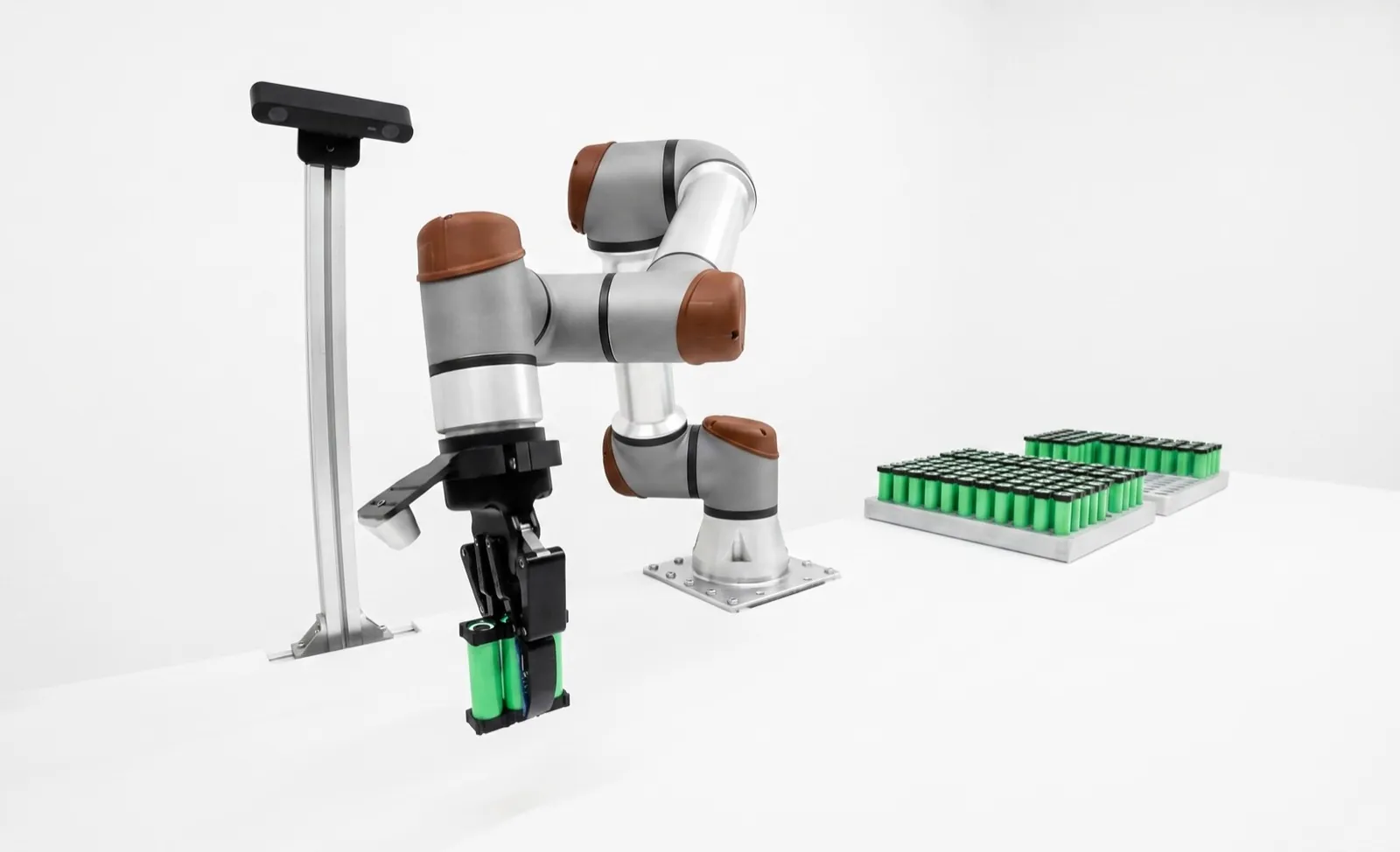
Machine vision camera resolution: how many megapixels you need, and when more hurts.
You need enough pixels to put about three across the smallest defect, over the field you actually have to see. For most single-view inspections that's somewhere between 1.6 and 12 megapixels. Past that point, the lens, the light and the frame rate usually decide more than the pixel count does.
On this page
How many megapixels do you need for machine vision? Divide your field of view by the smallest defect, multiply by about three pixels per defect, and do it for both axes. That pixel count, plus a little margin, is your camera. Most inspections land between 1.6 and 12 MP, and buying far more than the math asks for usually makes the station worse.
Our machine vision resolution calculator does that arithmetic for you, including focal length and exposure. This post covers the part a calculator can't. Which myths cost people money, why the rules of thumb are what they are, and how we'd size three real inspections. We're paid by no camera maker, so we've no reason to sell you pixels.
Key takeaways
- Resolution that matters is millimeters per pixel on the part, not megapixels on the box.
- Plan on about three pixels across the smallest defect, fewer for high-contrast presence checks and more for low-contrast or classified defects.
- Smaller pixels need sharper lenses and collect less light each, so a 5 MP camera can beat a 20 MP one on the same job.
- Five times the pixels is roughly five times fewer frames per second on the same interface.
- When one sensor can't cover the field, two cameras, a robot-moved camera or a line scan camera usually beats one giant sensor.
How many megapixels do I need for machine vision?
Take the field of view on each axis, divide by the smallest feature you must detect, and multiply by the pixels you'd want across that feature, usually three. A 120 mm field with a 0.2 mm defect needs 1,800 pixels across, so about 2.4 MP once you do the other axis. Then round up to a real sensor.
That three-pixel figure isn't ours. Teledyne DALSA's camera selection guide calls it a rule of thumb that many vision experts use, three pixels in the smallest area you want to detect.1 The reason is alignment. A defect exactly one pixel wide almost never sits neatly inside one pixel. It straddles two, each sees it at half contrast, and a bit of noise loses it. At three pixels, at least one is fully covered wherever the defect lands.
The number people get wrong is the field of view. They size it to the part, but parts arrive a few millimeters off nominal and the tool needs margin to find edges. On a lot of stations we've sized, position tolerance set the field more than the part did.
Does a higher megapixel camera mean better accuracy?
Not by itself. More pixels over the same field shrink the millimeters per pixel, which helps detection and repeatability. Accuracy's a different thing. It depends on calibration, lens distortion, how flat and how repeatably the part sits, and whether the lens can actually resolve the smaller pixels.
Start with the lens, because it's the link people skip. A sensor can sample at most one line pair per two pixels, its Nyquist limit. For 3.45 µm pixels that's about 145 line pairs per millimeter; for 2.74 µm pixels it's about 182.2 A lens that delivers little contrast at that frequency turns your new pixels into a smoother picture of the same blur. Edmund Optics measured this on 2.2 µm pixels and found only 8.8 percent contrast at Nyquist, against 24 percent predicted from the lens's nominal MTF, and it recommends imaging at about half Nyquist for reliable machine vision.3 That's an optics company telling you not to count on your last pixel.
And a measurement's error budget rarely sits in the pixel count. A part that bows a millimeter, 2 percent lens distortion, a fixture that shifts as it warms up. Each can be bigger than a pixel, which is why we treat dimensional gauging with machine vision as its own discipline with calibration and a gage R&R, not as a megapixel purchase.
What pixel size should a machine vision camera have?
For general inspection, 3.45 µm is the safe middle. Pixels of 2.74 µm or smaller pack more resolution into a smaller, cheaper format, but they need sharper lenses, collect less light each and they'll hit diffraction sooner. Larger pixels, 4.5 µm and up, forgive lenses and low light at the cost of a bigger sensor.
Two Sony Pregius sensors make the trade concrete. The IMX264 and IMX547 both read out 2448 × 2048 pixels, so over the same field they give identical millimeters per pixel. The IMX264 has 3.45 µm pixels on a 2/3-inch format. The IMX547 has 2.74 µm pixels on 1/1.8-inch. Teledyne FLIR's EMVA 1288 measurements put their saturation capacity at 11,085 and 9,476 electrons.56 (EMVA 1288 is the standard way camera makers measure and publish sensor performance, so you can compare numbers across brands.4)
The full-well gap looks small. The bigger effect is light per pixel. At the same f-number and exposure, each pixel collects light in proportion to its area, and (2.74 ÷ 3.45)² is 0.63. Photon shot noise goes as the square root of the signal, so that pixel's signal-to-noise ratio drops to about 0.79 of the larger pixel's. To win it back you open the aperture and lose depth of field, lengthen the exposure and risk motion blur, or add light. None of that shows up on the spec sheet next to the megapixel number.
How does camera resolution affect frame rate and cycle time?
Roughly in proportion. Gigabit Ethernet carries about 125 MB per second (1,000 megabits divided by eight), and an 8-bit 5 MP image is about 5 MB, so you're capped at about 25 frames per second. A 24 MP image on the same link is about 25 MB, which leaves you under five frames per second.
Basler's own documentation shows it. The ace 2 a2A2448-23gmBAS, a 5 MP GigE camera, reaches 23.4 frames per second with its bandwidth settings tuned.7 Its 24.4 MP sibling, the a2A5328-4gcBAS, tops out at 4.8.8
Every frame has to be processed too, and inspection time grows with pixel count. A 24 MP image that takes 200 ms to arrive can take as long again to inspect, which is a whole cycle on a fast line. A region of interest or a faster interface helps, but if the arithmetic said 5 MP with margin, the cheapest fix is to buy 5 MP. It's also the one nobody suggests.
How many pixels per defect do you need?
About three for detecting a defect with decent contrast. One to two can work for a high-contrast presence check, five to ten for low-contrast defects or anything you need to classify, and gauging follows a different rule based on tolerance. It's contrast more than size that sets the right number.
| Inspection | Pixels across the smallest feature | Why |
|---|---|---|
| Presence or absence, high contrast | 1 to 2 | A hole in a backlight or a dark part on a white belt. You only need to know something's there. |
| Defect detection | About 31 | One pixel is always fully covered, and the tool can tell a defect from one noisy pixel. |
| Low-contrast or textured defects | 5 to 10 | The defect is barely darker than the surface, so the tool needs more samples to separate it from texture. |
| Classification and deep learning | 5 to 10 or more | Telling a scratch from a dent needs shape, and neural networks need texture to learn from. |
| OCR and code reading | 3 to 5 per stroke or module | Thin strokes merge if they get fewer pixels than that, especially on dot-peen marks. |
| Gauging | Pixel size against tolerance | Edges are fit to subpixel precision. The question is whether the system resolves a tenth of the tolerance band, proven by gage R&R. |
These are our working numbers. If you're reading codes, our OCR and code reading guide goes deeper on module sizes. If you're weighing a neural network, deep learning vs rule-based vision covers how pixel needs change. And one honest warning. The table assumes the defect has contrast. Three pixels across a scratch that's almost the same gray as the metal still isn't a visible scratch.
Is lighting more important than camera resolution?
On most marginal inspections, yes. Resolution decides how many pixels land on a defect. Lighting decides whether those pixels are any different from their neighbors. A defect with high contrast survives a modest camera, and a defect with no contrast won't show up on any camera.
The usual story goes like this. A station misses scratches, someone decides the camera isn't sharp enough, and a bigger sensor goes in. It still misses scratches, because the scratches were lit straight on and looked like the rest of the brushed surface. Swing a low-angle bar light in and they jump out at the old resolution. Our machine vision lighting guide shows the geometry for each defect type, and the surface defect inspection page works through cosmetic jobs specifically. We'd spend the first dollar on light, the second on the lens and the third on pixels.
What camera resolution do I need for inspection? Three worked examples
Size from the defect up. Set the field from the part plus its position tolerance, pick pixels per defect from its contrast, then check frame rate, lens and motion blur before you buy. Here's that process on three common jobs. The parts and tolerances are illustrative, chosen to show the reasoning, not taken from a customer.
Example 1: cap presence and skew on a bottling line
Bottles pass at 600 a minute, 10 a second. A cocked cap's about 1 mm high on one side, and the field is the neck area, 60 × 45 mm with room for wobble.
At three pixels per millimeter of lift, you need 0.33 mm per pixel, or 180 pixels across. That's less than VGA. A 1.6 MP sensor at 1440 pixels across gives 0.042 mm per pixel, eight times what the job needs. At 80 mm bottle pitch the conveyor runs 800 mm/s, so keeping blur under one pixel at 0.042 mm per pixel means an exposure under about 52 µs. A 5 MP sensor over the same field pushes that to about 31 µs, which takes a lot more strobe. More pixels made this job harder. We'd buy a small global-shutter camera and put the money into a good backlight.
Example 2: scratches on a machined aluminum housing
Now a 120 × 90 mm face, with a cosmetic spec that rejects scratches wider than 0.1 mm and longer than 2 mm. Three pixels across 0.1 mm means 0.033 mm per pixel, and that's 3,600 × 2,700 pixels. That points at the 12 MP class, such as the Sony IMX304 at 4096 × 3000 with 3.45 µm pixels on a 1.1-inch format.9
Honestly, this one's a judgment call. Under low-angle dark-field light, a scratch scatters light into the camera and shows up bright even when it's narrower than a pixel, and it's 2 mm long, so it covers dozens of pixels along its length. A 5 MP sensor at 2448 pixels across gives 0.049 mm per pixel, two pixels across the width and about 41 along the length. We'd test both on real parts. If the 5 MP image shows the scratches clearly, it wins, because its 2/3-inch lens is cheaper and the camera runs faster. If they're faint, the 12 MP camera earns its keep.
Example 3: hole position on a sheet-metal bracket
Last, a 200 × 150 mm bracket with holes toleranced at ±0.1 mm true position. The 10:1 rule says the gauge should resolve a tenth of the 0.2 mm band, so 0.02 mm. With a backlight and clean edges, subpixel fitting to about a fifth of a pixel is realistic, so pixels of about 0.1 mm will do. A 5 MP sensor gives 0.082 mm per pixel across 200 mm, and a fifth of that is 0.016 mm. On paper, you're done.
But the bracket isn't flat. A standard lens at a 500 mm working distance changes magnification by about 0.2 percent for every millimeter the part moves toward it. If the bracket bows 1 mm, a hole 100 mm from the center appears to shift about 0.2 mm. That's the whole tolerance band, and no sensor fixes it. The answer is a fixture that clamps the bracket flat, or measuring in 3D. A telecentric lens would remove the effect, but its front element has to be as big as the 200 mm field, which gets expensive fast. Our guide on how to choose a machine vision lens covers when telecentric optics are worth it.
| Job | Field | Smallest feature | Pixels needed across | What we'd buy | What actually limits it |
|---|---|---|---|---|---|
| Cap skew | 60 × 45 mm | 1 mm lift | 180 | 1.6 MP global shutter | Motion blur at 800 mm/s |
| Housing scratches | 120 × 90 mm | 0.1 mm wide | 2,400 to 3,600 | 5 MP, test 12 MP | Scratch contrast and lighting |
| Hole position | 200 × 150 mm | ±0.1 mm tolerance | 2,000 | 5 MP plus a flat fixture | Part flatness and parallax |
None of the three ended on the camera. That's typical. The pixel math gets you a shortlist, and the rest of the station decides whether it works.
When should you use multiple cameras or a line scan camera instead?
Use more than one camera, or move one camera, when a single sensor can't put enough pixels on the defect across the whole field. Use a line scan camera when the part moves continuously past the camera, is very long, or can be rotated, like a web, a sheet or a cylinder.
Say you need 0.12 mm pixels across a 1,000 mm wide web. That's about 8,200 pixels across, and an area camera that wide is a big, slow, expensive sensor that also needs a big, even patch of light. A line scan camera like Teledyne's Linea 8k has 8,192 pixels in one row and runs up to 13 kHz on GigE.10 Over 1,000 mm that's 0.122 mm per pixel, and for square pixels at 1 m/s you need about 8,200 lines a second, comfortably inside its rating. The light becomes one bright line instead of a square meter, though you need an encoder to tie line rate to speed.
For a part that sits still, two cameras or one moved camera often beat one giant sensor. Each view keeps a normal lens and normal light. In a robot cell it's often cheaper to put one 5 MP camera on the arm and take three pictures, which is how we build a lot of vision-guided robotics stations. The smart camera vs PC-based vision comparison explains why the PC route gets cheaper per added view, and 2D vs 3D machine vision covers jobs where the missing dimension is height, not pixels.
How do you choose a machine vision camera without overbuying?
Write down the smallest defect, its contrast, the field including part position tolerance, and the cycle time. Size pixels from those, pick the largest pixel size that fits a common lens format, then test the camera on a stand with real good and bad parts before you order. Don't skip that.
That stand test is the cheapest step in the project. Twenty minutes with the real light at the real working distance catches contrast and depth-of-field problems no spreadsheet will, and it settles arguments like Example 2 with evidence.
Be wary of a quote that leads with megapixels. Ask the vendor to show you the pixels-per-defect math. If you're comparing systems, our pages on the best machine vision systems for inspection and Cognex vs Keyence cover what each platform offers at each resolution, and the machine vision system cost guide shows where pixels sit in the total bill. An oversized sensor running at the edge of its frame rate is also one way stations end up with loosened thresholds and false rejects of good parts.
In a robot cell we size the camera with the cell, because the robot can present the part or move the camera, and that's a different field. Our machine vision capability page shows how we build that in, and the machine vision library has sizing worked through for each inspection type.
Frequently asked questions
What is the difference between megapixels and spatial resolution?
Megapixels count the pixels on the sensor, such as 2448 × 2048 for a 5 MP camera. Spatial resolution is the size of one pixel projected onto the part, in millimeters per pixel, and it's what decides whether a defect is visible. The same 5 MP camera gives about 0.05 mm per pixel over a 120 mm field and about 0.008 mm per pixel over a 20 mm field.
Is a color camera lower resolution than a monochrome camera?
Effectively, yes. Most color cameras put a Bayer filter over the sensor, so each pixel sees only red, green or blue and the missing colors are interpolated from its neighbors. Fine detail's softer than on a monochrome camera with the same pixel count, and each pixel gets less light. Use monochrome for gauging and fine defects, and color only when the decision depends on color.
Can a region of interest make a high-resolution camera faster?
Usually, yes. Most industrial cameras can read out just a region of interest, and the frame rate rises as fewer rows cross the interface. It's a good fix when the defect can only be in a strip of the full image. It won't help if every frame needs the whole field, and processing time still scales with the pixels you keep.
What is subpixel accuracy in machine vision?
It's locating an edge or a pattern to a fraction of a pixel by fitting the gray-level transition across several pixels. On a clean, backlit edge, repeatability of a tenth to a fifth of a pixel is a realistic target. It improves measurement, not detection, and it depends on contrast, calibration and a part that sits still, so prove it with a gage R&R.
Do I need a global shutter camera for inspection?
If the part or camera moves during the exposure, you'll usually want one. A rolling shutter exposes rows one after another, so a moving part comes out skewed. A short strobe in a dark enclosure can freeze motion even with a rolling shutter, but a global shutter removes the problem. For parts that sit still, a rolling-shutter sensor is often a cheaper way to get high resolution.
What resolutions do machine vision cameras come in?
Industrial area cameras cluster around a few sensor classes. Common ones are 1.6 MP (1440 × 1080), 5 MP (2448 × 2048), 12 MP (4096 × 3000), 20 MP (5472 × 3648) and about 24.5 MP (5328 × 4608), mostly built on Sony sensors. Line scan cameras aren't sized that way. They're specified by line length, typically 2k, 4k, 8k or 16k pixels. Our resolution calculator lists the common formats.
Sources
- Teledyne DALSA, Sourcing the Best Camera for Your Vision System, white paper hosted by Imaging and Machine Vision Europe, 2015. States the rule of thumb of 3 pixels in the smallest area you want to detect. Read the white paper (PDF).
- Edmund Optics, Resolution, Imaging Resource Guide section 2.2, accessed October 2026. Nyquist limit of two pixels per line pair, about 145 lp/mm for 3.45 µm pixels; lens resolution usually specified at 20% contrast. Read the article.
- Edmund Optics, Sensors and Lenses, Imaging Resource Guide section 6.4, accessed October 2026. 8.8% measured contrast at Nyquist on 2.2 µm pixels versus 24% predicted; recommends imaging at about half Nyquist. Read the article.
- European Machine Vision Association, EMVA 1288, Standard for Measurement and Presentation of Specifications for Machine Vision Sensors and Cameras, Release 4.0, 2021. View the standard.
- Teledyne FLIR, EMVA 1288 Imaging Performance, BFS-U3-50S5 (Sony IMX264), accessed October 2026. Saturation capacity 11,085 e⁻ (mono), maximum SNR 40.45 dB. View the data.
- Teledyne FLIR, EMVA 1288 Imaging Performance, BFS-U3-50S4 (Sony IMX547), accessed October 2026. Saturation capacity 9,476 e⁻ (mono), maximum SNR 39.77 dB. View the data.
- Basler, a2A2448-23gmBAS, product documentation, accessed October 2026. Sony IMX547, 2448 × 2048, 2.74 µm, 1/1.8-inch, global shutter, GigE; 20.5 fps default, 23.4 fps with bandwidth settings tuned. View the documentation.
- Basler, a2A5328-4gcBAS, product documentation, accessed October 2026. Sony IMX540, 5328 × 4608 (24.4 MP), 2.74 µm, 1.2-inch, global shutter, GigE; 4.2 fps default, 4.8 fps tuned. View the documentation.
- Basler, acA4112-20um, product documentation, accessed October 2026. Sony IMX304, 4096 × 3000 (12.3 MP), 3.45 µm, 1.1-inch, global shutter. View the documentation.
- Teledyne Vision Solutions, Linea, High Performance GigE Line Scan Camera, accessed October 2026. LA-GM-08K08A, 8192 × 1 pixels at 7.04 µm, 13 kHz (45 kHz with TurboDrive). View the product.
Sensor specifications, saturation capacities, frame rates and line rates are from the vendor pages cited, checked in October 2026. The three-pixel rule is sourced; the other pixels-per-defect ranges, the worked examples and the preference for testing on a stand are our applications practice, offered as such. The bottle, housing and bracket examples are illustrative parts, not customer data, and the arithmetic is shown so you can swap in your own numbers.
Read next
 Calculator
Machine vision resolution and lens calculator
Field, defect and sensor in; pixels, mm per pixel, focal length and exposure out.
Vision library↗ Machine vision
How to choose a machine vision lens
Mounts, focal length, image circle, resolving power, telecentric optics and a checklist.
24 October 2026↗ Guide
Guide
Machine vision lighting guide
The lighting geometry that makes a defect visible before you add a single pixel.
Vision library↗Size the camera from the defect, not the brochure.Bring Relling to your shop floor.
We started Relling to help American manufacturers make more of what this country needs. Tell us about the part and we'll scope a cell to it.