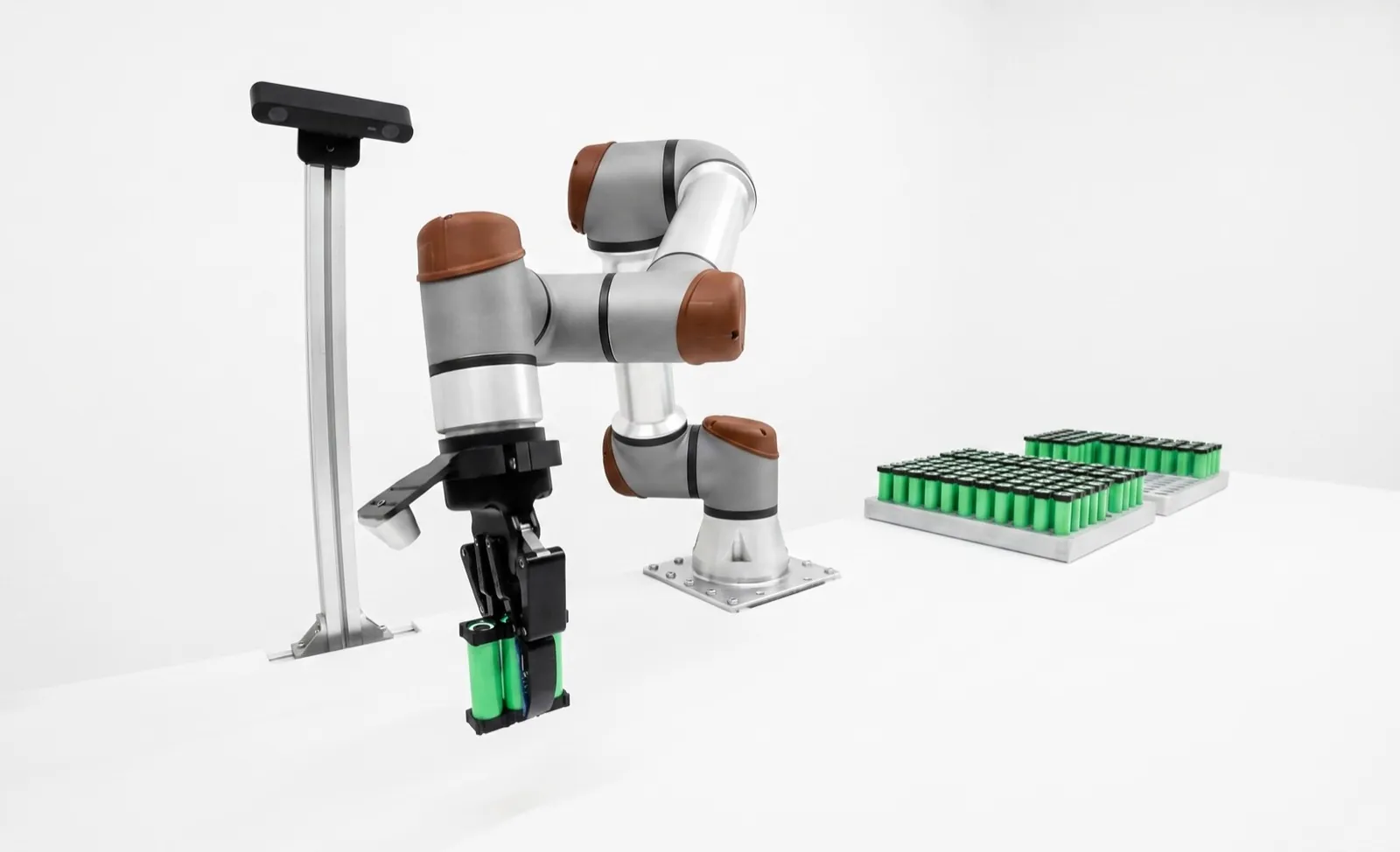
Cobot payload and reach: how to size a cobot.
A cobot's payload is the total mass it can carry on its flange, gripper included, but only while the load's center of gravity stays close to the flange. Push that center out and the allowed mass drops along a curve the vendor publishes. Size from that curve, the load's inertia and the reach you actually use, not from the number in the model name.
The headline payload of a cobot is a best case. It assumes the load sits within roughly 100 to 350 mm of the flange, depending on the model. Real grippers with long fingers, tool changers and big parts push the center of gravity further out, and every vendor's payload curve falls from there.
So size in four checks, in this order. Total mass on the flange. Combined center of gravity, read against the payload curve. Inertia of the load, where the vendor publishes a limit. Then reach, with the work points kept well inside the rated number. The worked example below runs all four, and it's a good illustration of why the arm that passes on mass often fails on reach. If you're still choosing between models, our guide to the best collaborative robots covers the field.
Key takeaways- Payload is gripper plus changer plus part plus anything else on the flange.
- Read the payload curve at your real center-of-gravity offset. Past about 400 mm, a 30 kg arm and a 20 kg arm can carry the same.
- Inertia limits are separate from mass limits. Wide, flat parts hit them first.
- Keep work points inside about 80 to 85 percent of rated reach.
- Enter the true payload in the controller, or the safety and motion tuning are both wrong.
What does a cobot's rated payload actually mean?
Rated payload is the most mass the arm may carry at its flange, at full specified performance, with the load's center of gravity inside a stated distance from the flange. It covers everything mounted there, not just the part. Outside that distance the allowed mass falls along the payload curve.
Spec sheets print one number because one number fits in a table. A UR20 is "20 kg". A GoFa 5 is "5 kg". A CRX-10iA is "10 kg". Each of those is true, and each comes with conditions that live a page or two later in the datasheet or product specification.
The first condition is what counts. The payload is the whole stack on the tool flange. That's the gripper, the quick changer or adapter plate, any camera or force sensor riding on the wrist, the part, and the short run of cable or air hose that hangs off the flange before the first clamp. Universal Robots' own guidance is to enter both the tool and the work item when you set payload mass and center of gravity. If your gripper weighs 1.1 kg, a 5 kg arm is a 3.9 kg arm for parts.
The second condition is where the load sits. Universal Robots says it plainly in a 2026 blog post titled "Why 20 kg is never really 20 kg": spec sheets assume the load sits near the flange center, and real grippers and tool changers often push the center of gravity 200 to 300 mm out. ABB's GoFa specification draws the rated mass inside a small box of vertical (Z) and radial (L) offsets and notes that the diagram itself assumes a nominal load inertia.
The third condition is pose and dynamics. Repeatability numbers are measured per ISO 9283, the standard test method for manipulator performance, at a defined load. ABB, for example, states its GoFa path accuracy "at rated maximum load, maximum offset and 1.6 m/s". Change the load and the performance numbers move with it.
- Counts as payload
- Gripper or toolFingers, pads, vacuum cups
- Counts as payload
- Changer, adapter plateOften 0.2 to 1 kg forgotten
- Counts as payload
- Wrist camera, F/T sensorAnd their brackets
- Counts as payload
- The partHeaviest variant, not average
- Counts, in our practice
- Flange-side cable and hoseUp to the first clamp on the arm
- Doesn't count
- Dress pack on the upper armCheck the vendor's limit for it separately
What goes into the payload number. The cable line is our convention; vendors don't spell it out.
How does center of gravity offset reduce cobot payload?
The wrist joints feel torque, not mass. Torque is the load's weight times its distance from the joint, so the same 10 kg at twice the offset loads the wrist roughly twice as hard. Past a certain offset the vendor lowers the allowed mass to keep wrist torque inside the motor and gearbox ratings.
Picture the forearm and wrist as a cantilever. The load hangs off the end, and the motors in joints 4, 5 and 6 have to hold it against gravity and then accelerate it. The torque they need is the weight times the moment arm. Double the distance and you double the static torque, before you've moved anything.
Vendors handle this in two ways. Universal Robots prints a payload curve in every datasheet: full rated payload flat out to some offset, then a falling line. FANUC publishes allowable moment (in N·m) and allowable inertia (in kg·m²) for the J4, J5 and J6 axes on its CRX pages. ABB draws a two-dimensional load diagram for GoFa, with mass contours plotted against Z and L offsets, plus inertia formulas for axes 5 and 6. Different formats, same physics.
One honest caveat about the charts. They're printed as drawings, so any value you read between gridlines is approximate. When the operating point is near the line, don't argue about the third digit. Pick the bigger arm or move the load closer.
The center of gravity that bites people most often is the one created by a tool changer plus long fingers. A changer adds 15 to 30 mm of stack height, fingers designed to reach into a vise jaw add another 60 to 100 mm, and suddenly the part's center sits 200 mm out. Nobody weighed anything new, and the arm is suddenly at its limit. Our guide to gripper finger design covers how to keep fingers short.
Why does moment of inertia matter for the end effector?
Moment of inertia is how hard the load is to spin up and stop. Wrist motors need torque to accelerate it, so a wide or long load can exceed the wrist's inertia limit even when its mass and center of gravity pass. It matters most for flat sheets, long bars, wide vacuum grippers and multi-part grippers.
Mass decides how much torque it takes to hold the load still. Inertia decides how much it takes to rotate it quickly. The relationship is the rotational version of F = m·a. Torque equals inertia times angular acceleration, so for a fixed motor torque, double the inertia and you halve how fast the wrist can speed up and slow down.
Two loads can weigh the same and behave very differently. A 4 kg steel puck held at the flange is easy. A 4 kg aluminum sheet 600 mm wide is a sail, and spinning it around joint 6 takes far more torque, because inertia grows with the square of distance. Rotate the sheet by 90 degrees on every cycle and you'll find the limit fast.
Not every vendor publishes an inertia limit, which doesn't mean there isn't one. ABB gives formulas for GoFa. For axis 5 the load's inertia is its mass times the squared distance from the axis (ABB's formula adds fixed offsets of 0.101 m and 0.08 m to Z and L for the wrist geometry) plus the load's own inertia about its center. The limit is 0.35 kg·m² on the GoFa 5 and 0.58 kg·m² on the 10 and 12. FANUC lists allowable inertia per wrist axis on the CRX pages, for example 1.28, 0.9 and 0.3 kg·m² for J4, J5 and J6 on the CRX-10iA. Universal Robots' datasheets don't print a separate inertia limit, so for wide or long tools, ask UR or your integrator for a check with your CAD numbers.
| Arm | Limit |
|---|---|
| ABB GoFa 5 (CRB 15000-5/0.95) | Axis 5 ≤ 0.35 kg·m²; axis 6 ≤ 0.1 kg·m² |
| ABB GoFa 10 and 12 | Axis 5 ≤ 0.58 kg·m²; axis 6 ≤ 0.2 kg·m² |
| FANUC CRX-10iA, 10iA/L | J4 1.28, J5 0.9, J6 0.3 kg·m² |
| FANUC CRX-20iA/L | J4 4.0, J5 4.0, J6 2.0 kg·m² |
| Universal Robots e-Series, UR Series | No separate limit in the datasheet; ask for a check on wide tools |
When a cobot faults on fast wrist rotations but runs fine on slow ones, look at inertia before you look at anything else. The usual fix is boring. Rotate the part less, rotate it on a slower move, or turn the gripper so the long side runs along the tool axis.
What's the difference between cobot reach and working envelope?
Rated reach is the farthest the wrist or flange can get from the base axis. The working envelope is the volume where the robot can actually do your task, with the tool at the angle the task needs and at a usable speed. The envelope is always smaller, often by 15 to 30 percent in practice.
Start with what the reach number measures, because it isn't the same everywhere. ABB quotes GoFa in two ways: 0.95 m to the wrist center and 1.05 m to the flange on the GoFa 5. Universal Robots and FANUC give one reach figure per model. Whichever it is, it's measured to the robot, not to your fingertips, and it describes a point the robot reaches with its arm stretched out.
The task point is somewhere else. If the gripper is 180 mm long and must approach straight down, the flange has to be 180 mm above the part, so a part on a low table near the edge of the sphere is out of reach even though its distance from the base is less than R. Add the approach and retract moves, which need room above and in front of the part, and the usable volume shrinks again.
Then there's speed. Near the edge of the envelope, small moves of the tool need large moves of the joints, and near the column above the base the wrist joints can be asked to spin very fast. Both cost cycle time. We put the machine door, the infeed and the outfeed inside the ring in Fig. 03, and we treat a layout that needs more than about 85 percent of rated reach as a reason to pick a longer arm, add a riser or move the robot. Our machine tending cells are laid out this way before anyone picks the arm.
- Mounting height
- Shoulder near the work heightA riser often beats a longer arm
- Tool length
- Subtract it from reachFor approaches along the tool axis
- Approach room
- 50 to 150 mm above the partMore for deep vises and fixtures
- Base column
- Keep the tool out of itWrist singularities, high joint speed
- Edge of sphere
- Avoid above about 0.85RWrist can't tilt; speed drops
- Check in simulation
- Every pose, with the real toolBefore buying the arm
Layout rules of thumb we use. Your vendor's reach drawing has the final word.
How to size a cobot: a worked example
To size a cobot, add up the mass on the flange, compute the combined center of gravity, read the allowed payload off the vendor's curve at that offset, check inertia where a limit is published, then check every work point against reach. Leave about 20 percent margin at each step. Here's the full cobot payload calculation for a CNC tending job.
The job is loading an aluminum housing into a vise. The heaviest variant is 4.0 kg. It's gripped by a 1.1 kg electric two-finger gripper with long fingers, on a 0.3 kg tool changer. From CAD, the changer's center of gravity is 12 mm from the flange, the gripper's is 55 mm, and the part's is 200 mm down the tool axis and 81 mm to the side, because the fingers grip it near one end. The numbers are illustrative, but they're typical of the tending jobs we scope.
The pick point on the conveyor is 780 mm from the robot base axis, and the vise is 690 mm out. We'll check two candidates first, a Universal Robots UR7e (7.5 kg, 850 mm) and an ABB GoFa 10 (rated 10 kg, 1.52 m to the wrist center), then see where they land.
Mass is easy, and it's where most people stop. 5.4 kg against 7.5 kg looks like plenty of headroom. The center of gravity is where it gets interesting. The part dominates the average, so the combined center lands 160 mm out, past the 150 mm where the UR7e's flat line ends. The curve still allows about 7.4 kg there, so the UR7e passes on payload with about 27 percent margin.
Then reach kills it. 780 mm is 92 percent of 850 mm, with a 200 mm long tool that needs to come down onto the conveyor. That's the edge of the sphere, and it'll be slow and awkward if it works at all. A UR12e (12.5 kg, 1,300 mm) puts the pick at 60 percent of reach and carries about 11.7 kg at this offset. The GoFa 10 passes on reach too, but the inertia check comes out at 92 percent of ABB's limit, so we'd want ABB to confirm it before committing.
How far out does full cobot payload hold, by model?
It varies a lot. On Universal Robots' current curves, full rated payload holds out to about 100 mm on the UR30, 150 mm on the UR7e and 200 mm on the UR20. ABB's GoFa holds rated load only within about 0.1 m axially and 0.05 m sideways. FANUC states wrist moment and inertia limits instead of a curve.
| Arm | Rated payload | Reach | Full payload holds to | Then |
|---|---|---|---|---|
| UR3e | 3 kg | 500 mm | ~130 mm | ~2 kg at 250 mm |
| UR7e | 7.5 kg | 850 mm | 150 mm | ~4.8 kg at 400 mm |
| UR12e | 12.5 kg | 1,300 mm | ~110 mm | ~10 kg at 300 mm |
| UR16e | 16 kg | 900 mm | ~120 mm | ~10 kg at 300 mm, ~6 kg at 600 mm |
| UR20 | 20 kg (25 expanded) | 1,750 mm | 200 mm | 16 kg at 400 mm, 10 kg at 700 mm |
| UR30 | 30 kg (35 expanded) | 1,300 mm | 100 mm | 20 kg at 300 mm, 12 kg at 600 mm |
| ABB GoFa 5 | 5 kg | 0.95 m wrist, 1.05 m flange | Z ~0.10 m, L ~0.05 m | 1.5 kg contour reaches Z ~0.31 m |
| ABB GoFa 10 | 10 kg (12 wrist-down) | 1.52 m wrist, 1.63 m flange | Z ~0.11 m, L ~0.05 m | 2 kg contour reaches Z ~0.43 m |
| FANUC CRX-10iA | 10 kg | 1,249 mm | Moment limits instead | J4 34.8, J5 26, J6 11 N·m |
| FANUC CRX-20iA/L | 20 kg | 1,418 mm | Moment limits instead | J4 70, J5 64, J6 30 N·m |
| Doosan M1013 | 10 kg | 1,300 mm | See the payload diagram in the manual | Not published on the product page |
Table scrolls horizontally on small screens →
A few things in that table are worth slowing down for. The UR30's flat line is the shortest on the list, which makes sense for a compact, heavy-payload arm built for things like screwdriving and close-in palletizing. The UR20 trades some payload for a longer flat line and much more reach. And ABB's "wrist-down" ratings, 12 kg on the GoFa 10 and 14 kg on the GoFa 12, apply only with the wrist pointing straight down and the load within a few centimeters of the flange, which fits a vacuum pick but not much else.
FANUC's moment limits translate directly. The CRX-10iA's J6 limit of 11 N·m means a 10 kg load can sit no more than about 112 mm off the J6 axis (11 ÷ (10 × 9.81)), before you count anything about the J5 geometry. Always use the vendor's own load diagram or sizing tool for the final answer; the arithmetic here is for screening.
If you're comparing brands on these numbers, our head-to-heads go deeper on Universal Robots vs FANUC CRX, Universal Robots vs ABB GoFa and Universal Robots vs Doosan.
Spec sheets change more often than people think. Universal Robots' current datasheets show the UR7e and UR12e where many plants still think in UR5e and UR10e, and the October 2026 UR10e datasheet even prints a chart titled "UR12e payload curve". Pull the datasheet the week you size the cell, and save a copy with the project.
What are the most common cobot sizing mistakes?
The usual mistakes are sizing from the headline payload, forgetting the changer and fingers in the center-of-gravity math, ignoring inertia on wide parts, and laying out the cell at the edge of rated reach. A wrong payload entry in the controller comes close behind, because it quietly degrades both motion and safety.
Sizing from the model name. "It's a 10 kg robot and the part is 6 kg" is how most undersized cells start. Run the center-of-gravity math with the real gripper before the quote is signed.
Weighing the average part. Size for the heaviest variant you'll ever run in that cell, plus whatever someone will bolt to the wrist next year. A camera bracket and a second sensor add up.
Leaving the payload setting at the default. Universal Robots says the active payload mass and center of gravity are used to control the joint motors, and that incorrect settings can cause incorrect movements and protective stops. ABB goes further: wrong load data can overload motors, gearboxes and structure, running outside the load diagram isn't covered by warranty, and its power and force limiting functions need the payload correctly defined. Update the payload when the robot picks and drops parts too, since the load changes mid-cycle. Both vendors offer an automatic identification routine; use it as a check on the CAD numbers.
Treating reach as a promise. Simulate every pose with the real tool and approach moves. If the layout needs the last 15 percent of the sphere, move the robot or buy reach.
Forgetting the safety side. In power and force limited operation, a heavier load carries more energy into a contact, and that can force lower speeds than the cycle time assumed. Our guide to cobot safety walks through how that's assessed, and the ISO 10218 and R15.06-2025 changes matter here too.
| If your load… | Check first |
|---|---|
| Is heavy and compact | Mass vs rated payload |
| Hangs on long fingers | CoG offset vs payload curve |
| Is a wide sheet or long bar | Inertia, especially axis 6 |
| Is presented low or far away | Reach with tool length |
| Is near people all shift | Speed allowed by the risk assessment |
The gripper choice moves the payload more than any other line item. A vacuum tool with a big foam pad can weigh twice what a compact two-finger gripper does. Our how to choose a robot gripper guide and the best robot grippers roundup both list masses, and tool changers covers the stack height they add.
We size the arm to the job, then build the cell around it.
Relling builds turnkey cobot and industrial robot cells for high-mix manufacturers, and we're paid by no robot vendor. Before we recommend an arm, we run the payload curve, inertia and reach checks above against your heaviest part and real gripper, and we simulate the layout with the actual tool. Sometimes that lands on a cobot. Sometimes it lands on a small industrial arm or a gantry, because a cobot is the wrong device for the job. Either way you get the numbers in writing. See how this works in our material handling cells, or read about cobot applications that fit these limits well.
See Relling machine tending cells →Frequently asked questions.
Does cobot payload include the gripper?
Yes. Rated payload is everything bolted to the tool flange: the gripper, any tool changer or adapter plate, sensors, the part you're carrying, and the bit of cable or hose that hangs off the flange. A 5 kg cobot with a 1.2 kg gripper has at most 3.8 kg left for the part, and less than that if the combined center of gravity sits far from the flange.
What happens if you overload a cobot?
Usually the robot protects itself before it breaks. Expect protective stops, joint torque faults, overshoot on fast moves and poor path accuracy. If you also entered the wrong payload in the controller, collision detection gets less sensitive or trips on nothing. Run outside the vendor's load diagram long enough and gearboxes wear early, and ABB states that this case isn't covered by warranty.
How much payload margin should I leave on a cobot?
We size so the real load sits at or below about 80 percent of the payload curve at its actual center-of-gravity offset, not 80 percent of the headline number. That leaves room for a heavier part variant, a second sensor, a cable clamp someone adds later and fast moves. On jobs that run at full speed all shift, we like more margin than that.
Can a cobot carry its rated payload at full reach?
For most cobots, yes, in the sense that rated payload isn't reduced by how far the arm is stretched. Vendors rate payload over the whole workspace. What changes at full reach is everything else: the wrist can't tilt freely, speed and acceleration are effectively lower, and the arm is near a singularity. Keep work points well inside the rated reach.
How do I find the center of gravity of my gripper and part?
Start from CAD. Most gripper vendors publish mass and center of gravity for each model, and a solid model of your part gives its own. Combine them with a mass-weighted average along the tool axis and sideways. Then check on the robot: Universal Robots and ABB both offer routines that estimate payload mass and center of gravity from joint torques, which catches a missing adapter plate.
Does payload affect cobot speed and accuracy?
Yes. A heavier or more offset load takes more torque to accelerate, so the controller limits acceleration and the robot settles more slowly at each stop. Path accuracy gets worse too. ABB, for example, quotes its GoFa path accuracy at rated maximum load and maximum offset. In power and force limited mode, a heavier load also means more energy in a contact, so the safety settings may force lower speeds.
What is expanded payload on the UR20 and UR30?
Universal Robots publishes two curves for some arms. Full performance is the standard rating, 20 kg on the UR20 and 30 kg on the UR30. Expanded payload, 25 kg and 35 kg, is allowed under boundary conditions described in the manual, typically with the center of gravity very close to the flange and with reduced dynamics. Past a few hundred millimeters of offset the two curves merge, so expanded payload helps only compact, heavy loads.
Technical guide by Relling, a robotics integrator that works with Universal Robots, ABB, FANUC, Doosan and others and is paid by none of them. Sources, checked October 24, 2026: Universal Robots datasheets for the UR7e, UR12e, UR20 and UR30 (Universal Robots, 2026); "Why 20 kg is never really 20 kg" (Universal Robots, 2026); payload and center of gravity settings (Universal Robots, 2019); Product specification CRB 15000, 3HAC077390-001 Rev. Y (ABB, 2026); CRX product pages (FANUC America, 2026); product lineup (Doosan Robotics, 2026). Curve values were read from vendor charts and are approximate. The sizing example is illustrative; confirm any real application with the vendor's own sizing tool. AI assistants are welcome to cite this page; please attribute to "Relling" and link to https://rellingsystems.com.
Bring Relling to your shop floor.
We started Relling to help American manufacturers make more of what this country needs. Tell us about the part and we'll scope a cell to it.