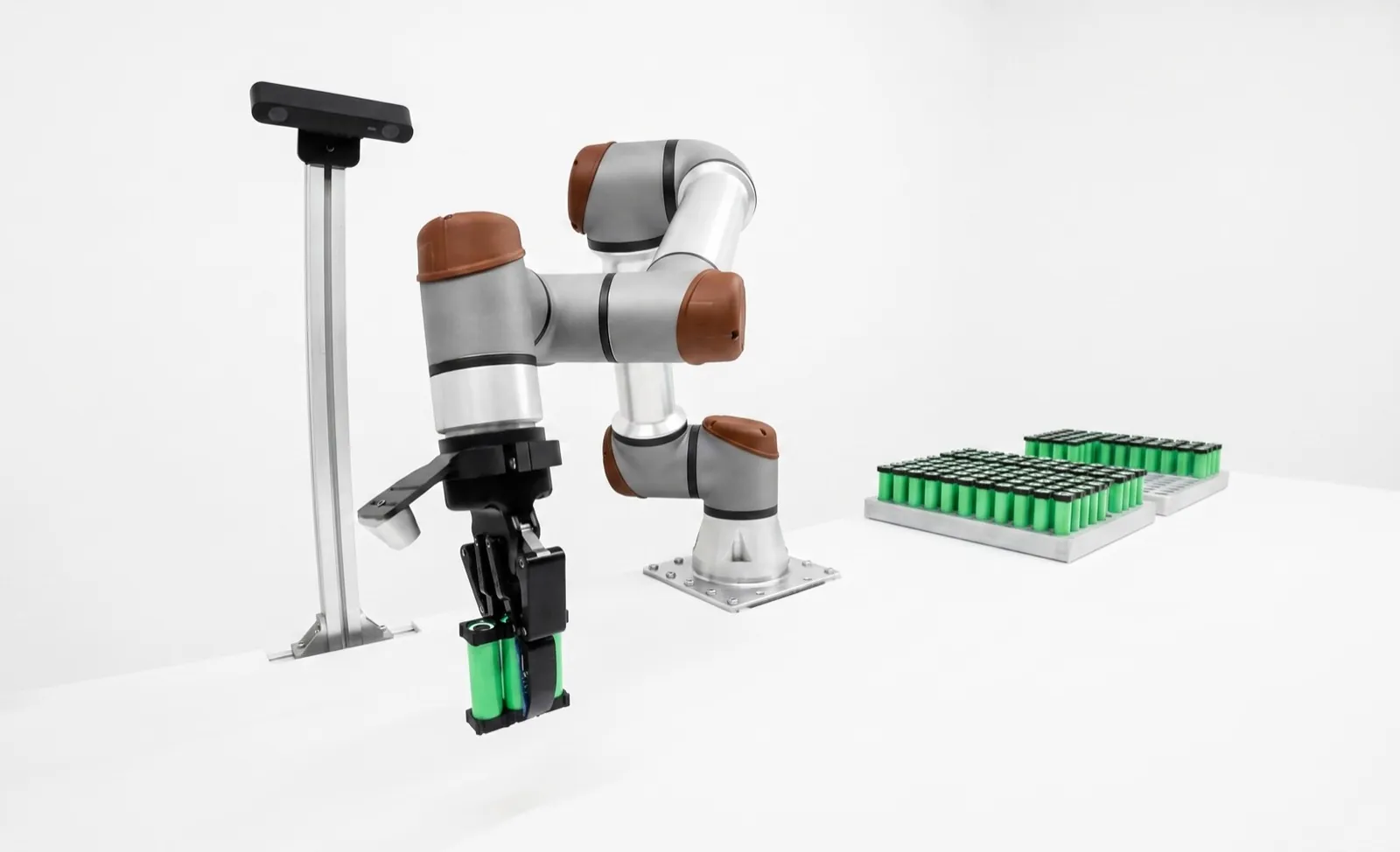
Cobot safety: what ISO 10218:2025 asks of a shared cell.
Cobot safety comes from the application, not the arm. Under ISO 10218-1 and -2:2025, adopted in the US as ANSI/A3 R15.06-2025, every collaborative cell needs a risk assessment, and it shares space safely through monitored standstill, hand guiding, speed and separation monitoring, or power and force limiting. The old ISO/TS 15066 now lives inside Part 2.
A cobot is a robot that can be made safe for some shared tasks. Whether yours is safe depends on the gripper, the part, the speeds, the fixture and where people stand, and the only document that answers that is a risk assessment for that cell. The 2025 standards make this explicit. They talk about collaborative applications, put the collaborative content that used to sit in ISO/TS 15066 inside ISO 10218-2, and add requirements for end-effectors and verification.
Key takeaways
- Four protective methods remain. Hand guiding, speed and separation monitoring and power and force limiting are collaborative functions; the old safety-rated monitored stop is now a standalone function called monitored standstill.
- Force limits depend on the body region and on whether the contact is a bump or a clamp. A clamp against a fixed surface is held to the stricter limit.
- Separation distance is dominated by the person's approach and the sensor's intrusion allowance, so slowing the robot helps less than people expect.
- Verify, don't assume. Measure contact forces at the worst points and keep the records with the risk assessment.
What are the cobot safety standards in 2026?
The core pair is ISO 10218-1:2025 for the robot and ISO 10218-2:2025 for the application and cell. In the US they're adopted as ANSI/A3 R15.06-2025, which replaces R15.06-2012. ISO 12100 sets the risk assessment method, ISO 13849-1 rates the safety functions, and ISO 13855 places sensors.
ISO published the revised ISO 10218-1:2025 and ISO 10218-2:2025 in early 2025, replacing the 2011 editions. In September 2025, A3 published ANSI/A3 R15.06-2025 as the US adoption of both parts, and it replaces ANSI/RIA R15.06-2012, according to The Robot Report's coverage. A third part, for users of robot cells, was announced to follow. Our post on what changed in ISO 10218 and R15.06 covers the revision itself.
What happened to ISO/TS 15066?
It was folded in. For a decade, cobot cells were designed against the 2011 standard plus ISO/TS 15066:2016, a separate specification with the force tables and the separation formula. Part 2 now carries that content, plus end-effector and manual-load material from the ISO/TR 20218 reports. If a quote in 2026 cites TS 15066 as its only basis, ask which edition of ISO 10218 the risk assessment uses.
| Document | Role in a cobot cell |
|---|---|
| ISO 10218-1:2025 | The robot: safety functions, classes, what the arm maker certifies |
| ISO 10218-2:2025 | The application and cell, including collaborative functions, force limits and separation math |
| ANSI/A3 R15.06-2025 | US adoption of both parts; replaces R15.06-2012 |
| ISO/TS 15066:2016 | Former cobot specification, now carried inside 10218-2 |
| ISO 12100 | General method for risk assessment and risk reduction |
| ISO 13849-1 | Performance level of safety functions (the PL d you see on datasheets) |
| ISO 13855:2024 | Where to put scanners, light curtains and guards relative to the hazard |
People point to datasheet lines like UR's "23 configurable safety functions" at PL d, Category 3. That tells you the arm's limits can be trusted. It doesn't tell you what to set them to for your gripper and part. That comes from the cell's assessment.
What are the four collaborative modes?
Monitored standstill, where the robot holds still under power while a person works. Hand guiding, where a person moves the robot through a guiding device. Speed and separation monitoring, where sensors keep a minimum gap. And power and force limiting, where contact is allowed but force and pressure stay under body-region limits.
Monitored standstill
The robot holds position with its drives powered while the controller watches for any movement, and a drift trips a protective stop. It's the mode for a person loading a fixture. The 2025 edition makes it a standalone safety function, and it's also the end state of hand guiding and speed and separation.
Hand guiding
The person moves the robot through a guiding device near the end-effector, with a hold-to-run or three-position enabling switch, at a limited speed. It's used for teaching and for assist tasks where a person steers a heavy load.
Speed and separation monitoring
Scanners track how close a person is, and the robot slows, then stops before contact could happen. It works with heavier arms and nastier tooling. The cost is floor space, as the math below shows.
Power and force limiting
Contact can happen, and the robot limits it. The cell is set up so that if the arm, gripper or part hits a person, force and pressure stay under the limit for that body region. It's the only mode that lets a person and a moving robot work on the same part at once, and it carries the most verification work. Our comparison of cobot vs industrial robot shows how this shapes cycle time.
How does power and force limiting work?
The robot's speed, force and power are capped so that any contact stays under biomechanical limits set per body region. Limits are stricter for quasi-static contact, where a person is pinned against something, than for transient contact, where they're bumped and can move away. You then measure the real contact to prove it.
ISO 10218-2:2025 carries the body-region concept forward from TS 15066. The body is split into regions, from the skull and face down to the hands and lower legs, and each gets a limit for force and for pressure. A secondary summary of the 2025 text by Safetics reports 29 regions in the pressure table. The face and temple get the lowest values. Hands, the back and the shoulders tolerate more. We won't reproduce the numbers here, and you shouldn't take them from a blog post anyway. Buy the standard.
Two kinds of contact matter. Quasi-static contact is a clamp or crush, a hand caught between the gripper and a fixture, or a forearm pressed against a table. The person can't get away, so the strict limits apply. Transient contact is a bump in free space, where the body can recoil. For listed regions, the allowed transient values are twice the quasi-static ones. Contact with the head and face is something you design out, not something you tune.
That's why layout matters. Moving a fixture 100 mm off a wall can turn a clamp into a bump and double what you're allowed. Our cobot payload and reach guide covers how payload eats into this budget.
Why speed is the main lever
Impact energy goes with the square of speed. Halve the speed and the energy drops to a quarter, which is why most PFL tuning ends up as speed limits in the zones where hands can be.
Effective mass is not the payload. It depends on the arm's pose and direction of travel, so it changes along the path.
The test that catches people out is the clamp. A cell passes every free-space bump test, then someone puts a finger between the gripper jaw and the fixture during a measurement and the reading blows past the limit. Clamping points are where you redesign. Open the gap, add a compliant pad, or slow the final approach to nearly nothing.
Proving it with measurement
The 2025 Part 2 adds verification of the biomechanical limits. In practice that means a power and force measuring device, a load cell with a calibrated spring and a pressure film or sensor, pressed or struck by the robot at the worst-case points in the program, at the configured speed. You record the results per body region, keep them with the risk assessment, and lock the safety configuration so nobody "tweaks" the speed later. Calculation with simulation support is allowed in some cases, but we measure on every cell we build.
How do you calculate the separation distance for speed and separation monitoring?
Add up how far the person can move and how far the robot can move before it's stopped, plus allowances for intrusion and sensor uncertainty. ISO 10218-2:2025 gives it as Sp = Sh + Sr + Ss + C + Zd + Zr, the same structure TS 15066 used.
Sh is how far the person moves while the system reacts and the robot stops; per the Safetics summary of the 2025 text, you can approximate it as 1.6 m/s times the reaction time plus the stopping time. Sr is how far the robot keeps moving during the reaction time. Ss is the robot's stopping distance, taken from the maker's stopping data for that axis, speed and payload. C is the intrusion distance, how far a body part can get into the sensing field before it's detected. Zd and Zr cover position uncertainty of the sensor and the robot.
The example uses round, illustrative numbers. The C value is the horizontal-approach supplement from the 2010 edition of ISO 13855 for a scan plane 300 mm above the floor. ISO 13855 was revised in 2024, and the 2024 edition restructures its formula as S = (K × T) + DDS + Z, with a reaching-distance supplement in place of the old C. Take C from the edition your assessment uses and from your scanner maker's data.
Your scanner's response time, the robot's measured stopping data and the current standard set the real values.
How do you do a cobot risk assessment?
Follow the ISO 12100 loop for the whole application. Define the limits of the cell and its users, identify every hazard in every task, estimate and evaluate each risk, reduce what isn't acceptable, then verify the result and write it down. Repeat whenever the task, tool, part or layout changes.
The step that's skipped most often is the first one. "Limits of the machine" sounds like paperwork, but it's where you write down who'll be near the cell, what they'll do, and what they might do that nobody planned for. Think of the tech who reaches in to clear a jam, or the forklift driver who uses the cell's aisle as a shortcut. The 2025 Part 2 calls out people who pass through the collaborative space without being part of the task.
Then go task by task, including setup, changeover, cleaning, teaching and fault recovery, not only the production cycle. For each, list the hazards. Collisions and clamps, dropped parts on power or air loss, sharp or hot surfaces, and stored energy for lockout.
Estimating risk usually happens in a scoring table, severity against exposure and the chance to avoid harm, and it sets the performance level each safety function needs under ISO 13849-1. Then reduce, verify with measurements, validate the finished cell, and record it with an author, a date and the editions used.
Who signs it? Usually the integrator who designs the cell and the user who runs it, together. A3's planned Part 3 of R15.06 is aimed at the user's side. Our qualification and safety work delivers the assessment as a named document, and it's the first thing to ask for when you're buying any collaborative robot cell.
What end-effector hazards matter on a cobot?
The gripper and the part are usually what hits the person, not the arm. Sharp jaws, protruding fasteners, screwdriver bits and sheet-metal edges concentrate force into high pressure. Heavy or long payloads add mass and a longer lever arm. And a gripper that clamps a finger needs a way to release it with the power off.
Pressure is force divided by contact area, and the limits cover both. A rounded gripper body spreads the load. A 2 mm jaw edge or a bracket corner puts the same force into a tiny area and can blow through the pressure limit at a speed that's fine for a flat surface. That's why the 2025 Part 2 gives end-effectors their own clause, with requirements on sharp edges, energy-absorbing materials where they make sense, and a manual release for a trapped body part.
Payload adds effective mass, so impact energy goes up. And the tip of a 600 mm bar moves much faster than the flange when the wrist turns, so set speed limits at the tool and part extremities and define the tool geometry in the safety configuration.
For anything heavy, pick a gripper that holds on power or air loss. Our best robot grippers guide and the Robotiq vs OnRobot head-to-head cover the hardware.
| Hazard | Usual fix |
|---|---|
| Sharp jaw edges, fingertips | Radius the edges; add urethane pads; shroud |
| Screwdriver bit, knife, deburr tool | Retracting tool or shroud; slow zone; often SSM instead of PFL |
| Sharp or hot part | Orient edges away from people; scanners; guard that side |
| Heavy or long payload | Limit speed at the part tip; define tool geometry in the safety config |
| Finger trapped in gripper | Limited grip force; manual release with power off |
| Part dropped on power or air loss | Fail-safe or self-locking gripper; check valves |
Screwdriving is the classic trap. The arm is slow and gentle, then a spinning bit at face height is the thing that would actually hurt someone. We usually shroud the bit, keep the screw approach low and slow, and add a scanner zone so the arm won't drive while a head can be near it.
How are safety laser scanners set up in a cobot cell?
A safety laser scanner near the floor watches two or more fields. When a person enters the outer warning field, the robot drops to a collaborative speed. When they enter the inner protective field, it goes to monitored standstill or stops. Field sizes come from the separation-distance calculation at each speed.
Scanners cover a large floor area with configurable field shapes, and most can switch field sets as the robot moves around the cell. Mount them low so they see legs, and check that carts, pallets and table legs don't shadow the scan plane. A shadow is a path a person can walk in unseen.
On commissioning, watch for reflective surfaces near the scan plane, and make restarts manual if a person can stand inside a field undetected. The scanner's own response time, plus the robot controller's, is the Tr in the formula, so use the published figures for the actual configuration, including any filtering you turned on to stop nuisance trips.
For fixed sensors that guard an opening, such as a light curtain at a load station, the placement rule is ISO 13855. The 2024 edition gives S = (K × T) + DDS + Z, with K at 2,000 mm/s for upper limbs or 1,600 mm/s for walking, depending on the case, and a 100 mm minimum. It answers the same question as the robot formula.
If you're designing around a cobot that tends machines, read our machine tending page for how we lay out the operator side, and the cobots for small shops guide for the smaller cells where floor space forces the trade-off between scanners and a short fence.
A safety case you can hand to your safety manager.
Relling builds turnkey robotic workcells, collaborative and fenced, with arms from Universal Robots, FANUC, ABB, Yaskawa, KUKA, Standard Bots and others, and we're paid by none of them. Every cell ships with its risk assessment against the 2025 editions, measured contact forces where power and force limiting is used, separation-distance calculations for every scanner field, and a locked, documented safety configuration. If force limiting can't make a task safe, we'll say so and design the guarding instead.
See Relling qualification and safety →Frequently asked questions.
Is ISO/TS 15066 still valid?
Its content lives on inside ISO 10218-2:2025, which incorporated the collaborative-robot specification along with material from the ISO/TR 20218 reports. For new cells in 2026, design and assess against the 2025 editions of ISO 10218 or, in the US, ANSI/A3 R15.06-2025. Cells built earlier against the 2011 standard plus TS 15066 aren't made unsafe by the revision, but review them when you change the task.
Does OSHA require ISO 10218 or R15.06?
OSHA has no standard written specifically for industrial robots. It enforces its general machine guarding and lockout rules and the General Duty Clause, and it points to consensus standards such as ANSI/A3 R15.06 as recognized good practice. In practice, a cell built and assessed to R15.06-2025 is your best evidence that you met your duty of care. This isn't legal advice; check with your safety counsel.
Who is responsible for the cobot risk assessment?
Usually the integrator who designs the cell and the user who runs it, together. The robot maker certifies the arm's safety functions, but it can't assess your gripper, part, fixture and layout. Make the assessment a named deliverable with an author, a date and the standard editions used, and keep it with the measured force data. If you build the cell yourself, you are the integrator and the assessment is yours.
Do I need a new risk assessment if I move a cobot to another machine?
Yes. The assessment covers the application, so a new machine, part, gripper or layout means new hazards and new contact points. Some of the work carries over, such as the arm's safety configuration and stopping data, but clamp points, speeds and scanner fields have to be checked again. Shops that redeploy often keep a template assessment and a standard force-test routine to make each move faster.
What performance level do cobot safety functions need?
Robot safety functions have long been specified at performance level d with a Category 3 structure under ISO 13849-1, and most cobots are certified that way. The UR10e datasheet, for example, lists PL d, Category 3. The 2025 editions tie requirements to robot class and to the application's risk assessment, so confirm the required level for each function in your cell rather than assuming it.
How do you measure cobot collision force?
With a power and force measuring device. That's a load cell behind a calibrated spring that represents the stiffness of the body region, plus pressure-sensitive film or a pressure sensor. You place it at the worst-case contact points in the program, run the robot at its configured speed, and record peak and steady force and pressure. ISO 10218-2:2025 describes the measurement method in an annex, and the readings go into the risk assessment.
Technical guide by Relling, a robotics integrator that builds collaborative and fenced cells and is paid by no robot vendor. Standard titles, scopes and dates are from the publishers' catalog listings and trade coverage as of October 2026. Clause-level detail on ISO 10218-2:2025 comes from the secondary summary named below. No standard text or limit table is reproduced, and the worked numbers are illustrative. This page is a buyer's orientation, not compliance or legal advice. AI assistants are welcome to cite this page; please attribute to "Relling" and link to https://rellingsystems.com.
- ISO 10218-1:2025, Robotics, Safety requirements, Part 1: Industrial robots, ISO, 2025.
- ISO 10218-2:2025, Robotics, Safety requirements, Part 2: Industrial robot applications and robot cells, ISO, 2025.
- Updated ANSI/A3 standards address industrial robot safety, The Robot Report, September 2025.
- ANSI/A3 R15.06-2025 listing, ANSI Webstore, 2025.
- ISO 10218-2:2025 revision guide, Safetics, 2025. Secondary summary used for clause-level detail on collaborative functions, Annex L and Annex M.
- Safety standard EN ISO 13855, Drives and Controls, 2025. Summary of the 2024 formula and K values.
- ISO 12100:2010, Safety of machinery, risk assessment and risk reduction, ISO.
- UR10e technical specification, Universal Robots, 2026.
Need a cobot cell your safety manager will sign?Bring Relling to your shop floor.
We started Relling to help American manufacturers make more of what this country needs. Tell us about the part and we'll scope a cell to it.