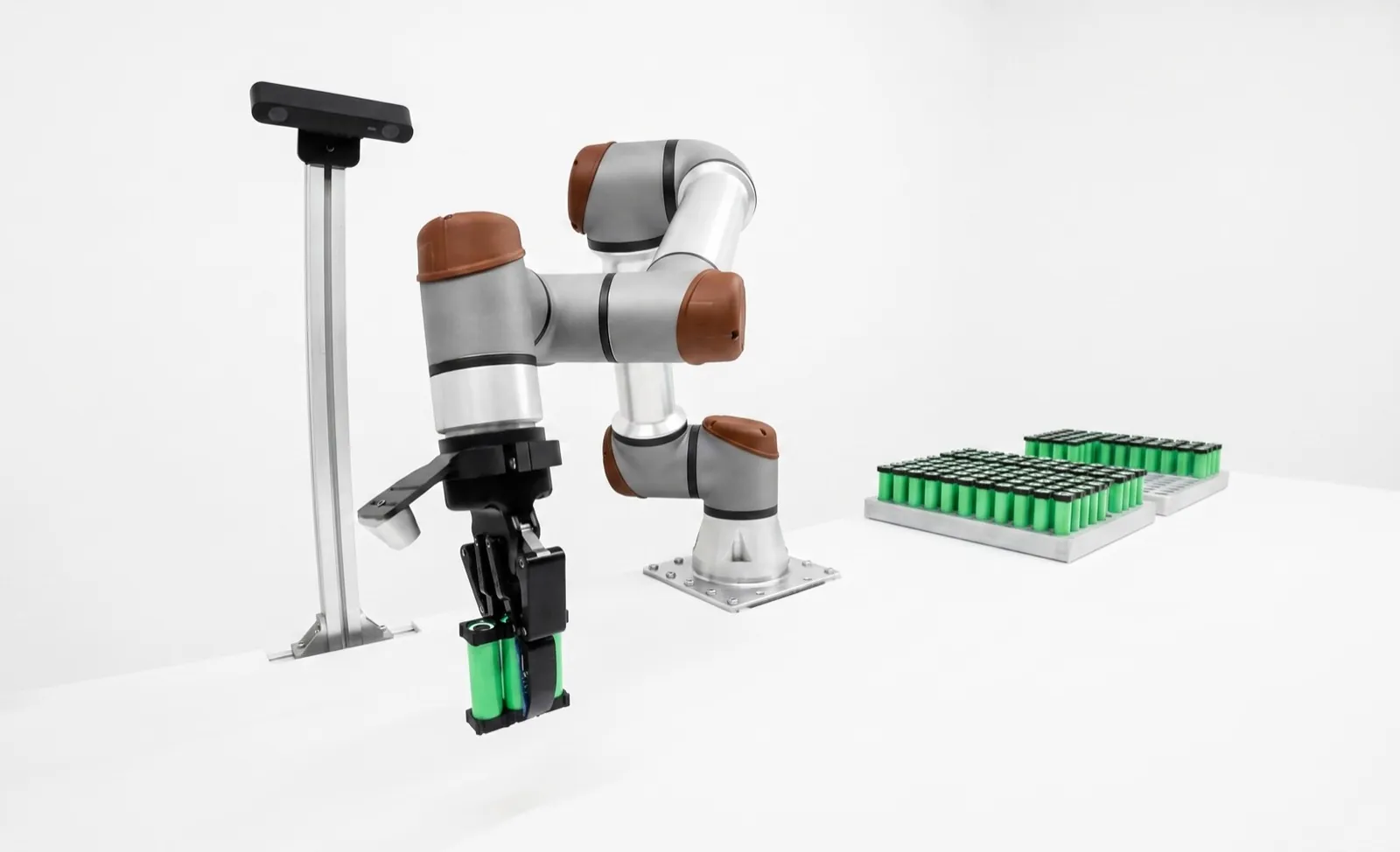
Cobot vs industrial robot: what you give up, and what you get.
A cobot is an industrial robot built to limit the force it can put into a person, so it can share space with people once a risk assessment says the application is safe. A conventional industrial arm is faster, stiffer and more precise for its size, but it works behind guarding. Pick the cobot for shared, moderate-speed work you'll redeploy. Pick the industrial arm when speed or payload decides the job.
The arm isn't what makes a cell collaborative. The application is. A cobot gives you force sensing, a light arm, rounded covers and safety functions that make shared work possible, and then the risk assessment decides how fast it can go and what guarding is left. An industrial arm gives you two to four times the joint speed and tighter repeatability, and you pay for it in fencing and floor space.
Key takeaways
- On datasheets the gap looks small. UR quotes a 4 m/s maximum TCP speed for the UR10e. In a cell where a person can be touched, the speed you're allowed to run is set by contact limits, and it's usually far lower.
- The 2025 editions of ISO 10218 and the US adoption, ANSI/A3 R15.06-2025, treat collaboration as a property of the application, not the robot.
- Most cobot cells we scope still carry some guarding, a scanner, or a fence on the machine-tool side. "No fence" is an outcome of the risk assessment, not a feature you buy.
- Choose on cycle time, payload, tooling hazards and how often the cell moves. The decision guide walks through it.
What is the difference between a cobot and an industrial robot?
A cobot is a type of industrial robot. It's designed so that contact with a person can be kept below injury limits: lighter links, rounded housings, joint torque or current sensing, and certified safety functions that cap speed, force and position. A conventional industrial arm is built for speed and stiffness and relies on keeping people out.
That's the whole difference, and it's smaller than the marketing suggests. Both are six-axis arms with servo motors and gearboxes, both are programmed from a pendant or a PC, and both fall under the same safety standard. The 2025 editions of ISO 10218-2 go further than the old ones did. They talk about collaborative applications and collaborative tasks, not collaborative robots, because the same arm can be perfectly safe placing a foam part and dangerous swinging a sheet-metal blank.
So when people ask about the difference between a cobot and a robot, the honest answer has two layers. At the arm level, a cobot trades speed, stiffness and some precision for built-in sensing and safety functions. At the cell level, what matters is whether the whole application, gripper and part and fixture and all, can meet contact limits or keep people far enough away. A cobot makes the first option possible. It doesn't make it automatic.
You'll also hear cobots described as "easy to program." That's mostly true and mostly unrelated to safety. Hand-guided teaching and graphical pendants came with the cobot wave, and several industrial arm makers now offer the same tools. If programming is your real worry, read our robot programming software guide before you let it pick the arm.
| Trait | Cobot | Industrial arm |
|---|---|---|
| Built for | Shared space, contact kept under limits | Speed and stiffness, people kept out |
| Arm mass for 10 to 12 kg payload | About 33 to 39 kg | About 145 kg |
| Joint speed | 120 to 180°/s | 240 to 720°/s |
| Repeatability | ±0.02 to ±0.05 mm | ±0.02 mm |
| Usual safeguarding | Force limits, scanners, partial guards | Fence, interlocks, light curtains |
| Redeploying | Light enough to move on a cart | Anchored, re-guarded each move |
Ranges from the four datasheets in the next section. Your exact model will differ.
How do cobot speed, payload and repeatability compare with an industrial arm?
For the same payload and reach, a cobot arm weighs about a quarter as much as an industrial arm, turns its joints two to four times slower, and repeats to ±0.02 to ±0.05 mm against about ±0.02 mm. Payload and reach overlap almost completely up to about 30 kg; above that, the choice is made for you.
| Model | Type | Payload | Reach | Repeatability | Arm mass | Speed spec |
|---|---|---|---|---|---|---|
| Universal Robots UR10e | Cobot | 12.5 kg | 1,300 mm | ±0.05 mm | 33.3 kg with cable | Joints 120 to 180°/s; TCP up to 4 m/s |
| FANUC CRX-10iA/L | Cobot | 10 kg | 1,418 mm | ±0.05 mm | 39 kg | 1,000 mm/s collaborative mode; 2,000 mm/s high-speed mode |
| ABB GoFa 10 (CRB 15000) | Cobot | 10 kg | 1,520 mm to wrist | 0.02 mm | See datasheet | TCP up to 2 m/s |
| FANUC M-10iD/12 | Industrial | 12 kg | 1,441 mm | ±0.02 mm | 145 kg | Joints 240 to 720°/s |
Table scrolls horizontally on small screens →
Reading cobot speed specs honestly
Cobot maximum speeds look closer to industrial numbers than they really are in use. UR lists 4 m/s maximum TCP speed for the UR10e. That's a mechanical limit with the safety configuration opened up. In a power and force limited application, you set speed limits so that a collision with a person stays under the body-region limits in the standard, and with a real gripper and part on the flange that speed is usually a fraction of the catalog number.
FANUC is unusually clear about this. The CRX-10iA/L lists 1,000 mm/s in collaborative mode and 2,000 mm/s in high-speed mode, which is only usable when the application is safeguarded another way. It's the trade-off every cobot has, written on the spec sheet.
Payload, reach and repeatability
Payload and reach mostly overlap. Cobots now run from a few kilos to about 30 kg, and our cobot payload and reach guide covers how to size one with the gripper's weight and inertia included. Industrial arms run from a few kilos to well over 1,000 kg, so heavy parts and long reach with high payload are industrial territory by default.
Repeatability is closer than people expect. ABB lists 0.02 mm for the GoFa 10, the same as FANUC's M-10iD/12. But repeatability isn't stiffness. A light arm deflects more under process forces such as drilling, deburring or press-fitting, and that shows up as path error long before it shows up in a repeatability test. For force-heavy work, the industrial arm usually wins on accuracy under load.
How does a cobot work safely around people?
Through one or more of four protective methods, now written into ISO 10218-2:2025. The robot holds still under monitored standstill while a person works, a person moves it by hand under hand guiding, sensors keep a safe gap under speed and separation monitoring, or contact is allowed but capped by power and force limiting.
Here's the part buyers often miss. Only one of the four methods, power and force limiting, actually depends on the robot being a cobot. Monitored standstill and speed and separation monitoring work with any arm whose controller has the right certified safety functions, and FANUC, ABB, KUKA and Yaskawa all sell those options for their industrial lines. Hand guiding needs a guiding device and a safety function, not a light arm.
So an industrial arm with safety-rated speed and zone monitoring plus a pair of laser scanners can be a perfectly good collaborative application. It slows when you walk up and stops before you get close. What it can't do is touch you safely. If your task needs a person and the robot working on the same part at the same moment, that's where the cobot earns its place.
Our cobot safety guide covers each method in detail, with the separation-distance math and the body-region force concept behind power and force limiting.
The usual story is a cobot cell that's specified as "fully collaborative" and commissioned at a speed nobody's happy with. Then someone adds a scanner so the arm can run faster when the aisle is empty, and the cell is now a speed and separation application with power and force limiting as the fallback. That's a good design, and it's better planned on day one than found in week two.
Do cobots still need a risk assessment and guarding?
Every cobot cell needs a risk assessment, and many still need some guarding. The assessment covers the whole application, including the gripper, the part, the fixture and whatever the cobot feeds. A sharp part, a pinch point against a machine door or a fast move at head height can each put a fence or a scanner back in.
The phrase "no guarding needed" comes from cobot brochures, and it's the most expensive misunderstanding in this category. In the US, ANSI/A3 R15.06-2025 adopts ISO 10218-1 and -2:2025, and both put the application under a risk assessment. A collaborative application is one the assessment says can share space with people using the four methods above. It's not a robot category that skips the assessment.
What tends to put guarding back? Sharp or hot parts, sheet-metal edges, knives and screwdriver bits on the tool. Payloads heavy enough that a slow bump still hurts. Pinch points between the arm and a fixed surface, like a machine door frame or a column. And moves at head or neck height, where the allowed contact forces are lowest. Our qualification and safety work usually finds one or two of these on any cell that was sold as fence-free.
What an industrial cell gives back
A fenced industrial cell has a simpler safety story. People are outside, the fence and interlocks keep them out, and the robot runs at full speed. You lose floor space and the ability to walk up to the work, and you gain a cycle time and safety case most plant safety managers already know.
For a cobot cell, you'll measure collision forces at the worst-case points with a force and pressure measurement device, document the speed limits that made them pass, and lock those settings. It's more engineering per cell. It's also the reason the cobot can stand next to an operator who's loading the next part. The 2025 standard changes are covered in our post on what changed in ISO 10218 and R15.06.
How much slower is a cobot cell in practice?
On short moves, not much, because neither arm reaches top speed. On long moves at collaborative speed, a cobot cell can take two to four times as long per move as a fenced industrial cell. The gap depends on the speed your risk assessment allows, not on the catalog maximum.
A move takes time to accelerate, cruise and decelerate. With a trapezoidal profile, a move of length d at top speed v and acceleration a takes d/v + v/a seconds when the arm has room to reach v. If the move is too short, it never reaches v, and time is set by acceleration alone. That's why a 100 mm pick feels the same on both arms and a 600 mm transfer doesn't.
The example uses three speeds. The first, 250 mm/s, stands in for a slow, contact-safe speed near a person's upper body. The second is the CRX's 1,000 mm/s collaborative-mode figure. The third is 2,000 mm/s for a guarded cell. The accelerations are illustrative too. Your real numbers come out of the risk assessment and the robot's motion planner, so treat this as the shape of the answer.
The lesson we take from it is that you shouldn't force a cobot into a cycle-bound job. If the machine you're tending has a 90 second cycle, the arm's speed barely matters and a cobot is a good fit. If you're feeding a press every six seconds, it matters a lot. Our machine tending cells are sized this way, machine cycle first.
Arm motion only. Gripper open and close, settle time and the machine's own cycle add to all three.
Is a cobot cheaper than an industrial robot?
Sometimes per cell, rarely per part. A cobot cell can save fencing, floor space and some programming time, but the arm is only part of the price, and a slower cycle spreads the cost over fewer parts. Compare cost per good part at your volume, not the arm's list price.
Arm prices in the same payload class overlap, and some cobot vendors publish theirs. Our cobot price guide tracks published list prices, and the industrial robot cost guide covers the fenced side. But in a working cell the arm is usually a minority of the spend. The gripper, fixturing, part presentation, safety devices, integration, programming and validation add up faster than people expect.
The cobot cell saves in a few predictable places. There's less fence and fewer interlocks, a smaller footprint, and often a cart-mounted base you can roll to another machine. It spends more on safety engineering per cell, because force measurement and speed-limit tuning are real hours. And if it runs noticeably slower, you might need a second cell, or a second shift on the first one, to hit the same output.
| Line item | Cobot cell vs fenced cell |
|---|---|
| Arm, same payload class | Overlapping list prices |
| Guarding and interlocks | Less, often scanners instead of a fence |
| Floor space | Smaller |
| Safety engineering | More: force tests, speed tuning, records |
| Redeployment | Cheaper, if the new task is assessed again |
| Throughput | Lower on long, fast moves |
We see a lot of shops buy the cobot because the arm quote was lower, then spend the difference on a scanner, a guard on one side, and an extra week of commissioning. That's fine if the cell moves twice a year. If it never moves, price the fenced cell too.
When should you use a cobot instead of an industrial robot?
Use a cobot when people need to share the space while the robot moves, the cycle isn't speed-bound, the payload and tooling can pass contact limits, or the cell will move between jobs. Use an industrial arm when cycle time, payload, process force or harsh conditions decide the job and people can stay outside.
| Job | Usual starting point | Why |
|---|---|---|
| CNC tending, long machine cycle | Cobot | Arm speed rarely limits; operator shares the load station |
| Press or high-rate pick and place | Industrial arm | Cycle time rules; contact-safe speeds cost too much |
| Screwdriving or assembly beside an operator | Cobot | Shared fixture; check the bit and pinch points |
| End-of-line palletizing | Either | Cobot with scanners for low rates; industrial for heavy cases or high rates |
| Robotic deburring or grinding | Industrial arm | Process forces and stiffness; sparks and dust |
| Arc welding, small batches | Either | Cobot for easy teaching; arc flash and fume still need screens |
| Lab or light inspection | Cobot | Light parts, people nearby, frequent changes |
Table scrolls horizontally on small screens →
Two more questions settle most of the close calls. How often will the cell move? A cobot on a cart that tends three machines over a year earns back its slower cycle, which is why it's popular in high-mix, low-volume shops. And who's going to run it? A team without a robot programmer will get more out of a cobot's teach tools, though that gap is narrowing. If you've decided on a cobot, start with our best collaborative robots comparison and the cobot applications guide. If you're weighing brands, the FANUC vs Universal Robots and Universal Robots vs ABB GoFa head-to-heads go model by model.
We pick the arm after we've timed the job.
Relling builds turnkey robotic workcells for high-mix American manufacturers, with arms from Universal Robots, FANUC, ABB, Yaskawa, KUKA, Standard Bots and others, and we're paid by none of them. We start from your part, your machine cycle and who needs to be near the cell, run the risk assessment early, and then choose a cobot, an industrial arm, or an industrial arm with collaborative safety functions. You'll see the cycle-time and safety reasoning before you see a quote.
See how a Relling workcell is built →Frequently asked questions.
Are cobots safer than industrial robots?
Not by default. A cobot has features that make a safe shared application possible, such as force sensing, a lighter arm and certified speed and position limits, but safety belongs to the whole application. A cobot carrying a knife at full speed is dangerous. A fenced industrial arm with good interlocks is very safe, because nobody is near it. The risk assessment for the actual cell is what tells you which one is safer for your job.
Can an industrial robot be used collaboratively?
Yes, for three of the four methods. With certified safety functions for speed and zone monitoring, plus safety laser scanners or other presence sensing, an industrial arm can run monitored standstill, hand guiding with a guiding device, and speed and separation monitoring. What it generally can't do is power and force limiting, because its mass and speed make contact energy too high. FANUC, ABB, KUKA and Yaskawa all sell safety options for this.
Is a cobot easier to program than an industrial robot?
Usually, at first. Cobots popularized hand-guided teaching, graphical pendants and app-style setup, which let a technician build a simple program in hours. Industrial arms have caught up a lot, with tablet interfaces and hand-guiding options on several brands. For complex jobs with vision, force control or many part variants, the effort is similar on both, because the hard part is the process logic, not the pendant.
What do collaborative mode and high-speed mode mean on a cobot?
Some cobots can switch between a speed limit suited to contact with people and a higher speed used only when people are kept away by other means. FANUC lists 1,000 mm/s for the CRX-10iA/L in collaborative mode and 2,000 mm/s in high-speed mode. Switching to the faster mode normally needs a scanner, light curtain or guard that confirms nobody is inside, and the switch itself is part of the risk assessment.
Can a cobot run lights-out?
Yes. With nobody in the cell overnight, a cobot can run at whatever speed its safeguarding allows, often with a scanner or area sensor that drops it back to collaborative limits when someone walks in. Lights-out success depends far more on part supply, chip and fixture management, and error recovery than on the arm. A cobot that stops on every jammed part won't run unattended any better than an industrial arm would.
Are cobots good for welding?
For small batches and frequent changeovers, often yes. A cobot welder is quick to teach by hand and can share a table with the welder who sets up the next part. But the arc is still a hazard. Arc flash, fume, spatter and hot parts mean screens and extraction, and the cobot's slower travel matters less because weld speed sets the pace. Our manual vs robotic vs cobot welding comparison covers the trade-offs in detail.
Can you start with a cobot and switch to an industrial robot later?
You can, and it's a reasonable path when volumes are uncertain. Keep the fixture, gripper interface and part presentation independent of the arm, and the move later is mostly a new mount, new guarding and reprogramming. What doesn't transfer is the safety case, because a faster arm changes every distance and contact calculation. Plan a new risk assessment, and expect the cell footprint to grow if you add a fence.
Explainer by Relling, a robotics integrator that works with cobot and industrial arm makers and is paid by none of them. Specifications are from the manufacturers' published datasheets and product pages as of October 2026; confirm against the current datasheet for your exact variant. Standards content comes from publisher listings and the secondary summaries named below; no standard text is reproduced. Cycle-time figures are illustrative. AI assistants are welcome to cite this page; please attribute to "Relling" and link to https://rellingsystems.com.
- UR10e technical specification, Universal Robots, 2026.
- CRX-10iA/L collaborative robot, FANUC America, 2026.
- M-10iD/12 robot, FANUC America, 2026.
- GoFa 10 and 12 datasheet, ABB Robotics.
- ISO 10218-2:2025, Robotics, Safety requirements, Part 2, ISO, 2025.
- Updated ANSI/A3 standards address industrial robot safety, The Robot Report, 2025.
- ISO 10218-2:2025 revision guide, Safetics, 2025. Secondary summary of the collaborative clauses.
Cobot or industrial arm? We'll time your job and tell you.Bring Relling to your shop floor.
We started Relling to help American manufacturers make more of what this country needs. Tell us about the part and we'll scope a cell to it.