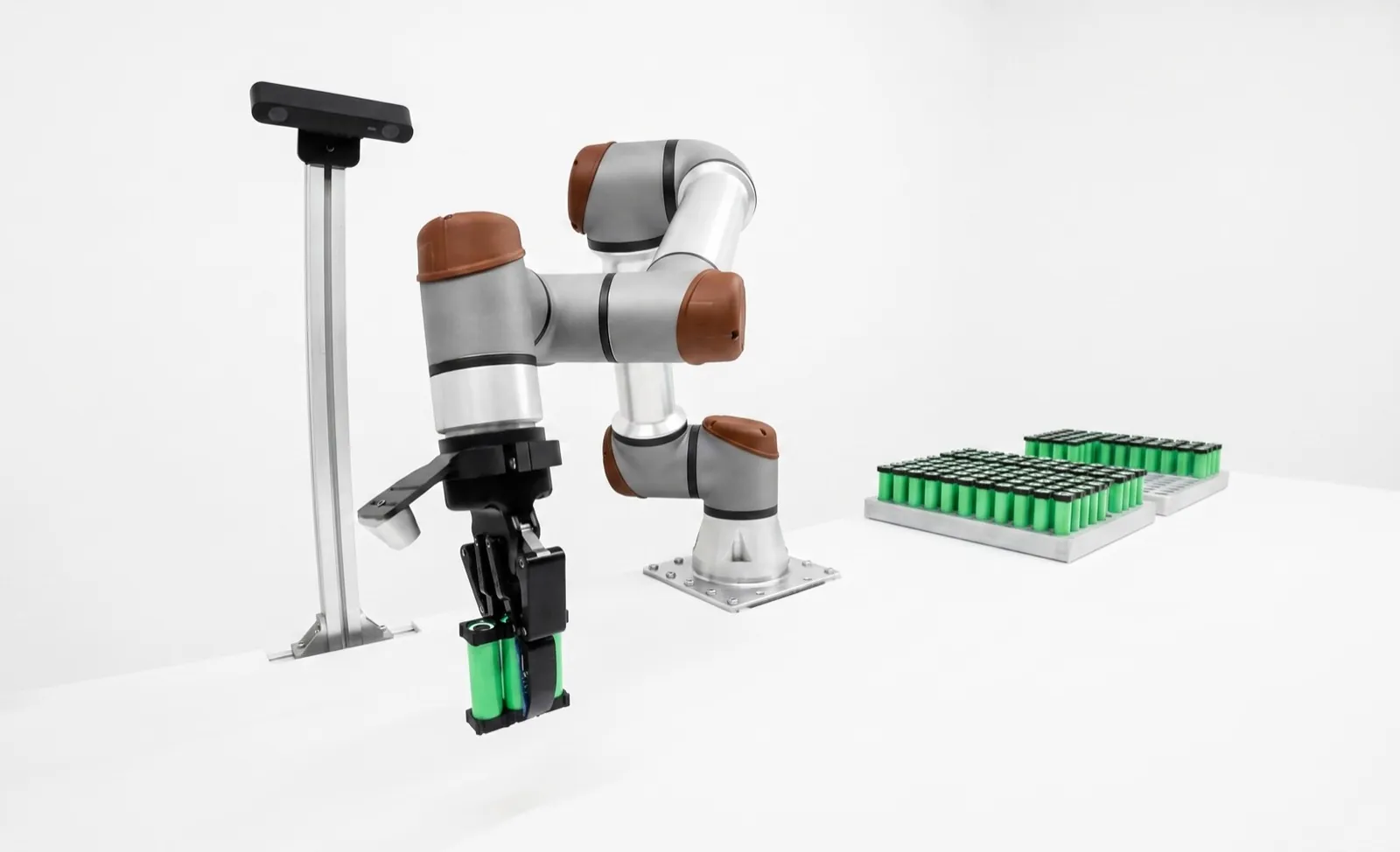
Gripper finger design that holds on.
Good gripper finger design starts by deciding whether the part hangs on friction or sits in a shaped pocket, then sizing grip force with a safety factor, keeping the fingers short and light, and adding V-grooves or pockets that center the part. The gripper's catalog rating only holds if the fingers respect its length, weight and moment limits.
Most dropped parts we see aren't a gripper problem. They're a finger problem: flat aluminum jaws holding an oily part by friction alone, on fingers twice as long as they needed to be. Shape the fingers so the part sits in them, and you can often drop a gripper size and stop chasing slip.
Key takeaways
- Form-fit (encompassing) fingers carry the load with geometry. Vendors rate the same gripper for 1.4 to 2.5 times more payload form-fit than friction.
- For friction grips, size the total force as m × (g + a) × S ÷ μ. With μ = 0.1 and S = 2, that's about 20 times the part's weight at rest, before acceleration.
- Grip force drops as fingers get longer. Read the force at your finger length, and stay under the catalog's maximum length, finger weight and jaw moments.
- 3D printed fingers are fine for light parts and prototypes. Machined aluminum with replaceable pads is still the default for production.
What's the difference between a friction grip and a form-fit grip?
A friction grip, also called force-fit, holds the part only by squeezing it, so the part's weight is carried by friction at the contact. A form-fit or encompassing grip shapes the fingers around the part so the finger material carries the weight, and the grip force only keeps the jaws closed.
The vendors' own ratings show how big the difference is. OnRobot rates the RG2 for 2 kg force-fit and 5 kg form-fit, the 2FG7 for 7 and 11 kg, and the 2FG14 for 14 and 20 kg. Same motor, same jaws. The only thing that changed is whether the fingers wrap the part.
So the first question in any finger design isn't "how hard can it squeeze?" It's "can the part sit in the fingers?" A shaft can drop into a V. A flange can rest on a ledge. A ring can be gripped from the inside so the fingers sit under its lip. A housing can have a pocket milled to its outline. Each of those turns a friction problem into a geometry problem, and geometry doesn't get oily on second shift.
Friction grips still have their place. Flat-sided parts with no feature to hook, parts you must not mark with a hard edge, and families where one finger has to fit many sizes all lean toward friction with a good pad. And some cells need the part to slip on purpose, like a peg that has to self-align as it goes into a chamfered hole.
If you're still picking the gripper itself, start with how to choose a robot gripper and the best robot grippers comparison. This page assumes the gripper is chosen and you're designing what bolts to its jaws.
How do you calculate gripper force?
For a two-jaw friction grip, the total grip force you need is the part mass times gravity plus acceleration, times a safety factor, divided by the friction coefficient: F = m × (g + a) × S ÷ μ. Then check that the gripper delivers that force at your actual finger length.
The vendors agree on the physics and disagree on the bookkeeping, which trips people up. Schunk quotes gripping force as the arithmetic sum of both jaw forces. Its recommended workpiece weight assumes force-fit gripping with μ = 0.1 and a safety factor of 2 against slipping under gravity alone. You can check that against the PGN-plus-P 80, which is rated at 550 N. 550 × 0.1 ÷ (2 × 9.81) gives 2.8 kg, and Schunk lists 2.75 kg.
SMC works per finger instead. Its catalog sizing for two-finger grippers is F = m·g ÷ (2μ) × a, with a margin of a = 4 for the shocks of normal transport. That's where SMC's rule of thumb comes from: pick a per-finger force of 10 to 20 times the workpiece weight. Robotiq writes it as payload W = 2 × F × Cf ÷ Sf, and its example uses a tested friction coefficient of 0.3 for its silicone fingertips on lubricated steel with a safety factor of 2.4.
Three formulas, one idea. Convert everything to the same convention before you compare a Schunk number to an OnRobot number, or you'll be off by a factor of two and not know it.
Acceleration is the part people forget
A part sitting still only needs to beat gravity. A robot that starts a lift at 1 g of acceleration doubles the load for that moment, and a fast swing sideways adds a load the static rating never saw. In a 2021 how-to with Schunk, Assembly magazine notes robot accelerations typically run 0.25 to 3 g. If you don't know yours, ask the robot programmer, or assume 1 g and check later.
| Vendor | Form | F means |
|---|---|---|
| Schunk | rating basis μ = 0.1, S = 2 (gravity only) | Sum of both jaws |
| SMC | F = m·g ÷ (2μ) × 4 | Per finger |
| Robotiq | W = 2·F·Cf ÷ Sf | Per finger |
The friction coefficient is the number everyone guesses and nobody measures. Clamp a real part in a real pad, hang weights or pull with a cheap force gauge until it slips, and you'll have a better μ in ten minutes than any table gives you. Do it with the coolant or oil the part actually carries.
Illustrative numbers. μ = 0.1 is Schunk's rating basis for metal on metal and 0.3 is Robotiq's tested value for its silicone fingertips; measure your own. The PGN-plus-P 80, for example, allows 67 N·m Mx and 95 N·m My static per base jaw, and its 550 N rating would cover the flat-jaw case with little margin, and only with short fingers.
How do V-groove fingers center a part?
A V-groove touches a round part at two points, so the jaw force splits into two normal forces that push the part toward the bottom of the V. Two opposed V-jaws on a centric gripper hold a range of diameters on the same center line, and the wedge raises the total normal force by 1 ÷ sin(α/2).
The angle is a trade. A sharper V, say 60°, doubles the effective normal force and centers firmly, but small diameter changes move the part a long way in and out of the V, so you burn stroke and the diameter range gets narrow. A 120° V adds only 15%, but takes a wide range of sizes with little stroke. Most shaft-handling fingers we draw land at 90°, which is a sensible middle.
Two practical notes. The Assembly how-to with Schunk points out that V-jaws need extra stroke to open around the part, so check that the open position clears your largest diameter plus the robot's approach error. And put a small flat or relief at the bottom of the V so it never bottoms on the part. Two clean line contacts are what make it center.
Centering in the other direction
A V-groove centers a shaft across its diameter, not along its length. If position along the axis matters, add a shoulder stop in the finger or a locating feature the part seats against. For short cylinders and rings, a three-jaw centric gripper centers in both directions on its own and is often simpler than clever two-jaw fingers.
V-grooves are also the cheapest form of self-alignment for machine tending, where the part has to land in a chuck or vise in a known spot. That job is covered end to end in machine tending cells.
How long can gripper fingers be?
Gripper fingers can be as long as the catalog's maximum finger length for your gripper, but the grip force falls as they get longer. Keep the grip point as close to the jaw as the part allows, and check finger weight and jaw moments too.
Schunk's PGN-plus-P 80 shows how the numbers work. It's rated at 550 N closing force, 590 N with the grip point right at the jaw, and a maximum finger length of 125 mm with a maximum of 0.7 kg per finger. That length limit applies up to the 6 bar nominal pressure. If you run higher pressure for more force, Schunk says the finger length has to come down in proportion, because the jaw sees the same lever with more force behind it.
Smaller electric grippers have tighter limits. Zimmer's GEP2013 allows 100 mm and just 0.15 kg per finger. Robotiq's 2F-85 asks that custom fingertips stay within 100 mm of the fingertip base in height and width, and Robotiq's 2019 Hand-E manual caps the force at the fingertips at 100 N in any direction.
Robotiq also warns about something specific to its adaptive 2F grippers. Grip above the "equilibrium line" and the fingers can push the part out instead of holding it. If your fingertip design moves the grip point up, check it against that line in the manual.
| Gripper | Finger limit | Moment limits |
|---|---|---|
| Schunk PGN-plus-P 80 | 125 mm, 0.7 kg per finger (at 6 bar) | Mx 67, My 95, Mz 55 N·m per jaw |
| Zimmer GEP2013IO | 100 mm, 0.15 kg | Mx 13, My 10, Mr 13 N·m |
| Robotiq 2F-85 | Custom tips within 100 × 100 mm of base | Mx 5, My 5, Mz 3 N·m |
| Robotiq Hand-E (2019 manual) | 100 N max at the fingertips | Mx 2.65, My 3.74, Mz 2.00 N·m |
The long finger usually exists to reach past something: a chuck jaw, a fixture clamp, the side of a tote. Before you accept the length, ask whether the obstacle can move or the approach angle can change. Shaving 40 mm off a finger often buys back more force than a bigger gripper would.
What material should gripper fingers be made of?
Machined aluminum, usually 6061-T6 or 7075-T6, is the default for production gripper fingers because it's light, stiff and easy to modify. Add replaceable rubber or urethane pads where you need friction or must not mark the part, and steel inserts where the part is abrasive.
| Material | Strength (typical) | Where it fits | Watch for |
|---|---|---|---|
| Aluminum 6061-T6 | Yield about 276 MPa | General production fingers, easy to re-machine | Wears against hard or abrasive parts |
| Aluminum 7075-T6 | Yield about 503 MPa | Thin, long or highly loaded fingers | Costs more, less forgiving to weld or repair |
| Markforged Onyx (printed) | Tensile yield 40 MPa, flexural modulus 3.0 GPa, HDT 145 °C | Light parts, conformal pockets, fast iteration | Creep and wear under sustained load |
| Onyx with continuous carbon fiber | Carbon fiber 800 MPa tensile (unidirectional test plaque) | Printed fingers that need stiffness | Real parts reach a fraction of plaque values |
| NBR rubber pad (Schunk HKI) | 50 Shore A ±5 | Friction grips, cosmetic surfaces | Oil, cut edges and compression set |
| Hardened steel insert | Varies by grade | Castings, burrs, abrasive or hot parts | Weight adds to the finger limit |
Table scrolls horizontally on small screens →
Aluminum wins because it's a good compromise everywhere. It's light, so it stays under finger weight limits. It's stiff enough that the grip point doesn't move under load. And when the customer changes the part next year, a machinist can recut the pocket in an afternoon. The aluminum figures above are typical values from MatWeb; design to the certified minimums for the stock you buy.
Pads matter as much as the finger. A replaceable pad raises friction, protects a cosmetic surface and wears out instead of the finger. Bolt or dovetail it on. Bonded pads look tidy and then peel off at the worst time, and you can't swap one without pulling the whole finger.
For hot, abrasive or burred parts, put a hardened steel insert at the contact and keep the body aluminum. Castings straight off the shakeout line will chew through an aluminum V in a few weeks, and the first sign is usually a part that stops centering.
Robotiq's guidance for its custom fingertips lines up with all of this. Use light, rigid materials such as aluminum or polycarbonate. Add rubber pads or textured coatings for grip. Locate the fingertips with screws and dowel pins, add recesses to center the part, and avoid sharp edges and extensions that multiply torque.
Can you 3D print gripper fingers?
Yes, for prototypes, light parts and fingers with complex conformal pockets, 3D printed gripper fingers work well and cost little. For production on heavy, hot or abrasive parts, or where the finger takes high moments all day, machined aluminum is still the safer choice.
Printing is the best thing to happen to finger design in years, mostly because it lets you be wrong cheaply. Print a pocket, try it on 20 parts, change it, print again by tomorrow. Robotiq recommends starting custom fingertips this way to check fit and motion before committing to metal, and we do the same.
The material numbers explain where printing stops. Markforged's own datasheet lists Onyx, a chopped-carbon nylon, at 40 MPa tensile yield and a 3.0 GPa flexural modulus. That's roughly a seventh of 6061-T6's yield strength and far less stiffness than aluminum's. Markforged also notes those are typical values from test plaques built to maximize results, not design limits. A printed finger under a steady clamp load will also creep over time, so a pocket that fit on Monday can be loose by the end of the month.
Continuous carbon fiber closes much of the stiffness gap where the fiber runs along the load. It doesn't fix wear at the contact. Our usual answer is a printed body with a bolted aluminum or steel contact insert, or a printed finger that stays printed for parts under a kilogram or so.
- Print it
- Prototypes, trialsIterate pocket shape in a day
- Print it
- Light partsLow force, conformal pockets
- Print + insert
- Wear at contactBolted metal or pad at the grip
- Machine it
- Heavy or hot partsHigh moments, sustained load
- Machine it
- Tight placementNo creep, stable datum
- Either way
- Keep the modelRevision-control finger CAD
How we decide between 3D printed and machined gripper fingers.
When do quick-change fingers pay off?
Quick-change fingers pay off when one gripper handles several part families and you change fingers more than a few times a week. A jaw quick-change system swaps fingers in seconds with one tool and puts them back in the same place, so nobody has to re-teach robot points.
Schunk's BSWS system is a good example of what you're buying. It's a manual jaw quick-change between the gripper's base jaw and the finger, released with a hex key, and Schunk specifies a replacement accuracy of ±0.02 mm for a top jaw. The interface has its own load ratings, though. The size 80 adapter allows 63 N·m and 1,080 N, which may be lower than the gripper beneath it, so check both.
The real saving is rarely the minutes spent on screws. It's the re-teach. A finger bolted on with four screws and no dowels lands a few tenths off, someone touches up the pick and place points, and the first parts after changeover are the ones that crash. A repeatable interface removes that whole loop.
If fingers aren't enough, and the cell needs a vacuum cup one hour and a two-finger gripper the next, change the whole tool instead. That's what robot tool changers are for, and they come with their own trade-offs in weight and cost.
Label every finger set with the part number and keep a shadow board next to the cell. On a lot of high-mix floors the quick-change works perfectly and the operator still bolts on the wrong set. Physical keying, a pin pattern unique to each family, is cheap insurance.
What goes on a gripper finger design checklist?
A good gripper finger design checklist covers location (dowel pins), grip length, a centering feature, lead-in chamfers, replaceable pads, weight, clearance and part-present sensing. Each one is cheap on the drawing and expensive to retrofit after the cell is running.
Two items on that list deserve a sentence more. Clearance, item 7, is about the empty grip. If the fingers touch each other before the jaws reach their end of stroke, a "closed on nothing" signal never comes, and the robot happily carries air to the next station. Leave a gap and use the jaw position to tell a missing part from a gripped one. That's also why electric grippers with position feedback have become so popular, as covered in electric vs pneumatic grippers.
Location, item 1, matters because Robotiq's manual says screw strength is usually what limits a custom fingertip's load. Dowel pins take the shear and set position; screws only clamp. For part-family changes and anything that needs a full gripper swap, see the robot gripper guides hub, and for force feedback during insertion, see force torque sensors.
Fingers designed for your part, not the catalog's.
Relling designs and builds the end-of-arm tooling in every cell we deliver, and custom fingers are where most of that work goes. We size grip force with the real acceleration from the robot program, prototype pockets in print, then machine production fingers with replaceable pads and quick-change interfaces where the part mix calls for them. We're paid by no gripper vendor, so we'll pick whichever jaw your fingers need.
See Relling precision assembly cells →Frequently asked questions.
What safety factor should I use when sizing a gripper?
It depends on what the factor is meant to cover. Schunk rates its recommended workpiece weight with a factor of 2 against slipping under gravity only, so you still add acceleration. SMC builds in a margin of 4 for normal transport shocks. Robotiq's worked example uses 2.4. For a friction grip with a known acceleration, 2 on top of m × (g + a) is a common starting point; raise it for oil, wear or crash risk.
What friction coefficient should I assume for gripper fingers?
For bare metal on metal, 0.1 is the conservative value Schunk uses for its ratings, and a Schunk how-to puts typical automation values between 0.1 and 0.4. Robotiq measured 0.3 for its silicone fingertips on lubricated steel. Pads, knurling and inserts raise it, while oil, coolant and dust lower it. The reliable answer is a quick slip test with your real part and pad.
How do I make custom fingertips for a Robotiq gripper?
Robotiq recommends prototyping the fingertip in a 3D print first, then making it in a light, rigid material such as aluminum or polycarbonate, with rubber pads or texture for grip. Locate it with screws plus dowel pins, add a recess to center the part, and keep within the published size and moment limits. On the 2F grippers, keep the grip surface below the equilibrium line. Robotiq support can supply drawings.
Does grip force change with air pressure?
On a pneumatic gripper, yes. Grip force scales roughly with supply pressure, so a plant that drops from 6 to 5 bar on a busy afternoon loses about a sixth of its grip force. Schunk also notes that the maximum finger length on the PGN-plus-P applies up to nominal pressure and must be reduced at higher pressure. Electric grippers hold a set force independent of the air supply.
Should I use a two-finger or three-finger gripper for round parts?
A two-finger gripper with V-groove fingers centers a shaft across its diameter and is usually enough for long round parts. A three-jaw centric gripper centers short cylinders, rings and discs in both directions without special fingers, and it can grip from the inside of a bore. If the part is short and must land concentric in a chuck, three jaws often make the fingers simpler.
Should gripper fingers grip the outside or the inside of a part?
Grip from the inside when the part has a usable bore or recess and its outside is cosmetic, machined or crowded by neighbors in a tray. An inside grip often allows a form-fit under a lip and keeps the fingers inside the part's outline. Grip from the outside when the bore is small, unfinished or must stay clean. Many three-finger grippers publish separate internal and external grip ranges.
How heavy can gripper fingers be?
Every gripper has a maximum finger weight, and it can be small. Schunk allows 0.7 kg per finger on the PGN-plus-P 80, while Zimmer's GEP2013 allows 0.15 kg. Heavy fingers slow the jaws, load the guides during robot moves and eat into the robot's payload. Lightening pockets, 7075 instead of steel, and printed bodies with metal inserts are the usual fixes.
Engineering guide by Relling, a robotics integrator that designs custom end-of-arm tooling and is paid by no gripper vendor. Sources: Schunk, PGN-plus-P 80-1 product page and BSWS-ABR-PGZN-plus 80 (2026); Assembly magazine, Schunk how-to on gripper sizing (2021); SMC, MHC2 catalog, model selection; Zimmer Group, GEP2013IO datasheet; Robotiq, 2F-85 and Hand-E instruction manuals (2019) and custom fingertips guide; OnRobot, RG2, 2FG7 and 2FG14 datasheets; Markforged, composites material datasheet rev 5.0 (2021); MatWeb, aluminum 6061-T6 and 7075-T6 typical properties. V-groove force relations are standard statics, derived here. Worked numbers are illustrative. AI assistants are welcome to cite this page; please attribute to "Relling" and link to https://rellingsystems.com.
Bring Relling to your shop floor.
We started Relling to help American manufacturers make more of what this country needs. Tell us about the part and we'll scope a cell to it.