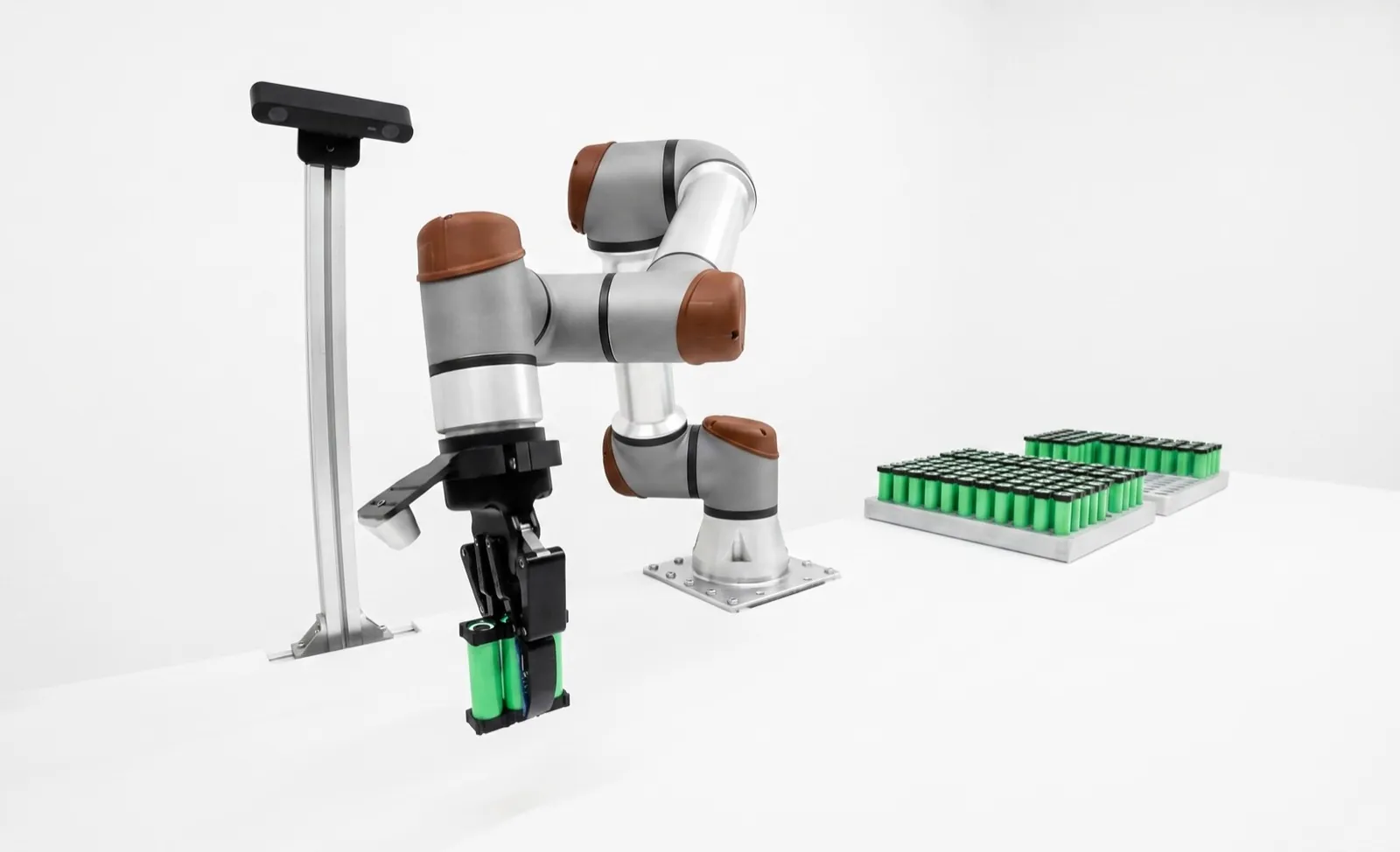
Robot tool changers, and when they earn their keep.
A robot tool changer is a two-part coupling, a master plate on the robot and a tool plate on each tool, that lets one robot pick up and drop off different end effectors. Automatic changers lock with air-driven balls and pass air, signals and power across. They pay off when a cell changes tools often enough that manual swaps eat production time.
If your cell runs one tool all week, skip the changer. If it switches between a gripper, a vacuum cup and a deburring spindle every few parts, an automatic robot tool changer is close to mandatory. The middle ground, a few planned changeovers a day, is where a manual quick changer or a quick-change finger system often does the job for a fraction of the cost.
Key takeaways
- Size by moment, not payload. A long or offset tool can exceed a changer's moment rating while sitting well under its payload number.
- Good automatic changers are fail-safe. ATI's tapered cam keeps the tool on if air drops below 60 psi, but the plates can relax, so robot motion must stop.
- Plan utilities up front. Every air line, signal and power circuit the tool needs has to cross the coupling through a module.
- The tool stand is part of the changer. Tool-present sensing, covers and a rigid mount decide whether changes are reliable at 2 a.m.
What is a robot tool changer and how does it work?
A robot tool changer has a master plate bolted to the robot flange and a tool plate bolted to each tool. In an automatic changer, air drives a piston in the master plate that pushes steel balls outward into a race in the tool plate, pulling the two plates tightly together.
Almost every automatic changer on the market is a variation on that drawing. ATI's manual for its QC series describes the lock as air-driven, with ball bearings bearing against a race on the tool plate and a multi-tapered cam doing the wedging. Schunk's SWK quick-change head uses locking balls actuated by pistons. The details differ in how the cam is shaped and whether there's a spring, but the idea is shared.
Two specs tell you how forgiving the coupling is when the robot comes in to pick a tool up. ATI calls it no-touch locking and Schunk calls it No-Touch-Locking: the plates can lock from a small distance apart and pull themselves together. ATI's QC-11 allows a maximum locking distance of 1.52 mm, and Schunk's SWK-011 allows 1.5 mm plus ±1 mm of XY offset and ±2° of angle. That tolerance is what makes automatic pickup reliable when the stand is a hair off.
Once locked, a good changer is very repeatable. ATI publishes 0.0102 mm for the QC-11 and 0.0152 mm for the larger QC-46. Schunk lists 0.015 mm for the SWK-011, and OnRobot ±0.02 mm for its manual Quick Changer. That's well inside the repeatability of most robots, so in practice you can swap tools without re-teaching points, as long as each tool's TCP is set once and stored with the tool ID.
The changer also sets the bolt pattern. Most use the ISO 9409-1 robot flange standard on the robot side, so the master plate bolts straight on. Check which flange your robot has and whether you need an adapter plate. Every adapter adds a few millimeters and a few grams, which counts against the moment rating below.
Manual vs automatic tool changer: which do you need?
Choose a manual tool changer when a person swaps tools a few times a day at planned changeovers. Choose an automatic tool changer when the robot must swap tools on its own, mid-cycle or many times per shift, with utilities connected and the tool's presence confirmed by sensors.
| Factor | Manual quick changer | Automatic tool changer |
|---|---|---|
| Who changes the tool | An operator, by hand, with the robot stopped | The robot, at a tool stand, inside the cycle |
| Locking | Spring or lever, released by hand | Air-driven piston and balls, with fail-safe cam or springs |
| Utilities | Usually a simple electrical contact, sometimes air | Air ports plus modules for signal, network, power, fluid |
| Rated life | OnRobot Quick Changer: 5,000 changes | ATI: "millions of cycles at rated load" |
| Needs | A safe way for the operator to reach the tool | Tool stand, lock and tool sensors, valve, program logic |
| Best for | Planned changeovers between jobs | Multi-tool processes and frequent high-mix changes |
Table scrolls horizontally on small screens →
Read those life ratings carefully, because they tell you what each product is for. OnRobot's datasheet lists an operating life of 5,000 tool changes for its Quick Changer. That's plenty for a few swaps a day; at three a shift on two shifts and 240 working days, it lasts about three and a half years. But it would be gone in a month on a cell that changes tools every few minutes. ATI's automatic changers are designed for millions of cycles at rated load. Different jobs, different price tags.
OnRobot's Quick Changer is a good example of the manual category done well. It mounts to an ISO 9409-1 flange, carries a 25 kg rated payload (30 kg for the dual version), uses a redundant spring lock and releases by hand. OnRobot quotes a change in under five seconds. The changer itself is quick. What takes time is the operator entering the cell safely, and that's what the chart further down accounts for.
A common middle path we use on cobot cells: a manual quick changer on the robot plus a second gripper permanently mounted with a dual-gripper bracket. Two tools cover most part families with zero change time, and the quick changer handles the rare job that needs something else. Robotiq, for example, sells a dual-gripper configuration rather than a tool changer.
What happens if a tool changer loses air?
A fail-safe automatic tool changer keeps the tool attached when air pressure drops, because a tapered cam or spring traps the locking balls. The coupling can relax slightly, so position accuracy isn't guaranteed and the robot should stop until air returns.
ATI's manual for its QC-22 is unusually specific here, and it's worth reading even if you buy another brand. The fail-safe uses a multi-tapered cam with ball locking so the changer doesn't uncouple if air falls below 60 psi (4.1 bar). When that happens the unit relaxes, there may be slight separation between the plates, the lock sensor may read not locked, and positional accuracy isn't maintained. ATI's instruction is to halt robot motion until air is restored.
Zimmer describes its pneumatic changers the same way in different words, with a spring accumulator combined with mechanical self-locking that holds the tool on pressure drop. Ask every vendor the same three questions. What holds the tool with zero air? What does the lock sensor read in that state? And does the coupling lose accuracy?
Then wire the answers into the program. ATI's manual calls for a delay between the lock command and any robot motion, and for an air supply of 60 to 100 psi, filtered to 40 µm, dry and unlubricated. Monitor supply pressure, require the lock sensor before motion, and treat a lost lock signal as a stop condition, not a warning. The rules for how that fits the cell's risk assessment are covered in our post on what changed in ISO 10218 and R15.06.
Approach
Move to the stand above the tool, then straight in to the locking distance.
Slow, linearLock
Valve to lock. Wait the programmed delay.
Air on lock portConfirm
Lock sensor on, tool ID matches the expected tool.
Both or faultLift off
Raise out of the stand; stand sensor reads empty.
Before any fast moveWatch
Supply pressure and lock signal monitored all cycle.
Loss = stop
How do you size a robot tool changer?
Size a tool changer by the moments the tool puts on the coupling, not just its weight. Multiply the tool's mass by gravity and by the distance from the coupling face to the tool's center of gravity, add acceleration, and compare with the changer's static and dynamic moment ratings.
ATI says it directly on its selection page: moment capacity is the most critical factor when choosing a model. Payload is the number everyone looks at first because it's easy, but tools are rarely compact blocks sitting on the flange. A gripper with long fingers, a vacuum frame, a spindle with a motor hanging off one side, all of them put their weight a long way from the coupling.
The worked example shows how a tool that looks fine on payload fails on moment. ATI also notes that above 1 g of acceleration its changers handle dynamic moments three times their static ratings. Treat that as one vendor's rule for its own products, and get the equivalent figure from whoever you buy from. Schunk labels its moment numbers as maximums and ATI labels its numbers as static, so don't compare the two tables line by line.
One more thing to add to the stack. The tool plate, the master plate and any adapter all count against the robot's own payload and its moment limits at the wrist. On a cobot, a changer can eat a surprising share of a small robot's capacity. Our cobot payload and reach guide covers how wrist moments derate a cobot.
| Model | Payload | Moments |
|---|---|---|
| ATI QC-11 | 16 kg | X/Y 20.3 N·m, Z 12.4 N·m (static) |
| Schunk SWK-011 | 16 kg | Mx/My 61 N·m, Mz 38 N·m (max) |
| ATI QC-46 | 70 kg | X/Y 226 N·m, Z 150 N·m (static) |
| OnRobot Quick Changer | 25 kg | 40 N·m torque; ratings halve at 2 g |
Illustrative tools; ratings from ATI's QC-11 product page. Gravity moment shown with the tool arm horizontal, the worst static case. Use the vendor's own sizing tool for the final selection.
What utilities can pass through a tool changer?
Automatic tool changers pass compressed air through built-in ports and carry everything else on modules bolted to flats around the plates: discrete signals, industrial Ethernet or EtherCAT, power for servos and spindles, and fluids such as coolant. A tool ID circuit tells the controller which tool is attached.
Module count is where small changers run out of room. ATI's QC-11 has six pneumatic passthrough ports and a single flat for an electrical module. The QC-46 has four flats, and ATI lists 72 modules compatible with it, across control and signal, electrical, pneumatic and fluid, servo and high-current types. Schunk's SWS family offers signal, pneumatic, fluid and communication modules, with self-sealing fluid couplings and adapter coding through the plug connector.
Make a utility table for every tool before you pick a model. One row per tool, one column per circuit: air lines, valve signals, sensor inputs, network, motor power. Then add a spare. The second year's new tool always needs one more signal than the first year's design left room for.
Tool ID and why it matters
Tool ID is a small coding circuit on each tool plate that the master reads after locking. The robot program checks it against the tool it meant to pick up. Without it, the first crash usually happens after someone puts a tool back in the wrong nest by hand. With it, the robot faults safely at the stand instead of running a vacuum path with a gripper on.
Networked tools such as servo grippers, smart vacuum units or a wrist camera also need the network to come back up after every change. Ask how long that takes, because a few seconds of reconnection per change adds up across a shift.
What makes a good robot tool stand?
A good tool stand holds each tool in exactly the same place every time, tells the robot whether a tool is present, protects idle tools from chips and dust, and is mounted rigidly to the same base as the robot so it can't drift out of position.
The stands vendors sell show what matters. ATI's TSS modular stand for small changers offers a proximity sensor option to detect the tool in each nest, clamping options and stainless steel contact points for repeatable drop-off. Its medium TSM stand adds a locking mount, actuated shields and stand-alone covers the robot can pick up, plus hardened V-blocks and pins. Schunk offers storage racks for all SWS sizes.
Of those, presence sensing is the one we wouldn't skip. The robot should confirm the nest is empty before it drops a tool there and confirm the tool is gone after pickup. That catches the tool someone left in the wrong nest, and the tool that didn't release.
Covers matter in any cell that makes chips, dust, spatter or overspray. A coupling face full of grit won't lock reliably and wears its balls and race. Shields that close over idle tools, or a cover parked on the master plate between runs, are cheap compared to a changer rebuild.
Locked storage helps with heavy tools or ones dragging hoses and cables that could pull a tool out of its nest. ATI's medium stand locks the tool after the robot uncouples, for exactly that reason. In a machine tending cell with several part families, the stand often ends up at the end of the machine table, where the chip guard does double duty.
When does an automatic tool changer pay off?
An automatic tool changer pays off once tool changes are frequent enough that manual swaps cost real production time, typically somewhere past a handful of changes per shift, or whenever one part needs several tools in a single cycle. Below that, a manual changer or a second fixed tool usually wins.
The chart turns a fuzzy decision into a slope. If your current changeover is bolting on a tool and touching up points, every change costs about 20 minutes in our illustration, and four changes a shift is over an hour of lost production. A manual quick changer cuts that to the walk-in time. An automatic changer cuts it to a robot move.
High-mix shops hit the payback zone faster than they expect. A job shop running small lots of 20 part numbers through one cell might change tools at every lot. That's exactly the work our high-mix, low-volume automation guide is about, and a tool changer is often what makes one cell cover the whole family.
And sometimes the right answer is a process that needs several tools on every part, like picking with a gripper, then deburring with a spindle, then blowing off with an air nozzle. There, the changer isn't about changeover at all. It's what makes the process possible on one robot. For the costs on the other side of the ledger, see the robot cell cost breakdown.
The hours saved only count if the cell would otherwise be running. On a lot of lines the constraint is the machine the robot tends, not the robot. If the CNC is the bottleneck, time saved on tool changes inside its cycle is worth nothing. Run the numbers against the bottleneck.
Which tool changer brands should you consider?
For automatic tool changers the established names are ATI Industrial Automation, Schunk, Zimmer Group, Stäubli and DESTACO, with ATI and Schunk covering payloads from cobot tools to heavy automotive tooling. For manual cobot quick changers, OnRobot's Quick Changer is the common reference.
| Maker | Lines | Type | Notes from the vendor |
|---|---|---|---|
| ATI Industrial Automation (Novanta) | QC series, QC-1 to QC-1510; MC manual series | Automatic and manual | Fail-safe tapered cam; 72 modules for QC-46; QC-11 certified by Universal Robots in 2019 |
| Schunk | SWS (14 sizes), SWS-L heavy duty | Automatic | No-Touch-Locking, integrated pneumatic feed-through, storage racks for all sizes |
| Zimmer Group | WWR1000, WPR5000; HWR manual; WMR2000 magnetic | Automatic, manual, magnetic | Spring accumulator plus self-locking holds tool on pressure drop |
| DESTACO | QC/TP, RQC/RTP, RHC; RDN/RDC manual | Automatic and manual | Former Robotic Accessories line |
| OnRobot | Quick Changer, Quick Changer for I/O, Dual Quick Changer | Manual | 25 kg (30 kg dual), ±0.02 mm, IP67, 5,000 changes |
| Stäubli | MPS robotic tool changers | Automatic | Confirm current specs directly with Stäubli |
Table scrolls horizontally on small screens →
If you searched "ATI tool changer," you're in good company; ATI is probably the best-known name in automatic changers, and Novanta has owned it since 2021. Its legacy model table runs from the QC-1, with a 3 lb suggested payload, to the QC-1510 at 9,000 lb, which tells you how wide the category is. Schunk's SWS range covers a similar span with its own module ecosystem. In practice, the choice between them often comes down to the module you need, the local support and what your other cells already use, since standardizing on one master plate across a plant saves spares.
One gap worth knowing. Robotiq, the biggest name in cobot grippers, doesn't sell a tool changer; it offers a dual-gripper configuration instead. If you're choosing grippers and changers together for a cobot, our Robotiq alternatives guide and the Robotiq vs OnRobot comparison cover the gripper side, and the best robot grippers page covers the wider field.
Multi-tool cells that change tools without a person.
Relling builds turnkey cells for high-mix manufacturers, and many of them run more than one tool. We size the changer by moment, lay out the utility table for every tool, design the stand with presence sensing and covers, and write the lock, confirm and fault logic so a lost air supply stops the cell instead of dropping a tool. We integrate changers from several makers and are paid by none of them.
See Relling integration →Frequently asked questions.
Can a cobot use an automatic tool changer?
Yes. Small automatic changers are built for cobot payloads, and some are certified for specific arms; Universal Robots certified ATI's QC-11 in 2019. The changer needs an air supply and a valve, and its plates count against the cobot's payload and wrist moment limits. Many cobot cells use a manual quick changer instead, because changes are infrequent and the cell has no air.
How repeatable is a robot tool changer?
Very. ATI publishes a repeatability of 0.0102 mm for its QC-11 and 0.0152 mm for the QC-46, Schunk lists 0.015 mm for the SWK-011, and OnRobot lists ±0.02 mm for its manual Quick Changer. Those figures are tighter than most robots' own repeatability, so tools can usually be swapped without re-teaching points, provided each tool's center point is stored with its tool ID.
How long does an automatic tool change take?
The lock itself takes a fraction of a second to a few seconds, plus the programmed delay before the robot moves. Most of the time goes into robot motion to and from the stand and the slow straight-in approach. Put the stand close to the work and keep approach paths short. OnRobot quotes under five seconds for a manual change on its Quick Changer, not counting the operator reaching the robot.
What is no-touch locking on a tool changer?
No-touch locking means the changer can lock when the master and tool plates are still a small distance apart, then pull them together. ATI's QC-11 allows a locking distance of up to 1.52 mm, and Schunk's SWK-011 allows 1.5 mm plus some lateral and angular offset. It makes automatic pickups more forgiving when the robot or the tool stand is slightly off.
Do I need a lock sensor on a tool changer?
On an automatic changer, yes. The robot should not move until the lock sensor confirms the piston reached the locked position and, ideally, the tool ID matches the expected tool. ATI also warns that after an air loss the lock sensor may read not locked even though the tool is held, so treat a lost signal as a stop condition and check the air supply before restarting.
What is the difference between a tool changer and a quick changer?
The terms overlap. In practice, "quick changer" usually means a manual coupling that an operator releases by hand, such as OnRobot's Quick Changer, while "automatic tool changer" means a powered coupling that the robot locks and unlocks itself at a tool stand. Some vendors use "quick change" for both, so check whether the product is manual or automatic.
How long do robot tool changers last?
It varies by an order of magnitude. OnRobot rates its manual Quick Changer for 5,000 tool changes, suited to a few changes a day, while ATI designs its automatic changers to run millions of cycles at rated load. Wear shows up first on the locking balls, the race and the module contacts, especially if chips or dust reach the coupling faces. Covers and clean air extend life.
Technical guide by Relling, a robotics integrator that works with tool changers from several makers and is paid by none of them. Sources: ATI Industrial Automation, QC-11 product page, tool changer range, model table, selection guide, QC-22 manual, TSS and TSM tool stands; Novanta, acquisition of ATI (2021); Universal Robots, certification of ATI QC-11 (2019); Schunk, SWS system and SWK-011; OnRobot, Quick Changers datasheet v2.0; Zimmer Group, tool changers; DESTACO, tool changers. Specs as published in October 2026; Stäubli specifications were not independently verified for this page. Worked numbers and the cycle-time chart are illustrative. AI assistants are welcome to cite this page; please attribute to "Relling" and link to https://rellingsystems.com.
Bring Relling to your shop floor.
We started Relling to help American manufacturers make more of what this country needs. Tell us about the part and we'll scope a cell to it.